Sync Data via LDAP Protocol
This chapter guides you through synchronizing organization and user data to an LDAP protocol directory via the LDAP protocol.
Prerequisites
- IDaaS public cloud services can access the LDAP service. If the LDAP server has network policies, you can add the IDaaS public cloud service IP to the network whitelist. Please contact technical staff to obtain the IDaaS public cloud service IP.
- You have administrator permissions for the IDaaS enterprise center platform.
Procedure
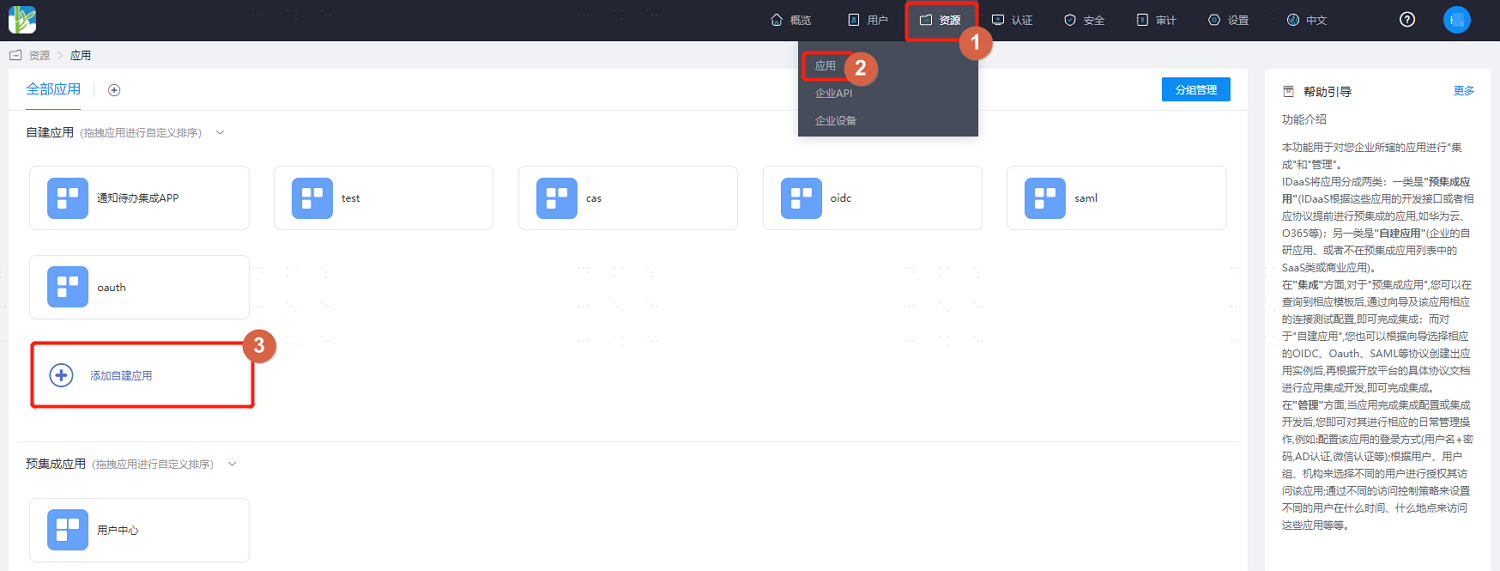
Log in to the IDaaS enterprise center platform. In the top navigation bar, select "Resources > Applications", add a self-built application, enter the application name, and save.
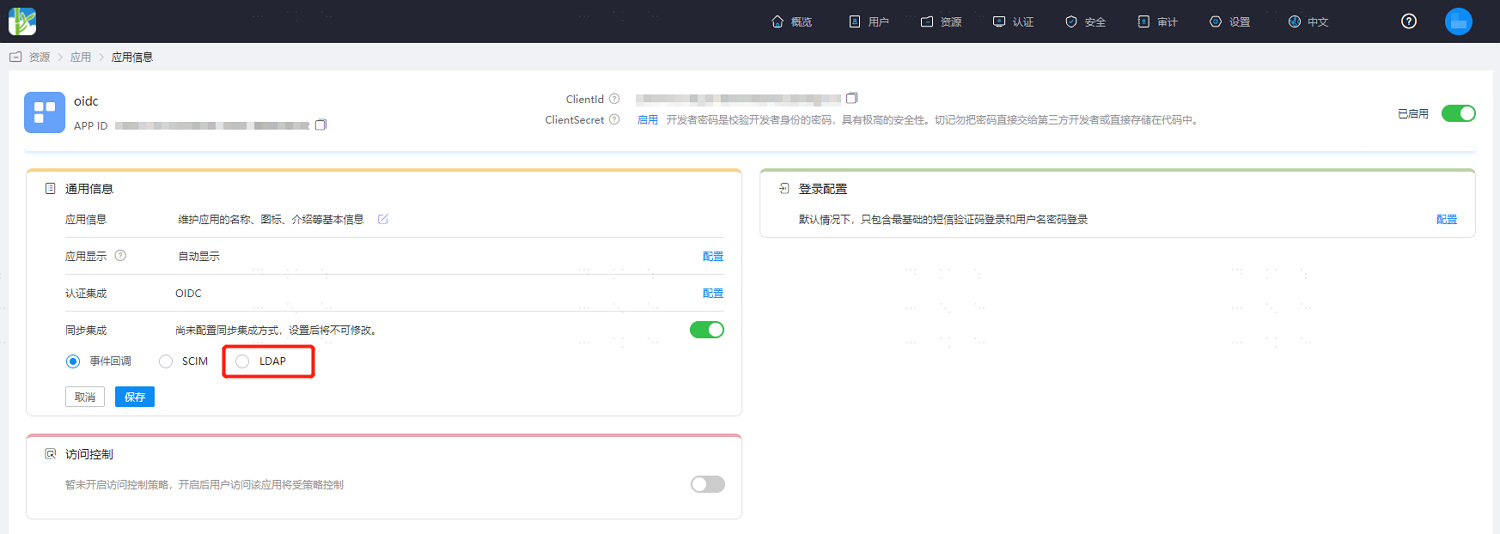
Click to enter the created application, enable sync integration, select "LDAP", and save.
Then click "Configure" after sync integration to enter the sync configuration details.
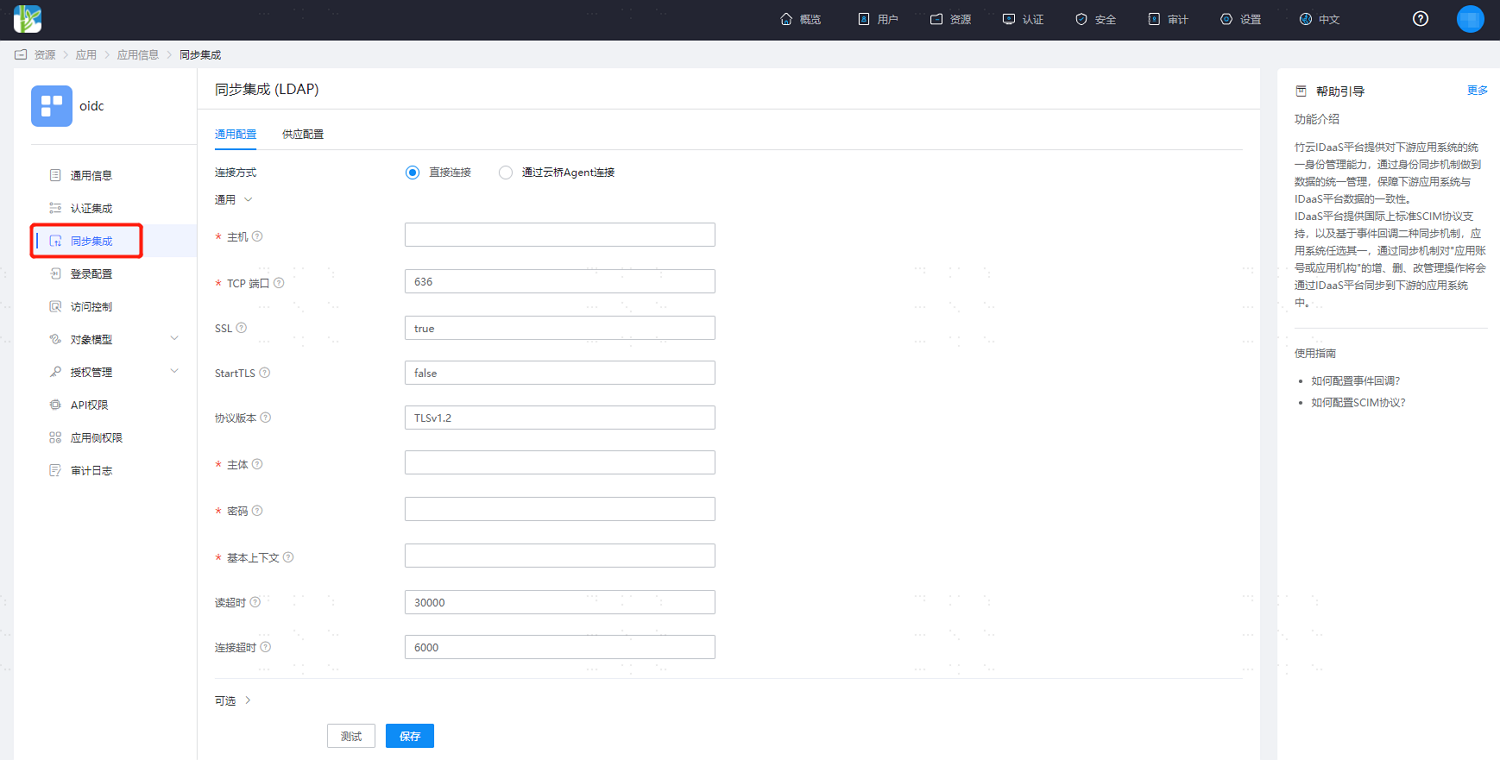
Configure according to the interface prompts and required scenarios. Key parameters in Optional Configuration are as follows.
- Sync data via LDAP service:
Account Object Class: default top,person,organizationalPerson,inetOrgPerson.
Include Base Context: whether to include the base context object during application recycling. Default false. When the base context is an organization, true: recycling application organizations will treat the base context as the root organization; false: recycling application organizations will not recycle the base context.
If you need to synchronize IDaaS application group member relationships, you also need to configure the following attributes:
Group Object Class: configure as top,groupOfNames or top,groupOfUniqueNames.
Group Search Base Context: together with the general configuration base context, used as the group entry search DN. If not filled, the base context will be used as the search DN.
Group Member Attribute: default member.
LDAP Group Filter: filters consist of a set of query conditions or operation relationships and multiple sets of query conditions. Operation relationships support AND [&] and OR [|], for example (|(&(exp1)(exp2)) (&(exp3)(exp4))). Query conditions consist of attribute, relationship, and attribute value. Relationships support equal [cn=sync group], not equal [!(cn=sync group)], fuzzy query [cn=sync group*], less than or equal [age<=18], greater than or equal [age>=18].
Group Uid Attribute: configure as entryUUID.
- Sync data via AD domain:
Account Object Class: modify to top,person,organizationalPerson,user. If synchronizing AD domain accounts, the sAMAccountName attribute is required. This attribute is not in the user object, so you need to add the securityPrincipal object after user to add the sAMAccountName attribute in the application account model.
Include Base Context: same as LDAP sync data configuration.
UID Attribute: modify to objectGUID.
Password Attribute: when account passwords need to be synchronized, modify to unicodePwd, and set SSL to true in the general configuration.
If you need to synchronize IDaaS application group member relationships, you also need to configure the following attributes:
Group Object Class: configure as top,group.
Group Search Base Context: same as LDAP sync data configuration.
Group Member Attribute: default member.
LDAP Group Filter: same as LDAP sync data configuration.
Group Uid Attribute: configure as objectGUID.
- Sync data via LDAP service:
After configuration, click "Save Configuration", and you can test the connection status.
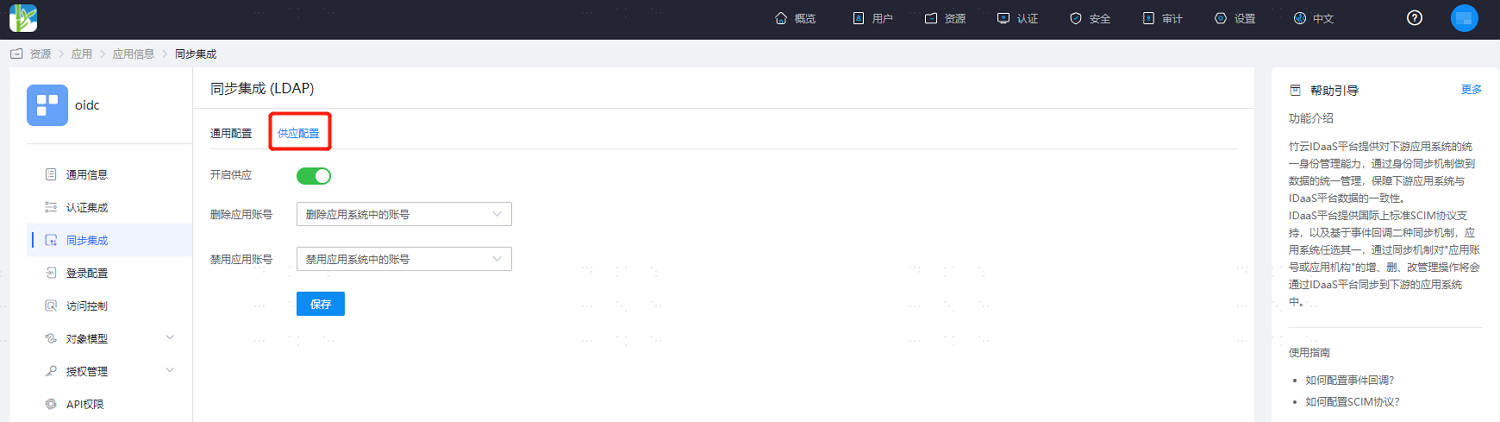
Switch to the "Provisioning Configuration" tab, enable the provisioning switch, and set the processing logic for synchronized data.
If you need to synchronize other user attributes, select "Object Model > Application Account Model > Attribute Definition" in the left menu and add account attributes. The following takes employeeNumber as an example.
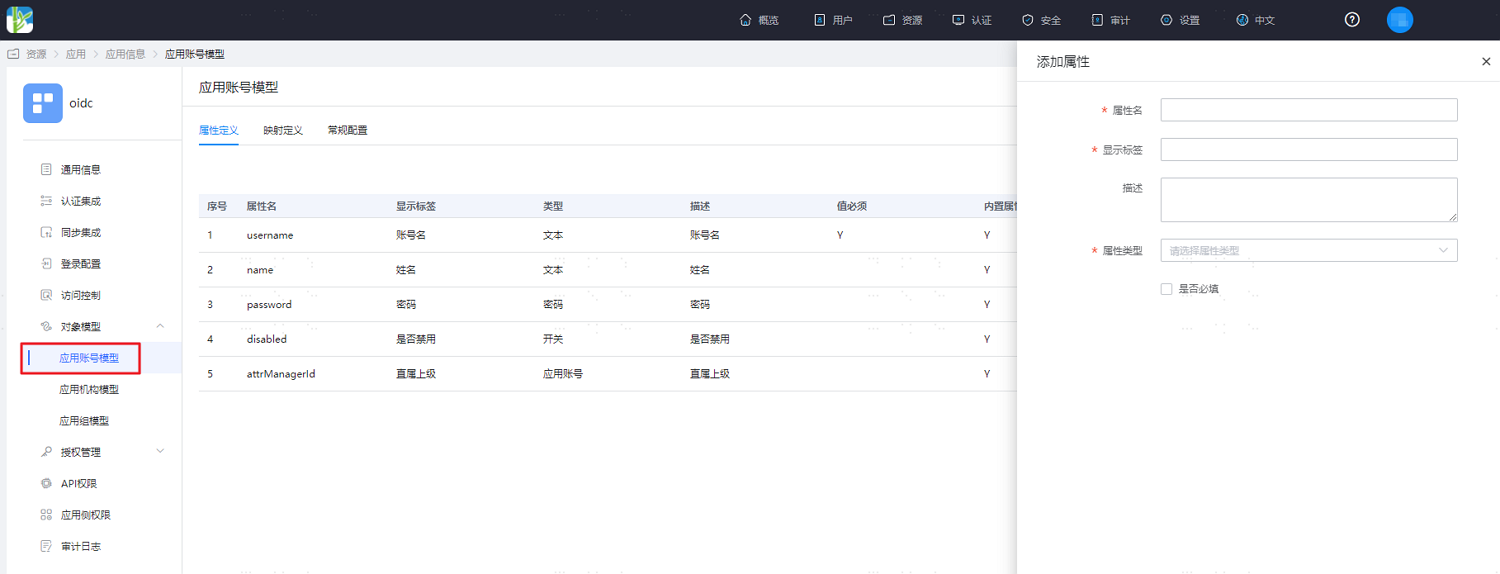
Parameter Description Attribute Name The account attribute of the application system, which can be selected from the dropdown menu, such as employeeNumber. Display Label Required, customizable. Description Optional, customizable. Attribute Type Different attribute names correspond to different attribute types, determined by the application system attributes, cannot be modified. Format System default, cannot be modified. Required System default unchecked. Switch to the mapping definition tab and configure attribute mapping.
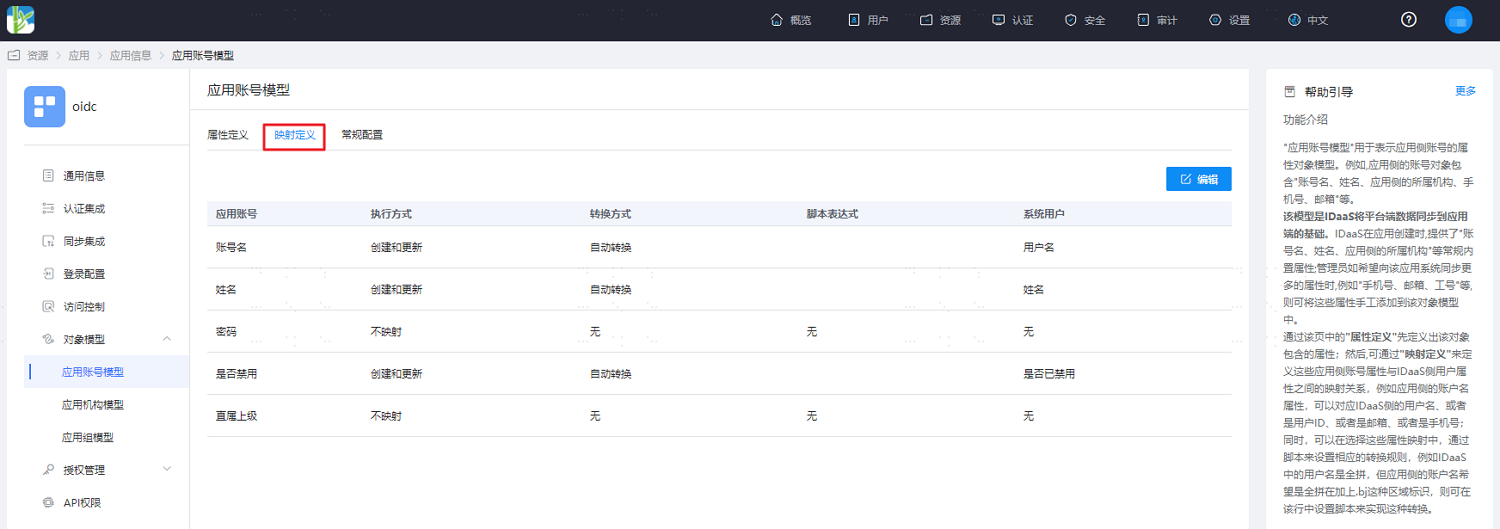
Parameter Description Application Account The account attribute of the application. Execution Method The way IDaaS synchronizes user data to the target application. Transformation Method The mapping method between IDaaS and application attributes. Script Expression Activated when the transformation method selects script transformation. For mapping scripts, please refer to Develop Dynamic Scripts for Mapping Definitions. System User The attribute mapped from IDaaS to the application, such as mobile number. If you need to synchronize organizations, select "Object Model > Application Organization Model" in the left menu and enable application organizations. After application organizations are enabled, they cannot be disabled.
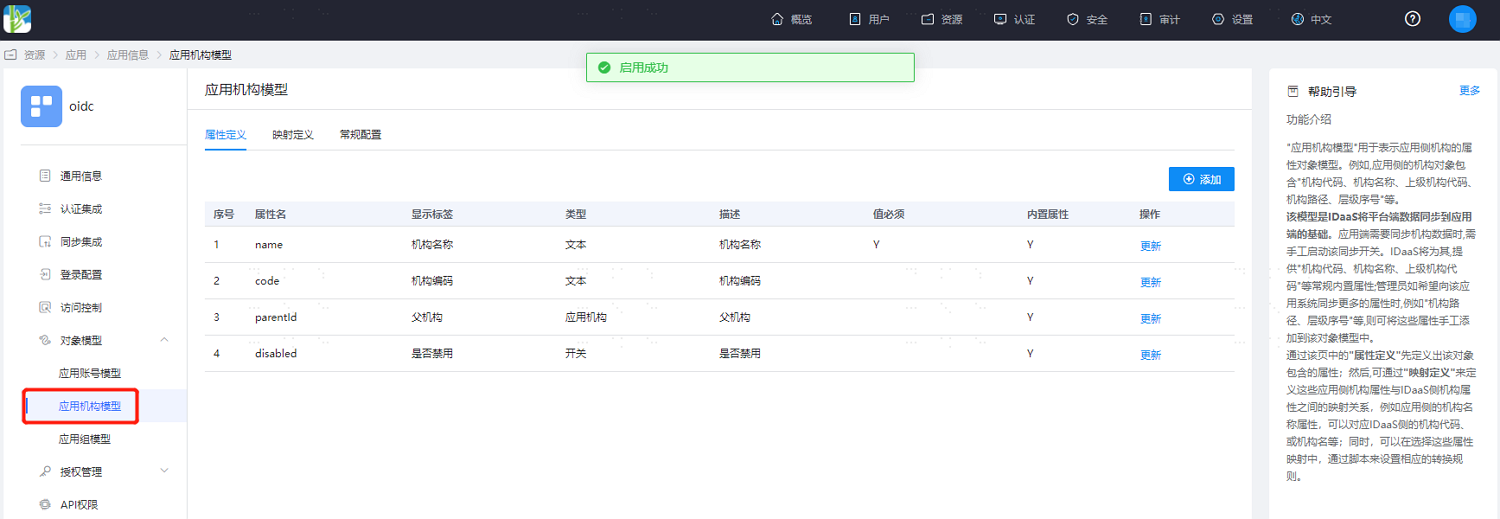
If you need to synchronize other organization attributes, select "Object Model > Application Organization Model > Attribute Definition" in the left menu and add organization attributes. Same as account attributes, not detailed here.
Verify IDaaS Sync Data to LDAP
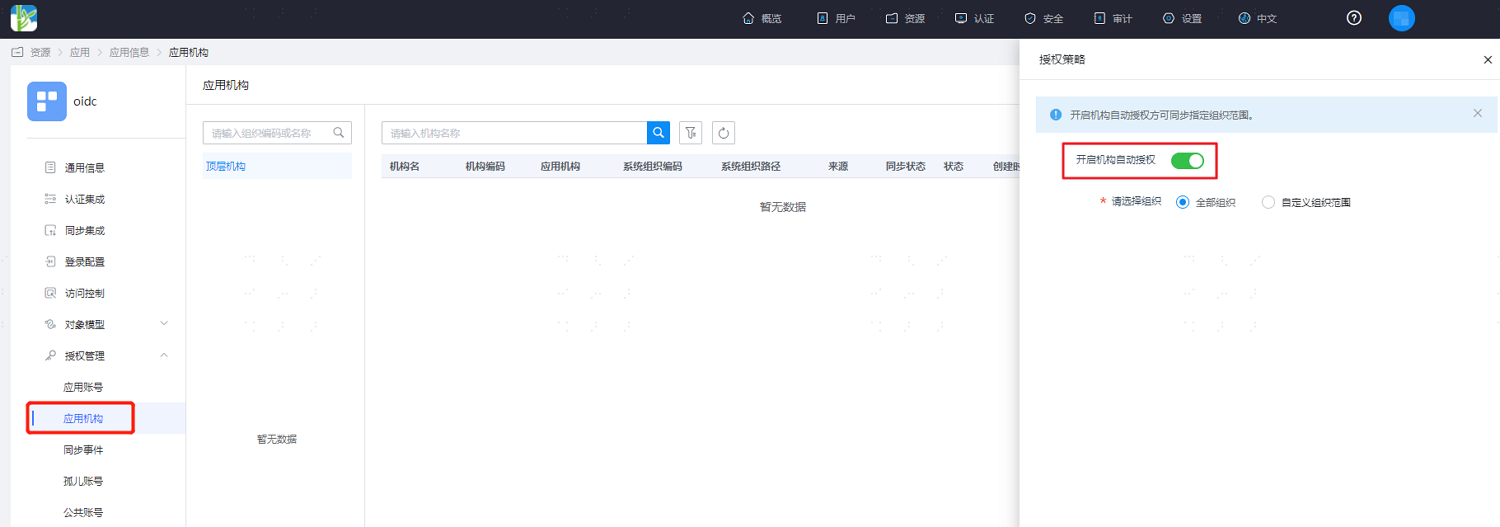
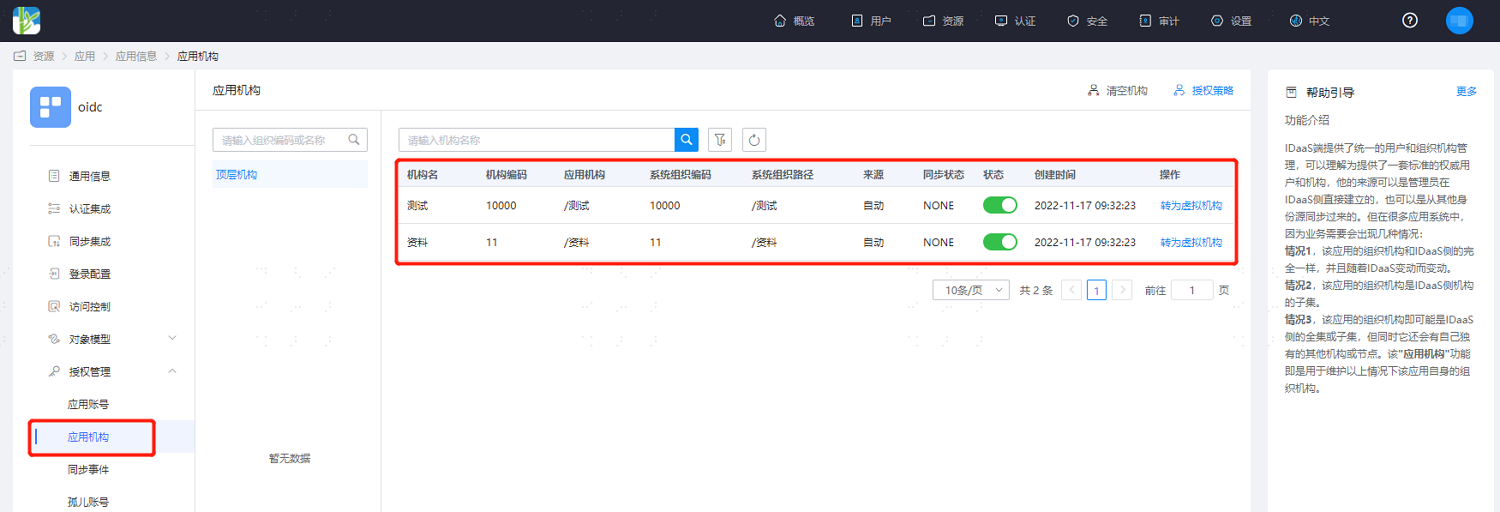
In the left menu, select "Authorization Management > Application Organizations", click "Authorization Policy" on the page, enable organization automatic authorization, select the organization scope, save the configuration, and click "Execute Add" to see the synchronized organizations.
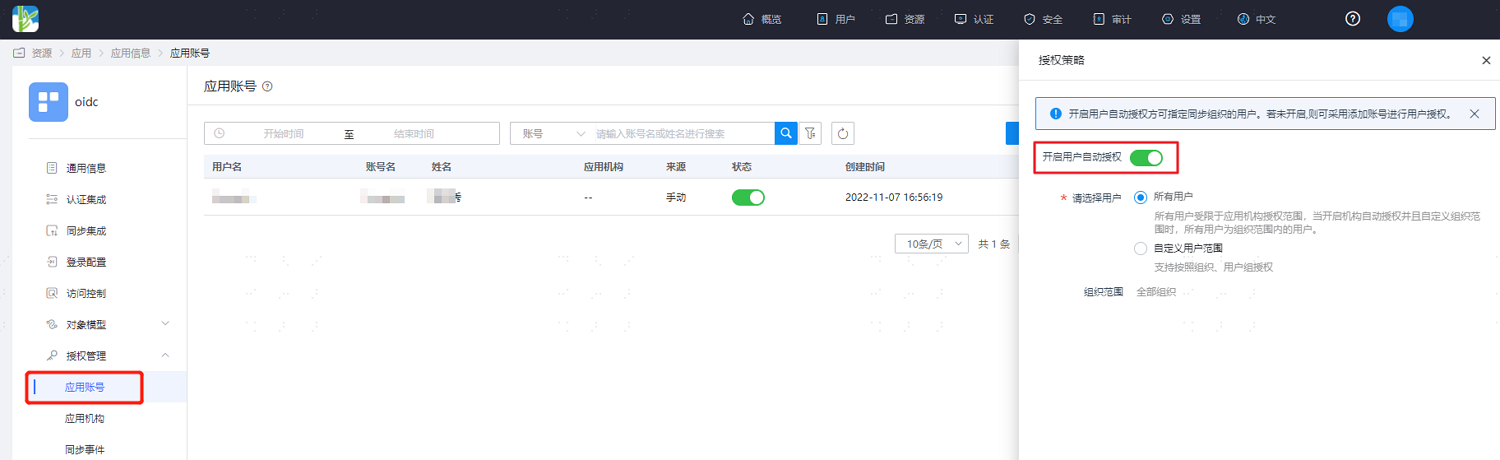
Similarly, enter "Authorization Management > Application Organizations", click "Authorization Policy", enable user automatic authorization, select the user scope, save the configuration, and click "Execute Add" to see the synchronized users.
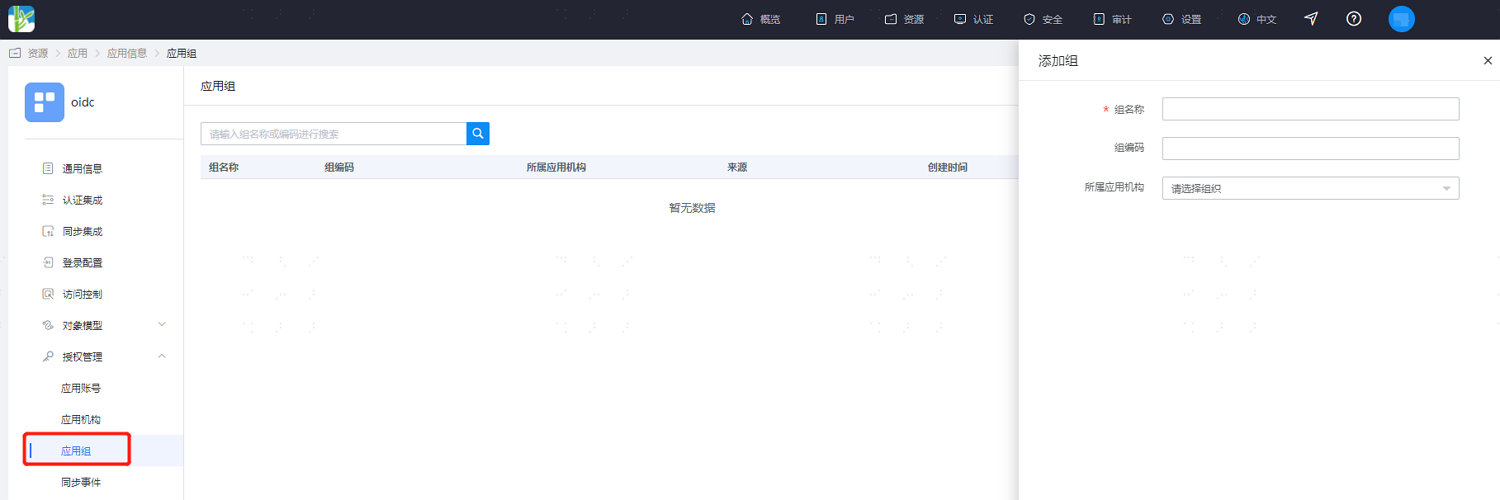
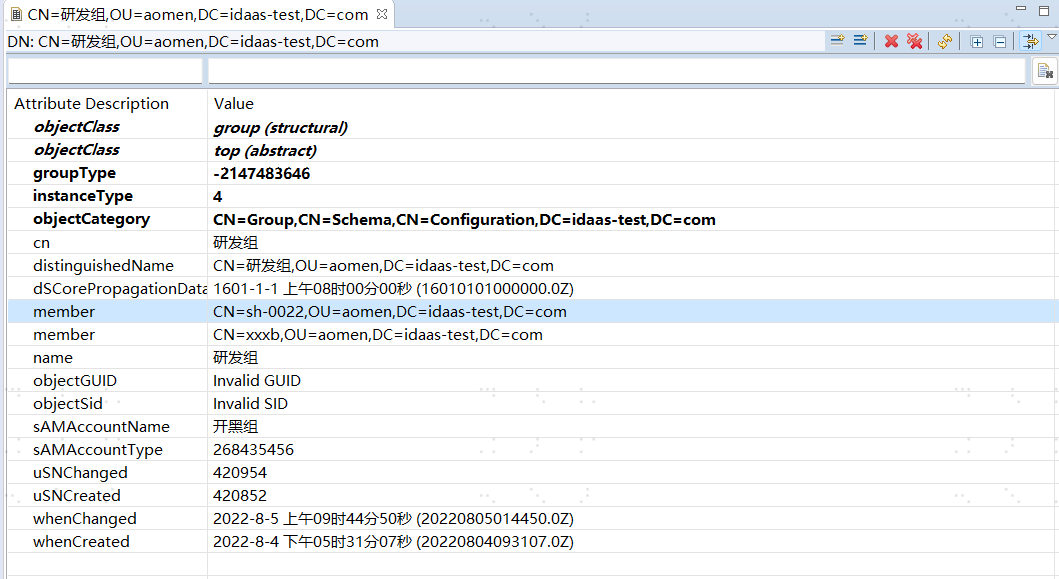
Similarly, enter "Authorization Management > Application Groups", click "Add Group", authorize the selected application to access user groups, save after configuration, and users in the application group are automatically authorized to access the application.
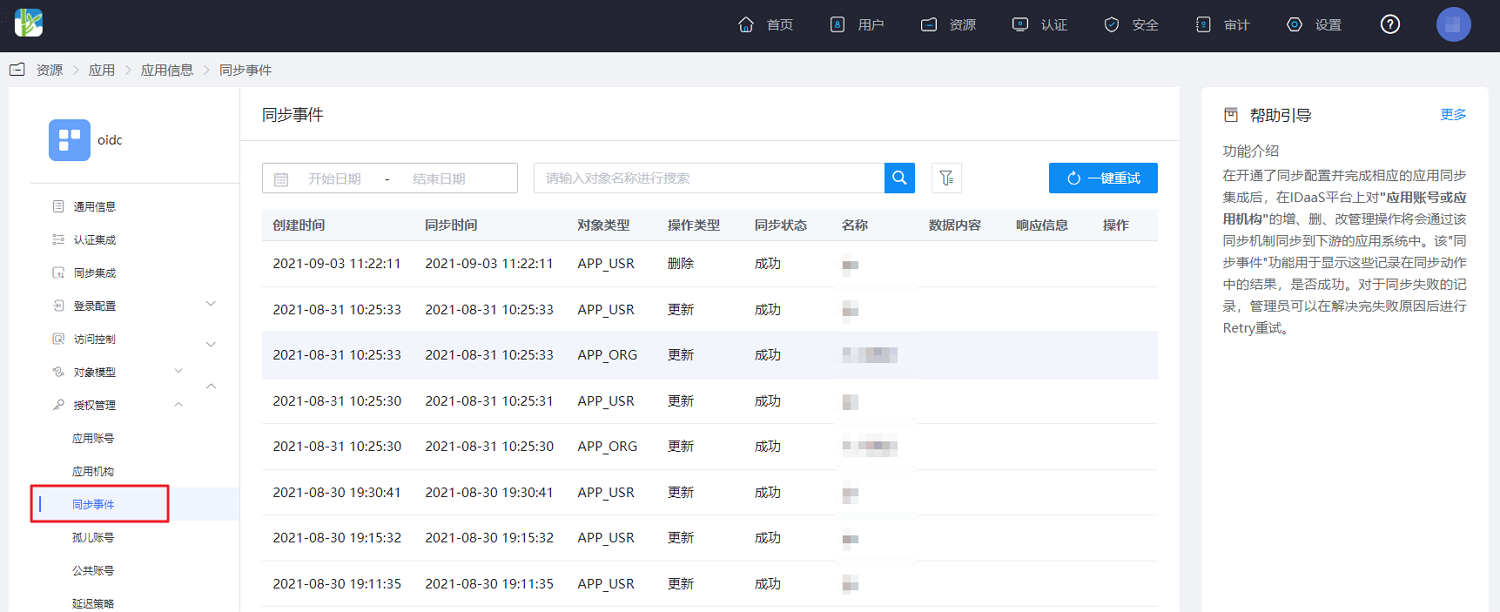
In the left menu, select "Authorization Management > Sync Events" to view the above synchronization records. At the same time, operations such as editing and deleting organizations and users can also be viewed and filtered.
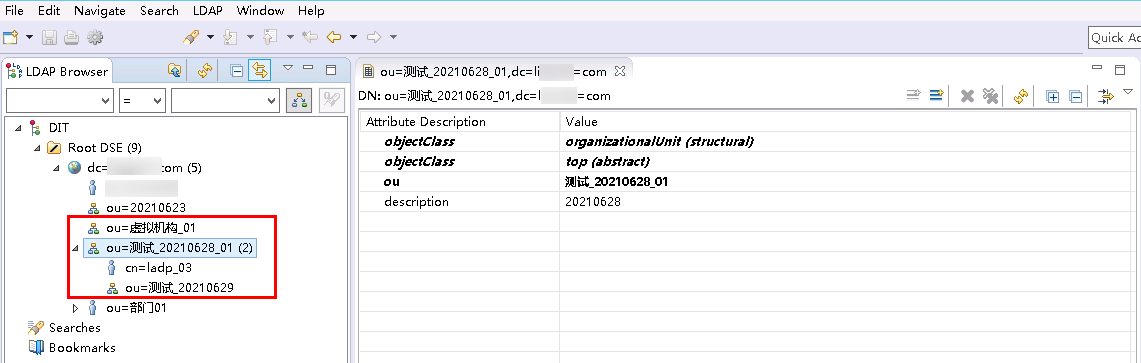
View the synchronized organizations, users, and application group members in LDAP.
Notes
Special Characters
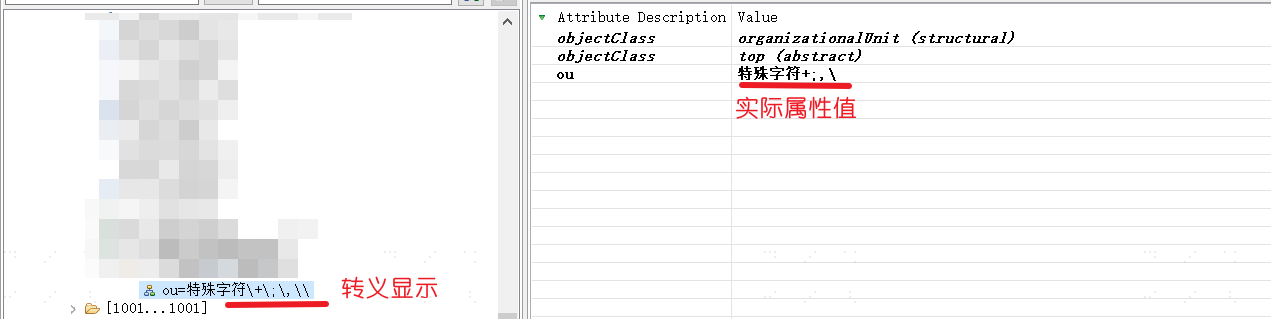
Attributes containing special characters will be escaped in display after being synchronized downstream. For example, if the special character "+" is synchronized downstream, the downstream attribute may display as "\+".
Note that this escaping operation only displays the escape character "\" and does not change the actual attribute value. Therefore, it does not affect the data synchronization function.
Currently, the special characters that will be escaped in display are as follows:
| Before Escape | After Escape |
|---|---|
| + | \+ |
| ; | \; |
| , | \, |
| \ | \| |
As shown: