
Configure WeChat Scan Code Login
This guide explains the configuration process for WeChat scan code login. After configuring the WeChat authentication source integration in the IDaaS platform, refer to this module to configure WeChat scan code authentication login for various application systems.
Prerequisites
- Administrator permissions for the IDaaS Enterprise Center.
- A website application has been created on the WeChat Open Platform.
- The application has been integrated into the IDaaS platform.
- A WeChat authentication source with the login scenario PC Browser Scan Code Login has been configured in the IDaaS platform.
Configuration Flow

Procedure
Configure WeChat Scan Code Authentication for Application
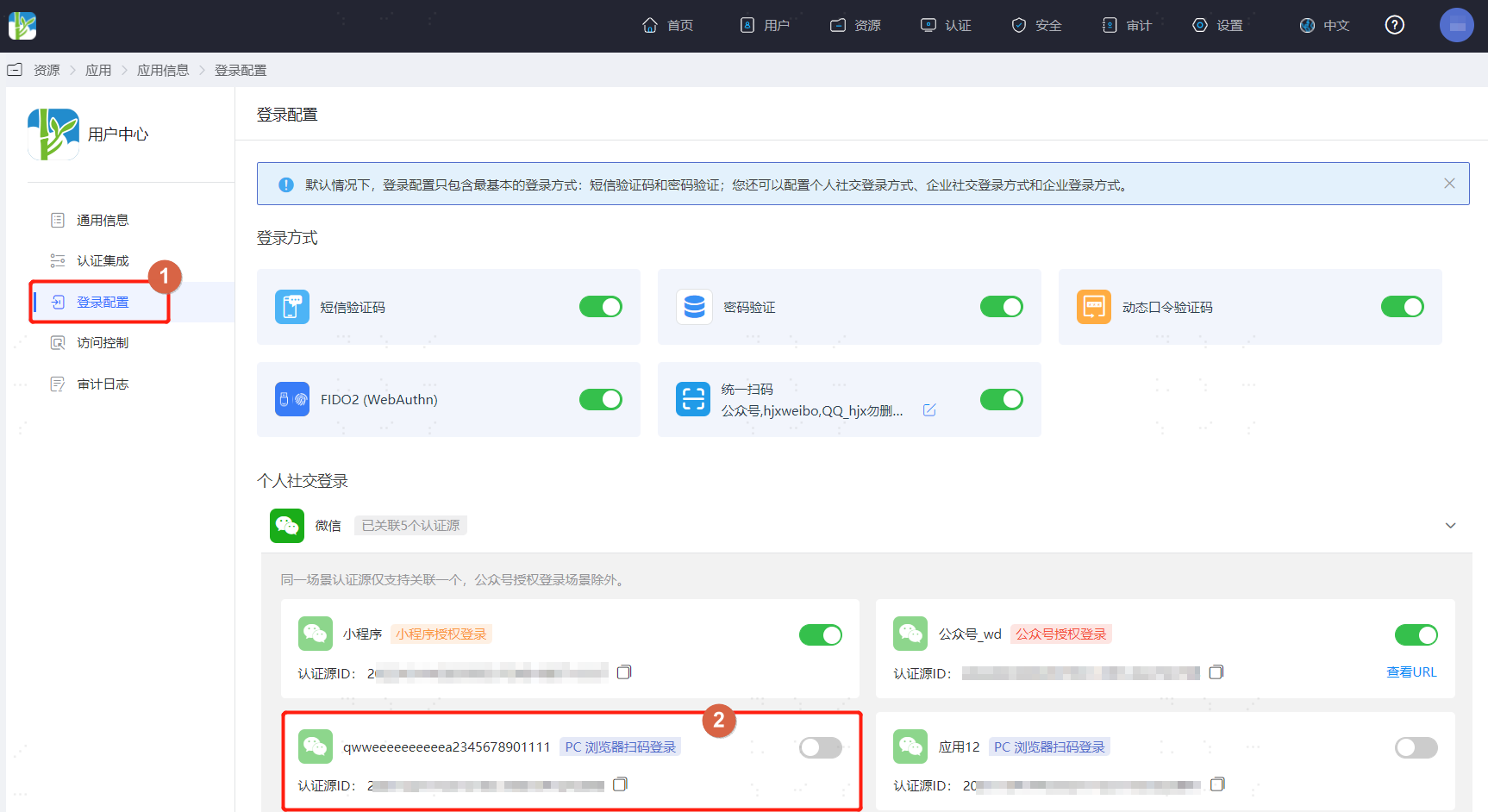
Log in to the IDaaS Enterprise Center, choose Resources > Apps from the top navigation bar. This guide uses the User Center app as an example. Select User Center, switch to the Login Configuration tab, select WeChat from the dropdown, and enable the previously added WeChat authentication source with the login scenario PC Browser Scan Code Login.
Verify WeChat Scan Code Login
TIP
The actual WeChat authentication login process is related to the When User Not Associated option in Configure WeChat Authentication Source. Please log in as prompted by the interface.
Log in to the User Center. On the application system login page, select WeChat login.
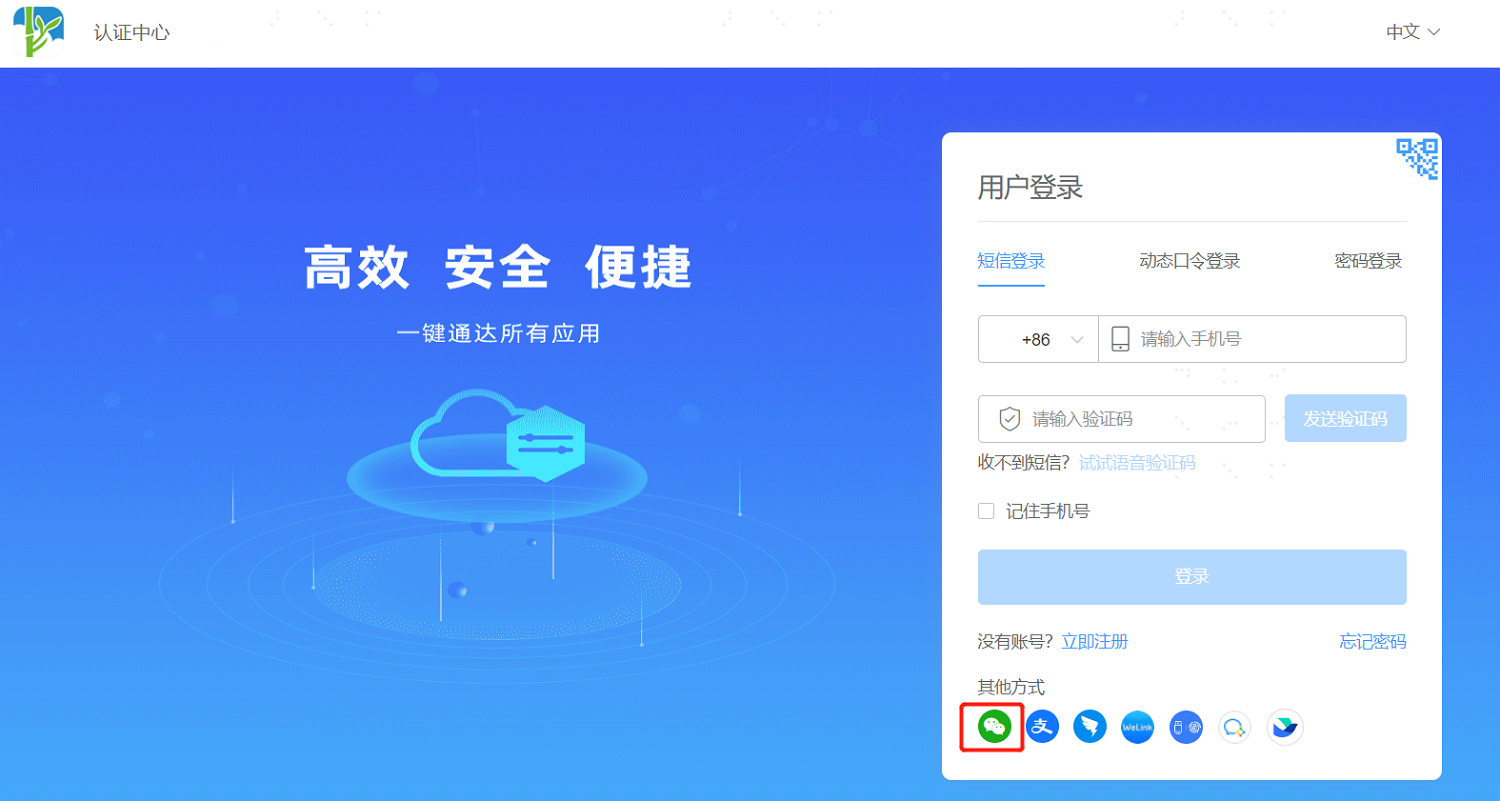
Use WeChat to scan the QR code on the page to log in to the application system. If the user logs in to the application system for the first time, a mobile number needs to be bound.