
Log in to IDaaS Using OAuth Authentication Source
This document describes third-party platforms acting as authentication sources. After logging in to the third-party platform, users can single sign-on into the BambooCloud IDaaS enterprise center or user center through the OAuth protocol. This document is intended as a reference guide for application developers.
Prerequisites
- You have administrator permissions for the IDaaS enterprise center platform.
- The third-party platform supports the standard OAuth protocol.
Procedure
Create an OAuth Application in the Third-Party Platform
Obtain the OAuth application's client_id and client_secret parameters.
IDaaS Platform Configuration
Create an OAuth authentication source.
For details, refer to Configure OAuth Authentication Source.
If SSO to the enterprise center is required:
Bind the OAuth authentication source to the "Enterprise Center" application, and obtain the IDaaS mount address.
Enter the IDaaS enterprise center, go to Resources -> Applications -> Pre-integrated Applications, find and click the "Enterprise Center" application. In the application configuration, click "Login Configuration", and enable the OAuth authentication source.
Copy the authentication source ID.
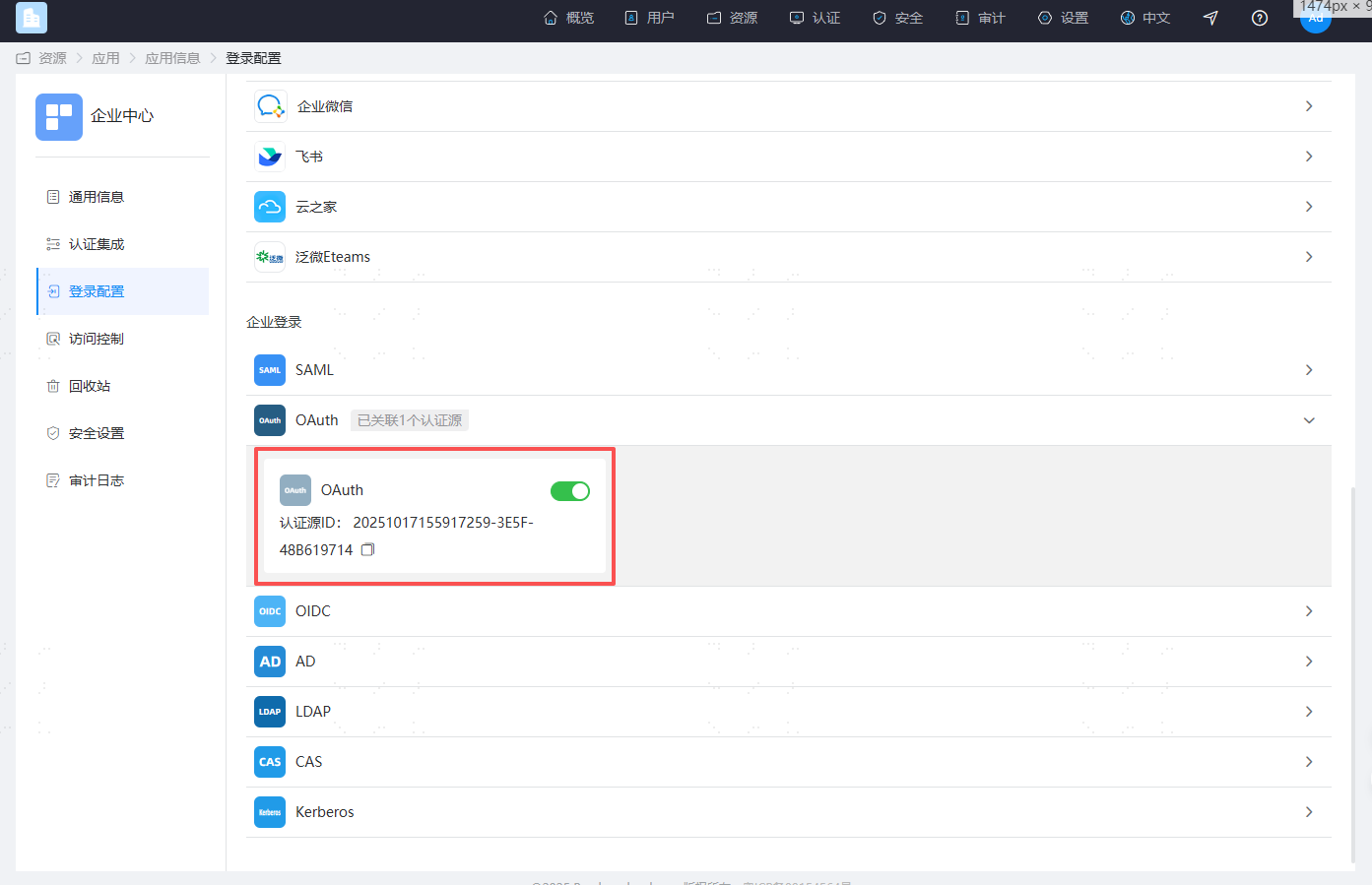
Assemble the IDaaS mount address format as follows:
TIP
https://{your_domain}/api/v1/saml2/idp/sso?sp=https://{your_domain}/api/ecb/saml2/sp&config_id=
If SSO to the user center is required:
Bind the OAuth authentication source to the "User Center" application, and obtain the IDaaS mount address.
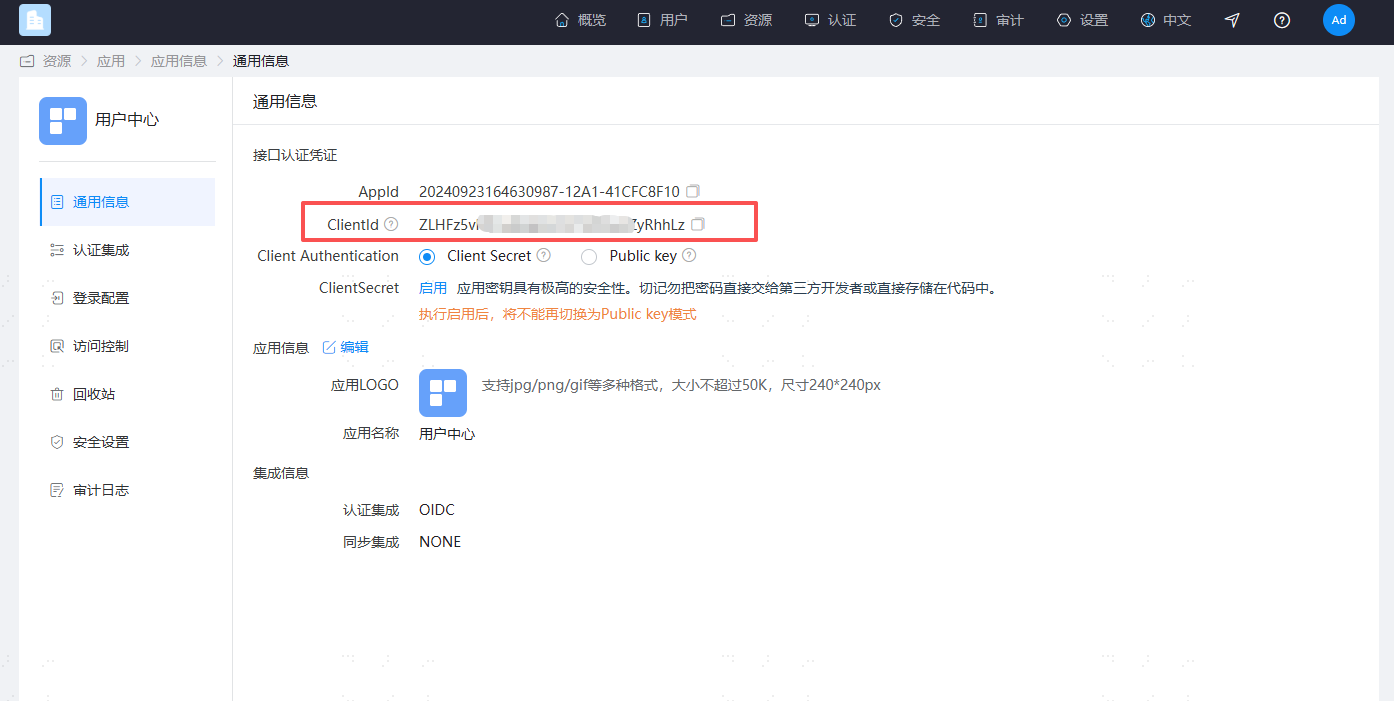
Enter the IDaaS enterprise center, go to Resources -> Applications -> Pre-integrated Applications, find and click the "User Center" application. In the application configuration, click "Login Configuration", and enable the OAuth authentication source.
Copy the user center's client_id.
Copy the authentication source ID.
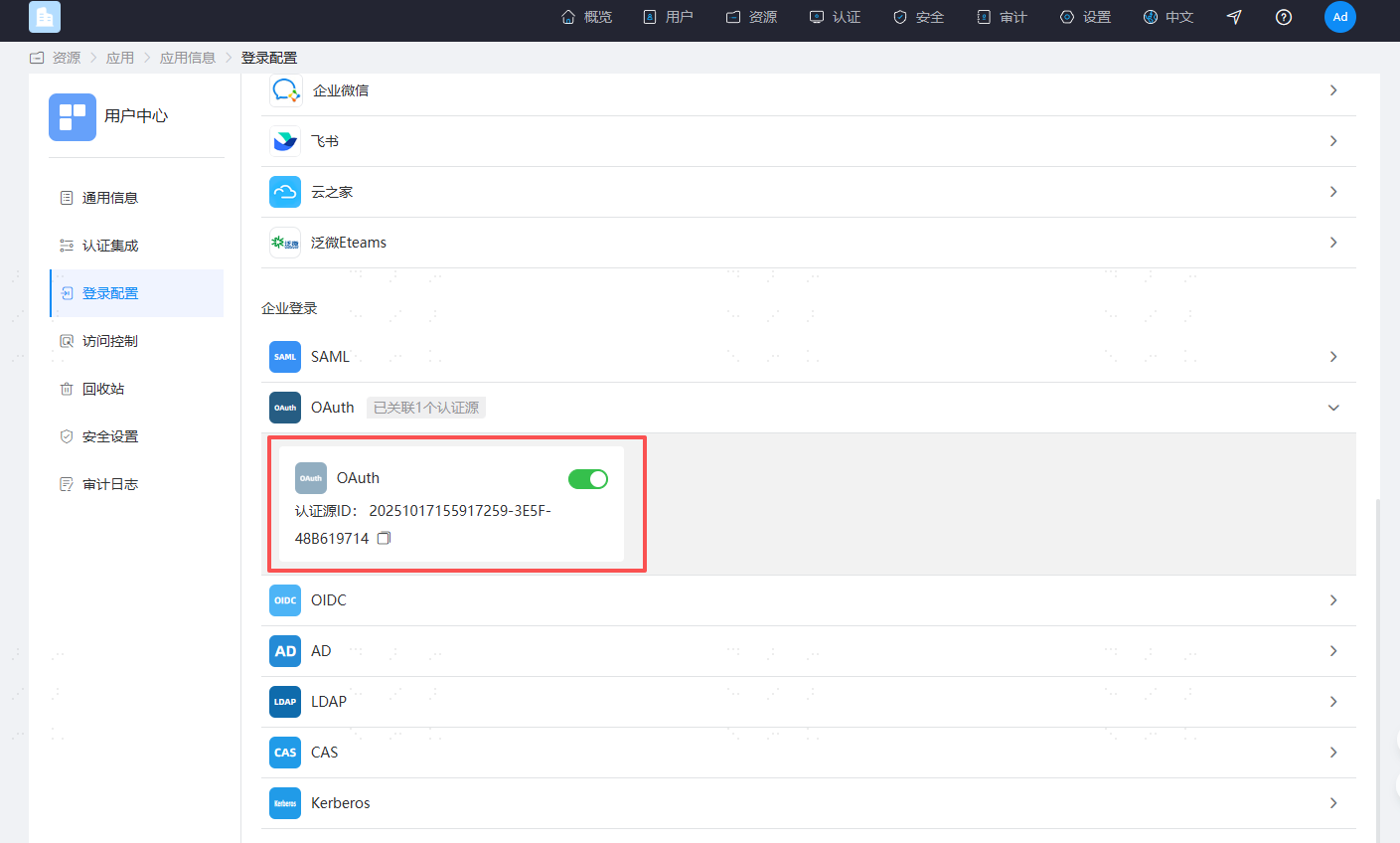
Assemble the IDaaS mount address format as follows:
TIP
https://{your_domain}/api/v1/oauth2/authorize?response_type=code&scope=openid&client_id={用户中心的 client_id}&redirect_uri=https%3A%2F%2F{your_domain}%2Fuser&config_id=
User Access Flow Description
After the user logs in to the third-party platform, they access the IDaaS mount address.
IDaaS assembles parameters such as client_id/client_secret/state and forwards the request to the third-party platform's authentication authorization URL.
After the third-party platform verifies, it generates a temporary authorization code and calls IDaaS's callback address, passing the code to IDaaS. The state must be passed back unchanged.
TIP
Example: https://{your_domain}/api/v1/oauth2/code?code=xxxx&state=xxxx
IDaaS carries the code parameter and calls the third-party platform's authentication authorization Token interface. The third-party platform returns token information to IDaaS.
IDaaS carries the token parameter and calls the third-party platform's UserInfo URL. The third-party platform returns the current user information to IDaaS.
IDaaS parses and obtains the current user's identifier based on the "Associated Source Attribute", and matches it with the "Associated Source Attribute" in the IDaaS system. If the match is successful, a session is generated and the user enters the IDaaS enterprise center/user center.
Third-Party Platform Development
Please refer to relevant materials.