Configure Weaver eteams Authentication Source
Weaver eteams authentication login allows users to securely log in to third-party applications or websites using Weaver eteams as the authentication source. To facilitate enterprise user authentication login, the IDaaS platform supports configuring Weaver eteams as an authentication source. Users can authenticate and log in to various application systems through Weaver eteams, bringing enterprise users a simpler and more convenient login method and better user experience.
This guide explains the related operations for configuring a Weaver eteams authentication source.
Prerequisites
- Administrator permissions for the Weaver eteams open platform.
- Administrator permissions for the IDaaS Enterprise Center.
Procedure
Create Application on Weaver eteams Open Platform
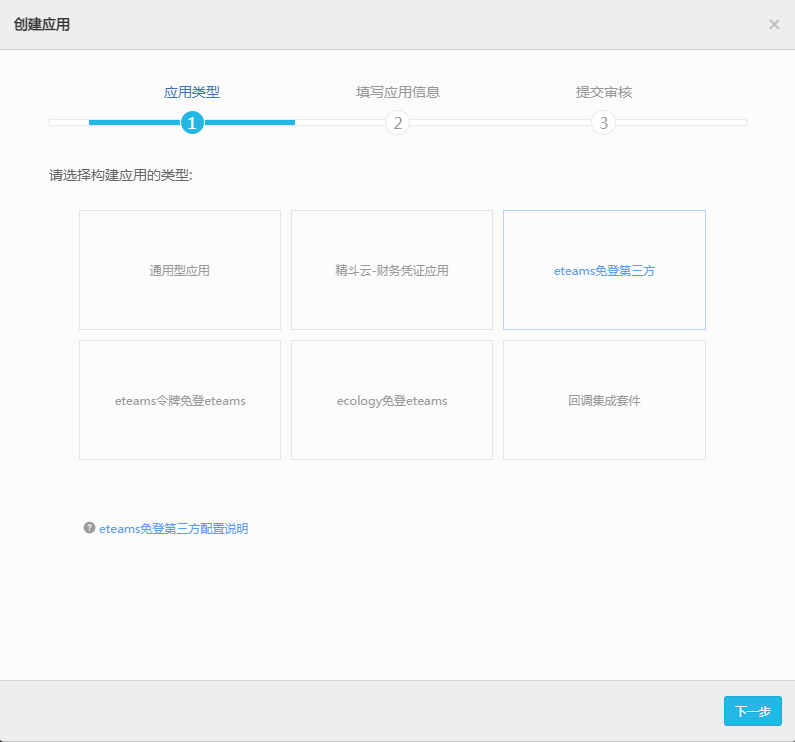
Log in to the eteams Open Platform, click Create App, and select eteams Password-Free Login Third Party as the application type.
View the application information, and obtain the
app_key.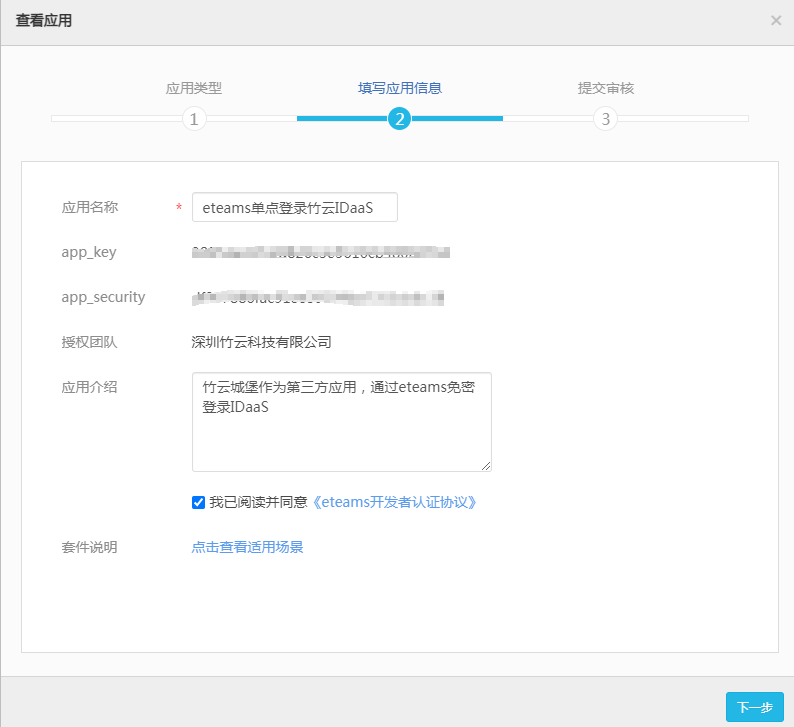
Add Weaver eteams Authentication Source in IDaaS
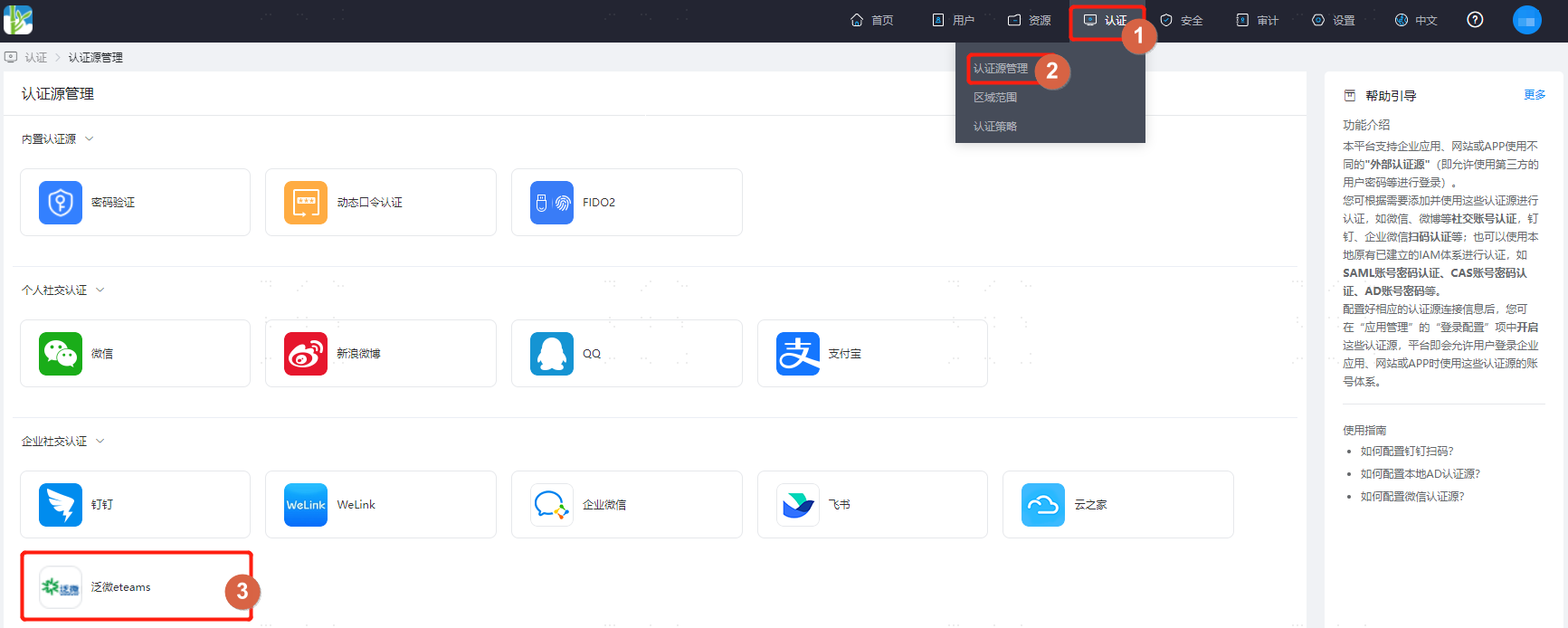
Log in to the IDaaS Enterprise Center, choose Authentication > Authentication Source Management from the top navigation bar, enter the Weaver eteams authentication source page, and click Add Authentication Source.
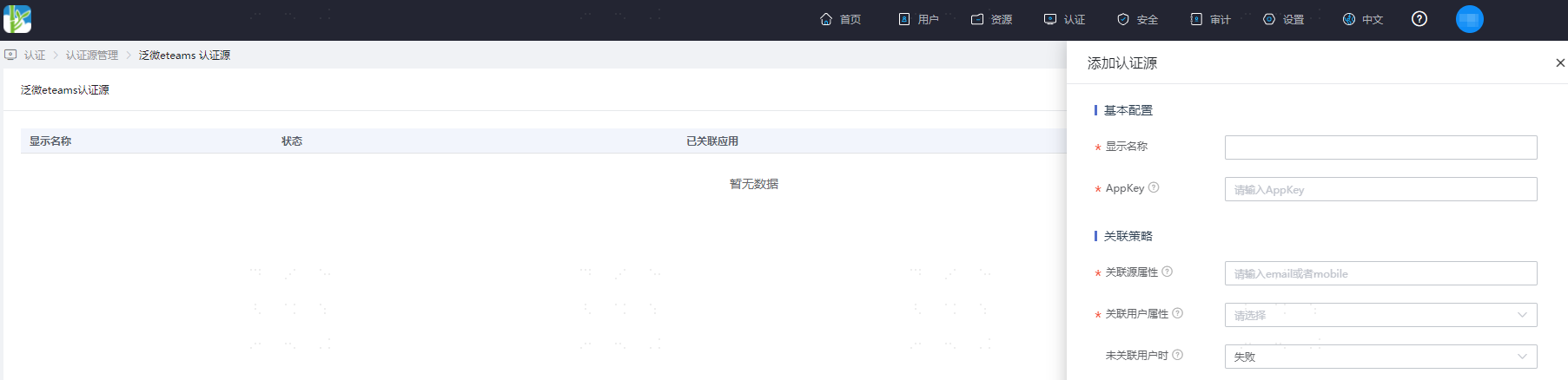
Configure the Weaver eteams authentication source parameters as prompted. Key parameters are described below.
TIP
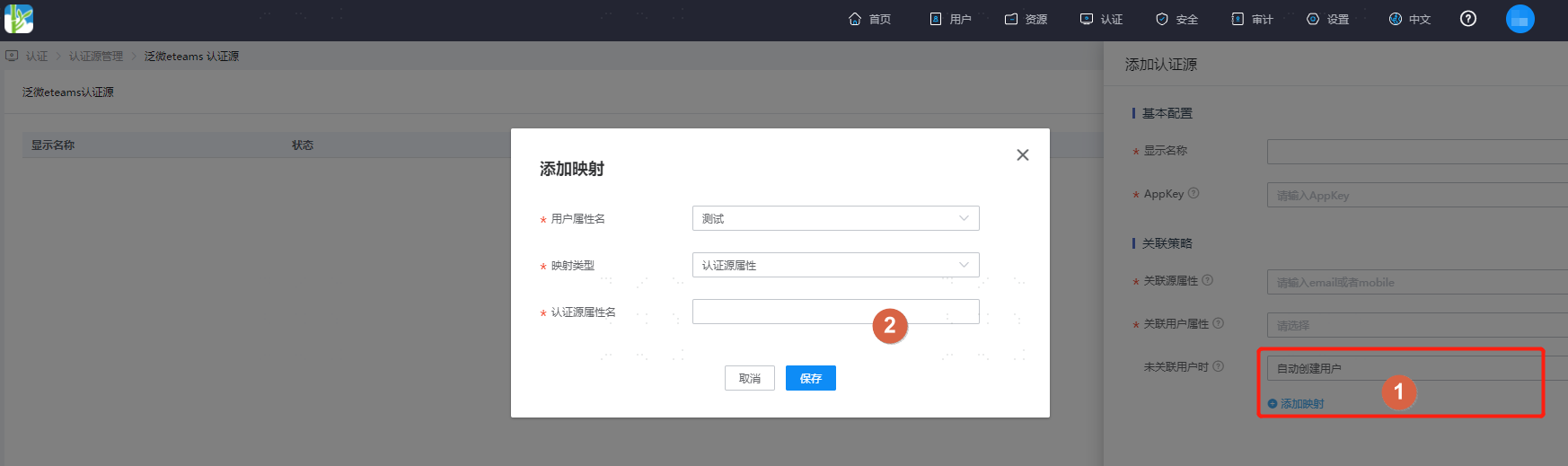
When User Not Associated: When the source association attribute of the user information returned by Weaver eteams does not match the associated user attribute in IDaaS, and no system user is associated, the optional configurations are as follows.
Fail: Set to Fail, meaning the user is not allowed to pass authentication.
Auto Create User: Set to Auto Create User. Click Add Mapping to map user attributes from Weaver eteams to IDaaS user attributes based on mapping rules and associated attributes, and create the user so that the user can pass authentication.
Attribute descriptions are as follows:
User Attribute Name: Select an IDaaS user attribute from the dropdown.
Mapping Type: Select authentication source attribute.
Authentication Source Attribute Name: Weaver eteams user attribute.