Redirect Configuration
In the Global Logout Interface, the address to which users are redirected after logging out of IDaaS can be specified through the redirect_url parameter. According to security specifications, the URL to be redirected is verified.
Through Enterprise Center - Security Configuration - Redirect Configuration, you can enable whitelist control over the redirect parameter of the IDaaS logout interface.
Prerequisites
You have administrator permissions for the IDaaS Enterprise Center platform.
Procedure
Log in to the IDaaS Enterprise Center platform. In the top navigation bar, choose Settings > Enterprise Configuration, select the Security Configuration option on the left, and select Redirect Configuration.
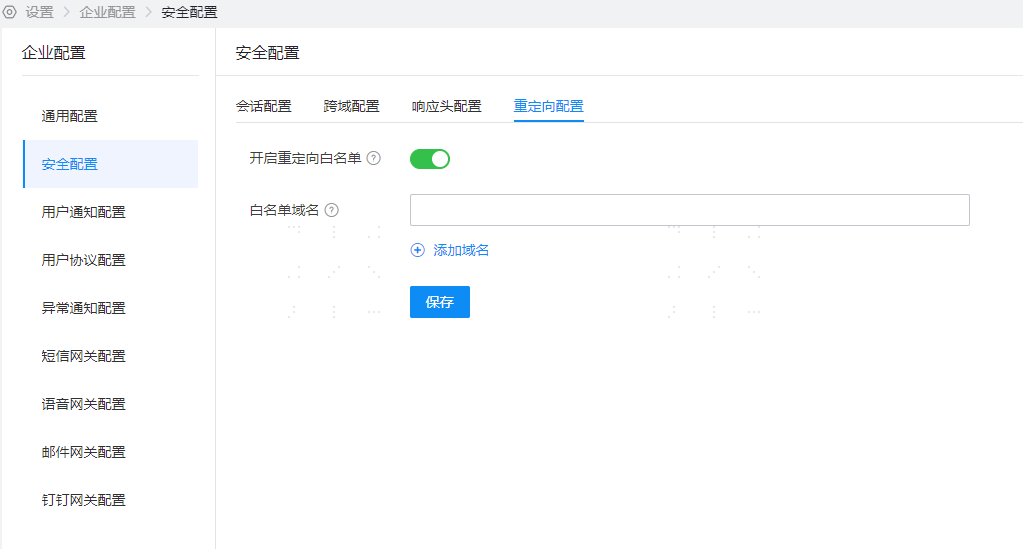
The redirect whitelist switch is disabled by default. After enabling, it will take effect for the Global Logout Interface.
If you need to pass a redirect address, you can add a trusted domain to the whitelist domain names and click Save.
Parameter Description
TIP
- The maximum number of whitelist domain names is 10, and wildcards are not supported.
Function Verification
- After enabling the redirect whitelist switch, when calling the Global Logout Interface with the
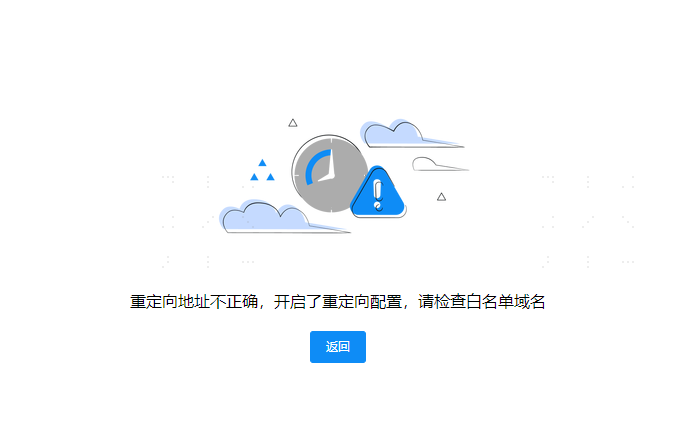
redirect_urlparameter, IDaaS returns an error page.