
Configure SAML Protocol Application SSO
In addition to supporting SAML protocol as an authentication source for logging in to various application systems through SAML protocol authentication, the IDaaS platform also supports integrating applications through the SAML protocol to achieve application single sign-on (SSO) with IDaaS as the authentication platform. After logging in to the IDaaS User Center, users can directly jump to log in to the application without logging in again.
Prerequisites
You have administrator permissions for the IDaaS Enterprise Center platform.
Procedure
Configure SAML Protocol Application
Log in to the IDaaS Enterprise Center platform. In the top navigation bar, choose Resources > Applications, click Add Self-built Application, set the application name, save, and enter the application details page.
On the application information page, enable Authentication Integration, set it to SAML, and save.
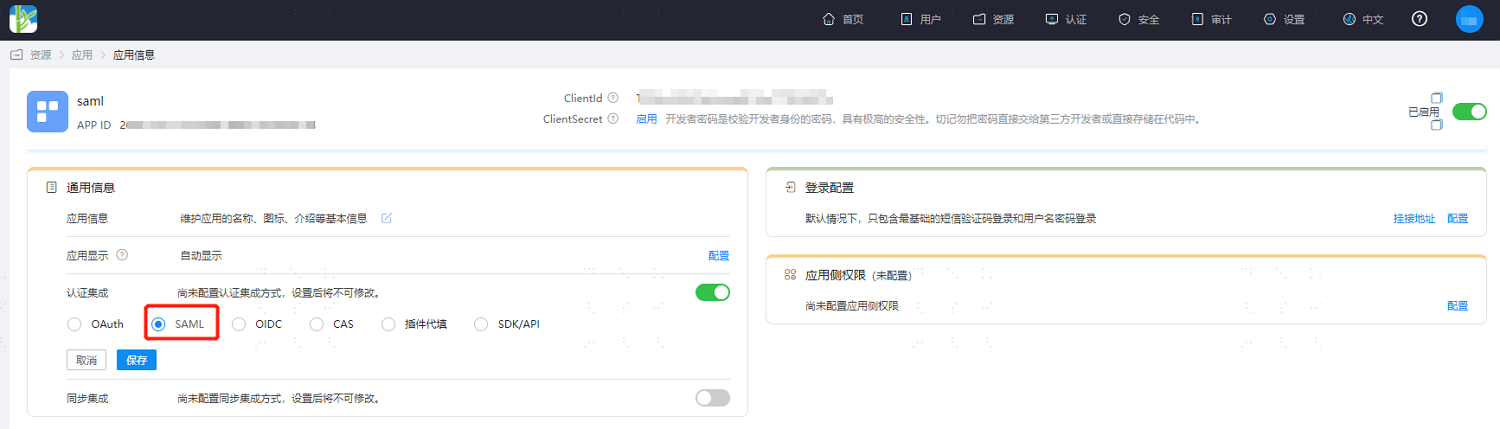
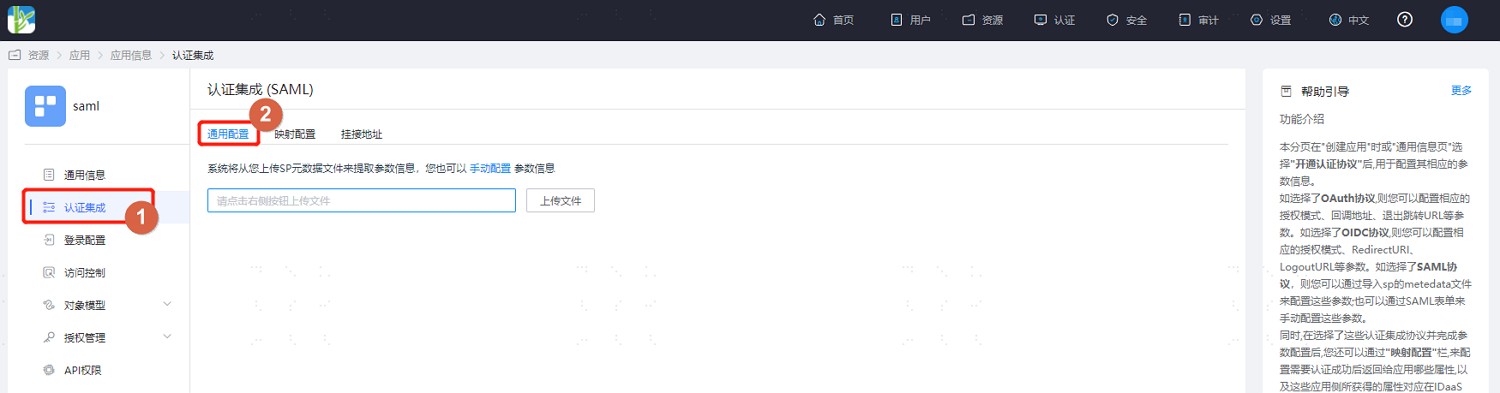
Click Configure next to Authentication Integration to enter the authentication integration details page, and set the application metadata related information, supporting local import or manual configuration.
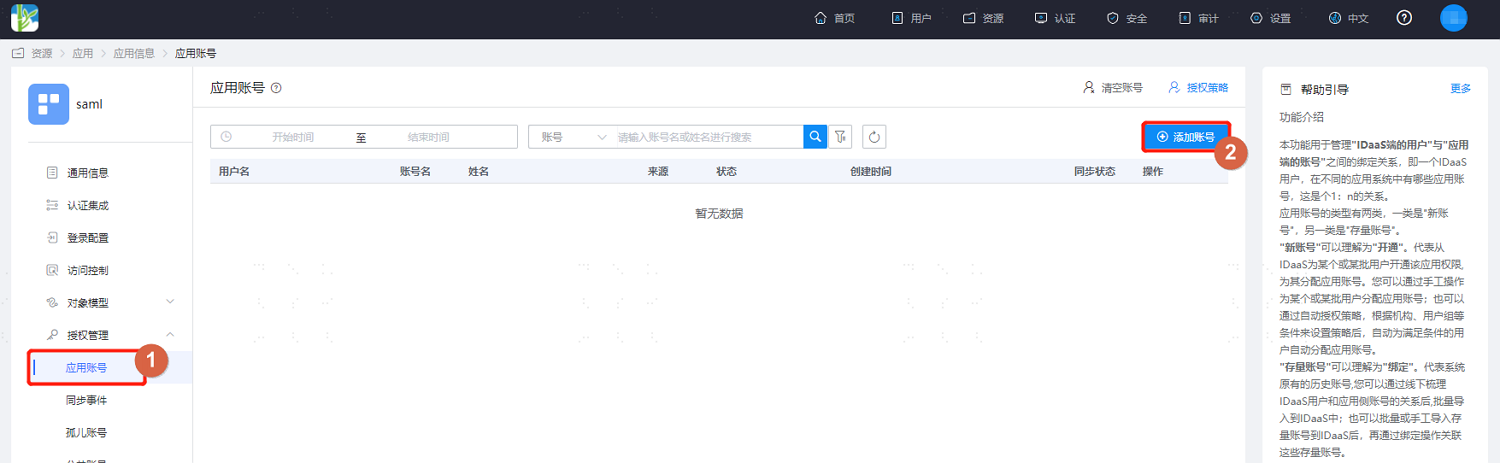
Switch to the Authorization Management > Application Account page and add access accounts for the application.
In the top navigation bar, choose Settings > Service Configuration, click IDP Configuration to obtain the corresponding parameters.
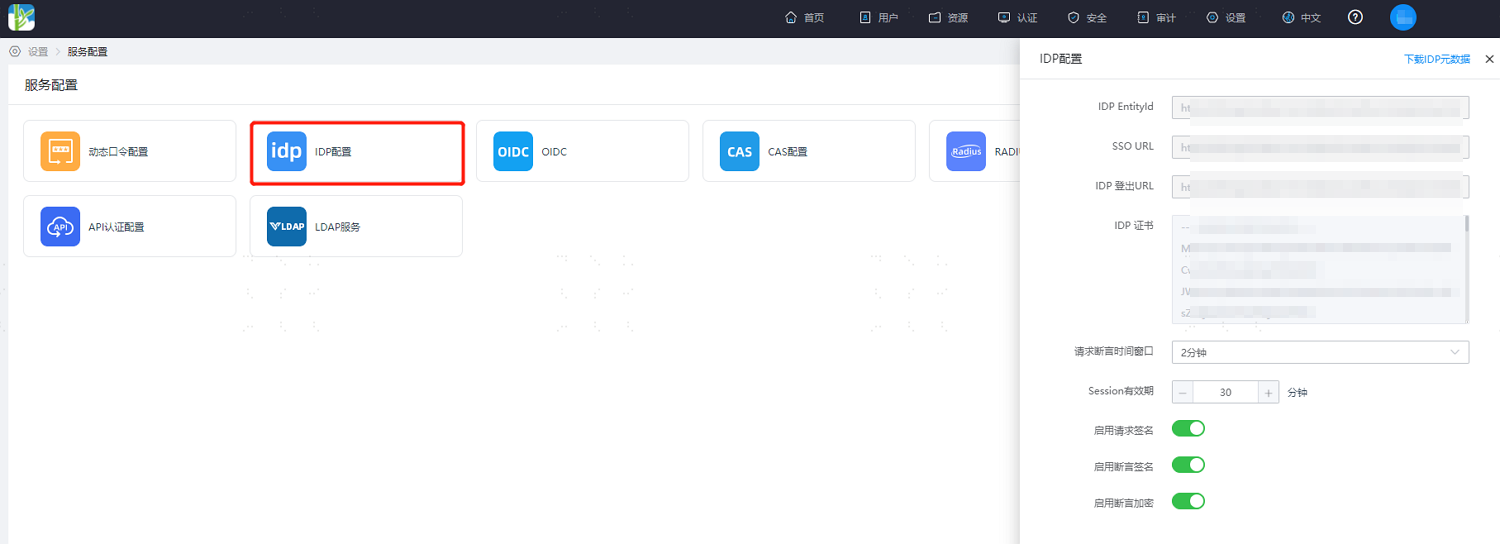
Configure the obtained SAML-related information in your application.
Development Integration
After configuration on the IDaaS platform is complete, refer to SAML Protocol to complete the subsequent integration configuration. After configuration is complete, users can single sign-on to the application from User Center.