Configure WeLink Authentication Source
Huawei Cloud WeLink, derived from Huawei's internal practices, is a fully-connected digital workspace for enterprises, connecting teams, devices, businesses, and knowledge. It builds a secure, open, and intelligent workspace exclusive to enterprises, helping enterprises achieve digital transformation. The IDaaS platform supports configuring Huawei Cloud WeLink as an authentication source. Users can log in to various application systems through Huawei Cloud WeLink authentication, bringing enterprise users a simpler, more convenient login method and a better user experience.
This section describes the operations related to configuring the Huawei Cloud WeLink authentication source.
Prerequisites
- You have administrator permissions for the WeLink Open Platform.
- You have administrator permissions for the IDaaS Enterprise Center platform.
Procedure
Create an Application on the WeLink Open Platform
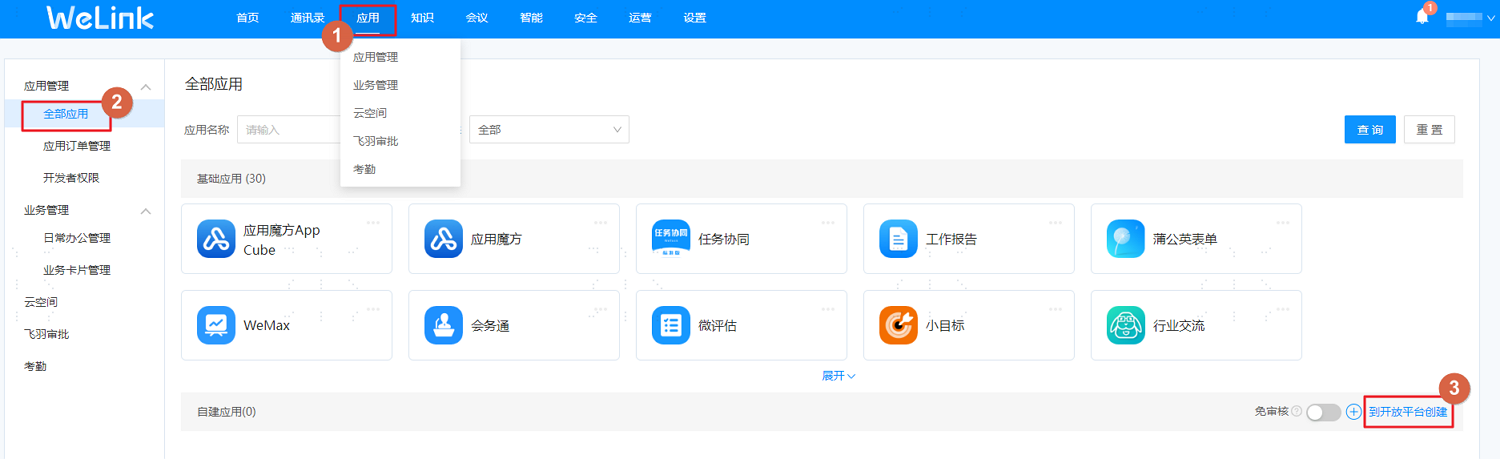
Log in to the WeLink Open Platform, choose Applications > Application Management > All Applications, and click Create on Open Platform next to Self-built Application.
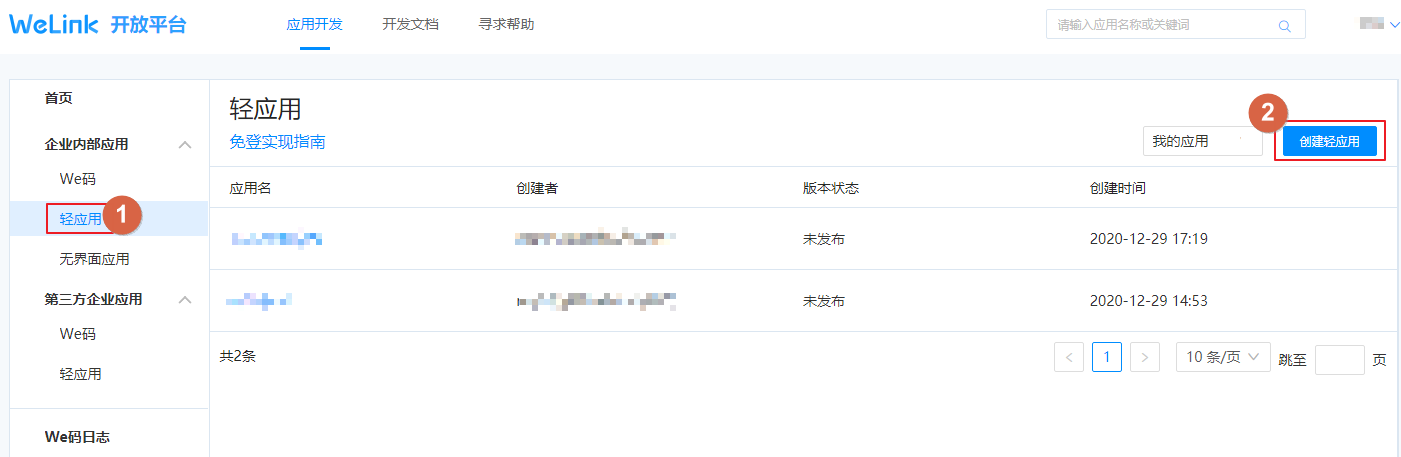
On the application development page, choose Enterprise Internal Applications > Light Applications, click Create Light Application to create the application and configure parameters.
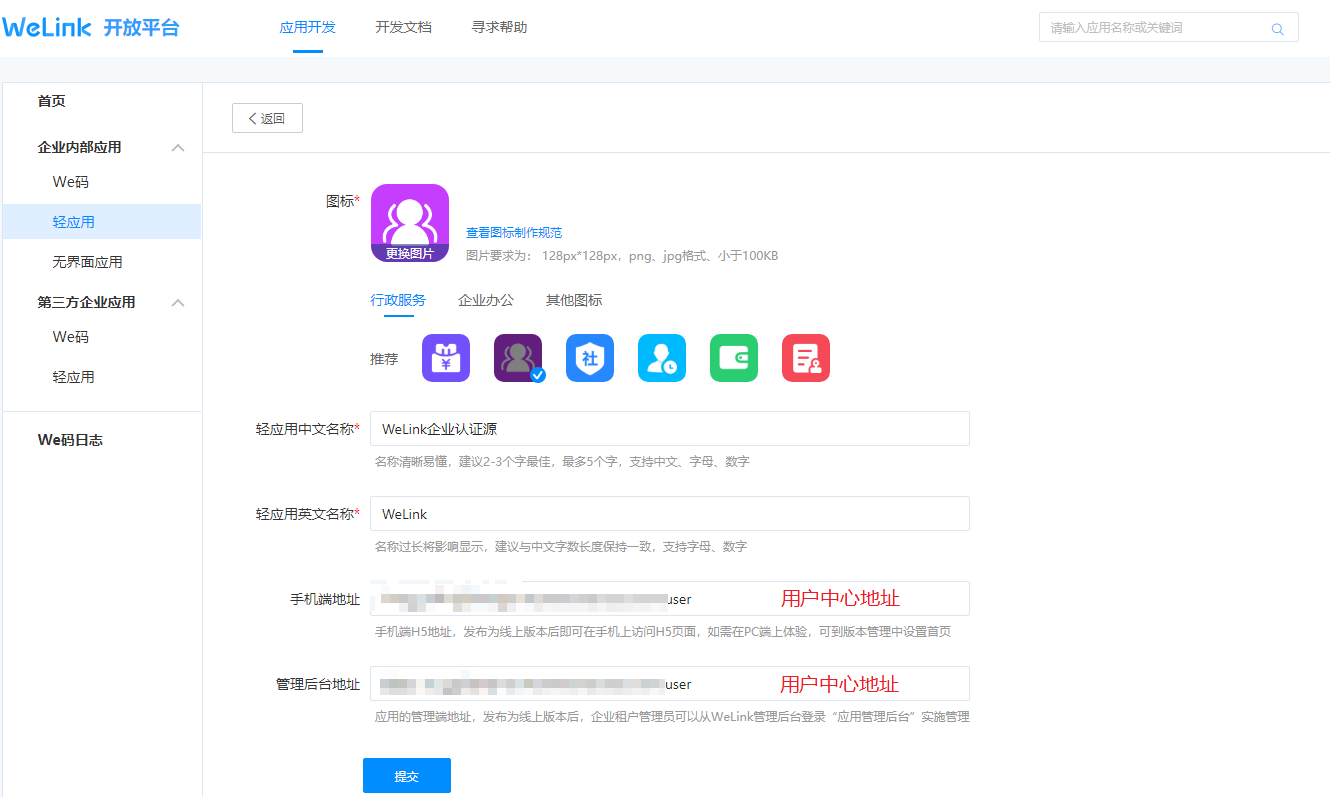
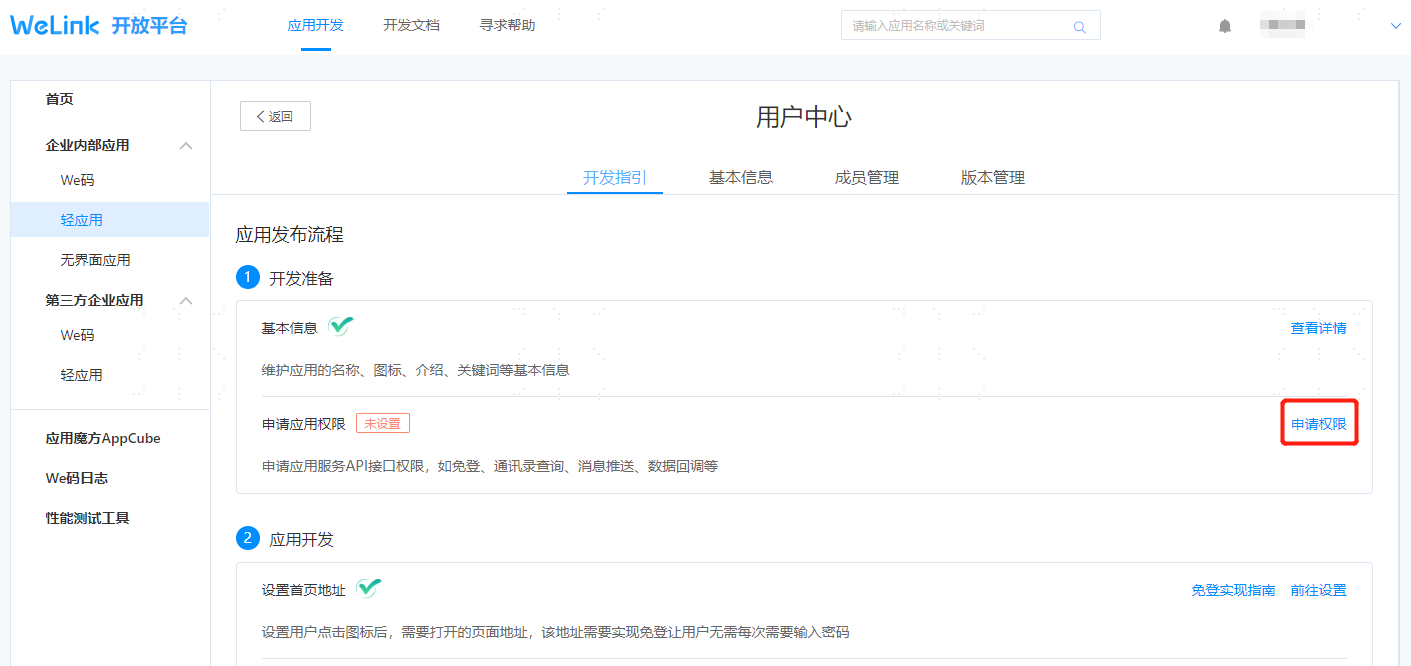
Click to enter the created application development guide page, click Apply for Permissions to set the callback address and interface permissions. The callback address is obtained from the WeLink authentication source parameters in Authentication > Authentication Source Management of the IDaaS Enterprise Center.
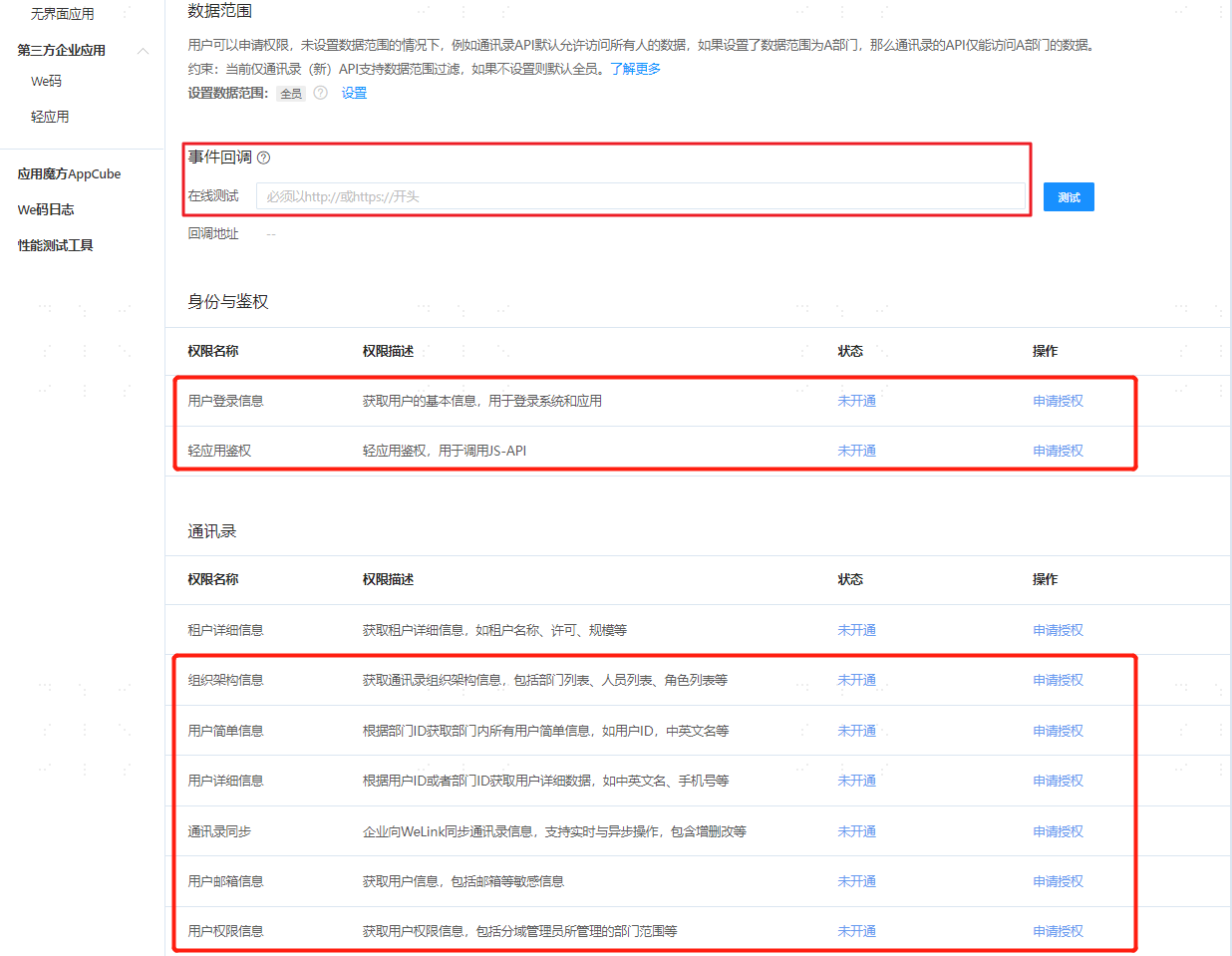
After configuration is complete, enter the application development guide page, switch to the Basic Information tab, and obtain the client_id and client_secret parameters.
Configure the WeLink Authentication Source on the IDaaS Platform
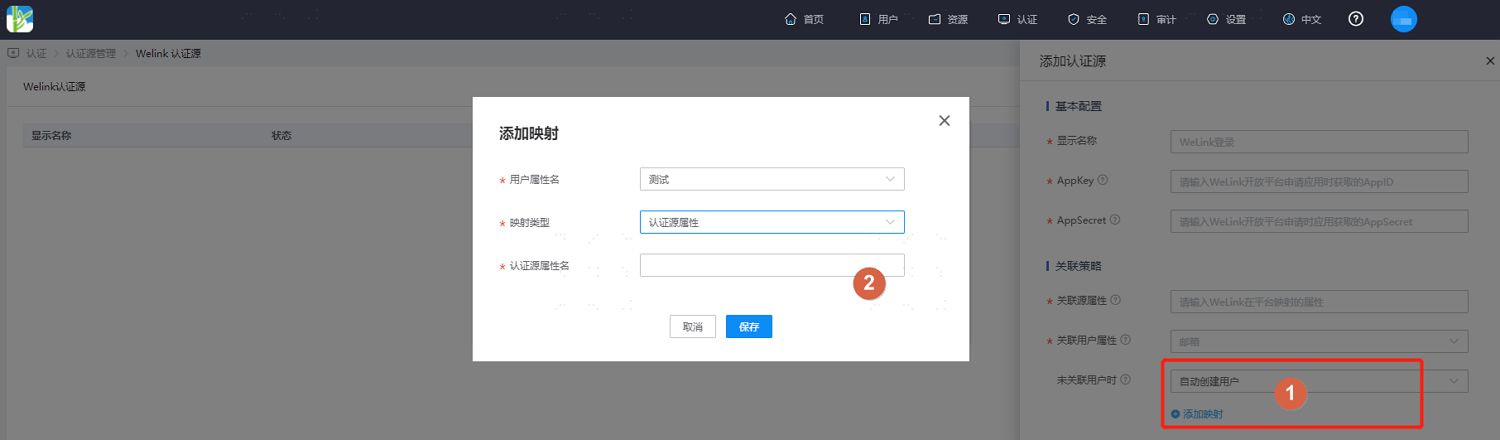
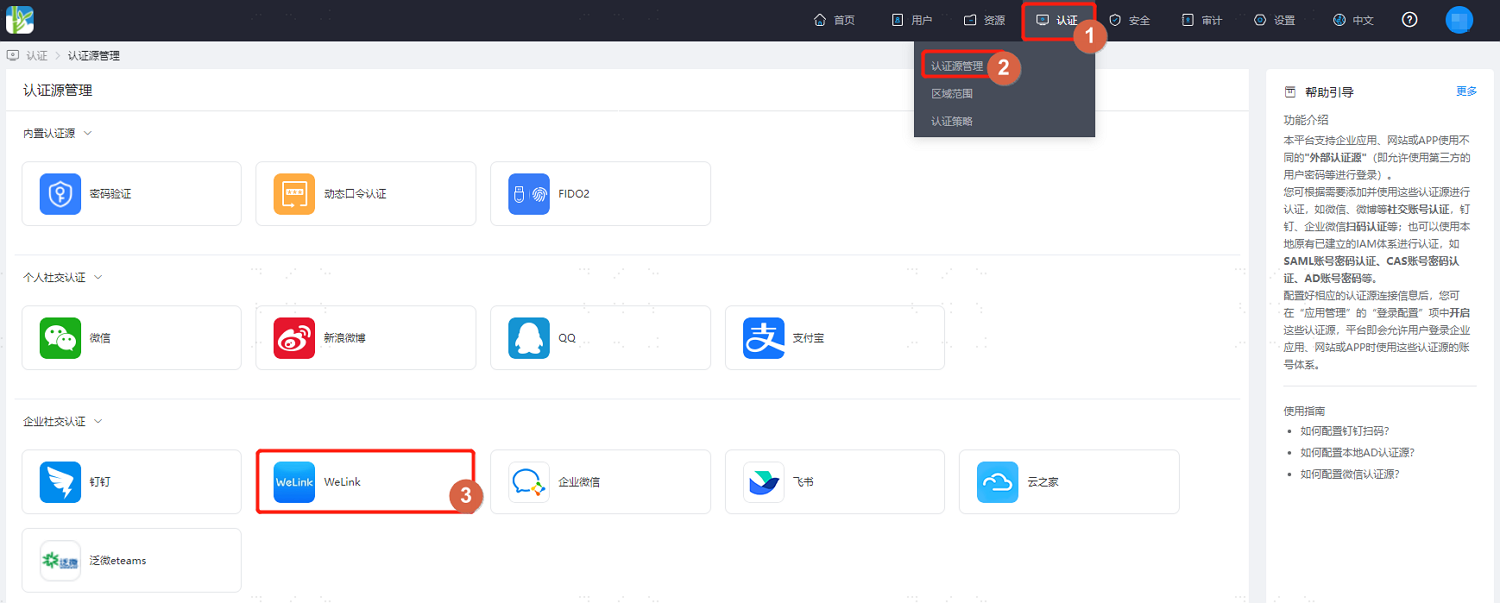
Log in to the IDaaS Enterprise Center platform. In the top navigation bar, choose Authentication > Authentication Source Management. On the WeLink authentication source page, click Add Authentication Source.
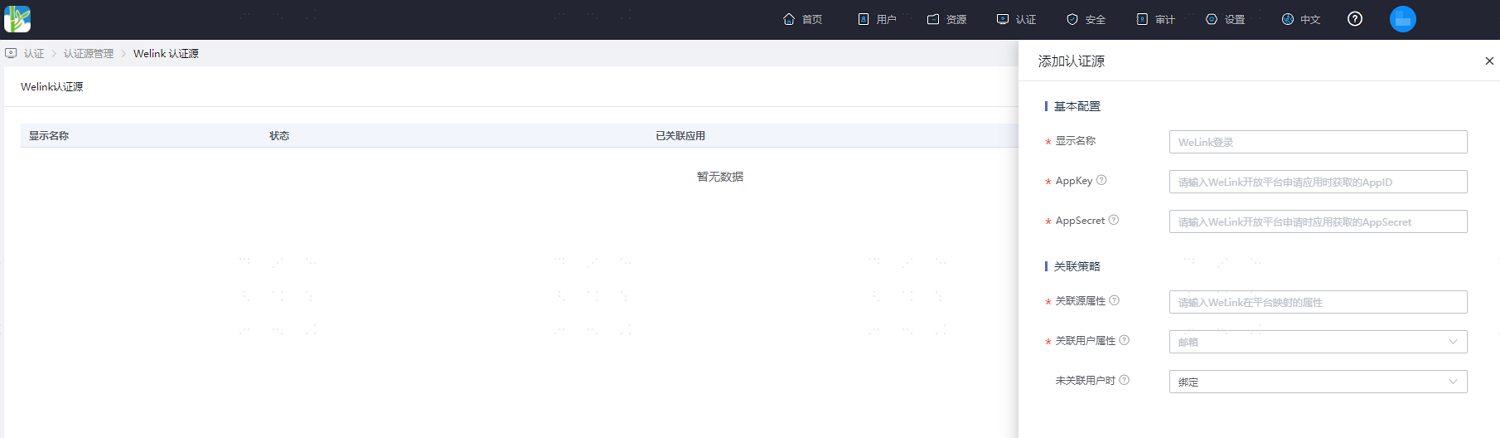
Configure the WeLink authentication source parameters according to the on-screen prompts. Key parameter descriptions are as follows.
TIP
When User Is Not Associated: That is, when the associated source attributes of the user information returned by WeLink are inconsistent with the associated user attributes in IDaaS and no system user is associated, the optional configuration items are as follows.
Fail: When set to Fail, the user is not allowed to pass authentication.
Bind: When set to Bind, if no user is associated, it will jump to the mobile number or email verification page. Enter an existing IDaaS mobile number or email. If the verification succeeds, the user passes authentication.
Bind or Register: When set to Bind or Register, if no user is associated, it will jump to the mobile number or email verification page. Enter an existing IDaaS mobile number or email. If the verification succeeds, the user passes authentication; if the entered mobile number or email does not exist in IDaaS and the verification succeeds, an IDaaS user is created based on the mobile number or email and the user passes authentication.
Auto-create User: When set to Auto-create User, click Add Mapping to map WeLink user attributes to IDaaS user attributes according to mapping rules and association attributes and create the user, so that the user passes authentication.
Attribute descriptions are as follows:
User Attribute Name: Select an IDaaS user attribute from the dropdown.
Mapping Type: Select the authentication source attribute.
Authentication Source Attribute Name: WeLink user attribute.