
Configure DingTalk Approval Engine
This chapter explains the DingTalk engine configuration process.
Prerequisites
- You have DingTalk developer backend administrator permissions.
- You have administrator permissions for the IDaaS enterprise center platform.
Procedure
Create an Application in the DingTalk Developer Backend
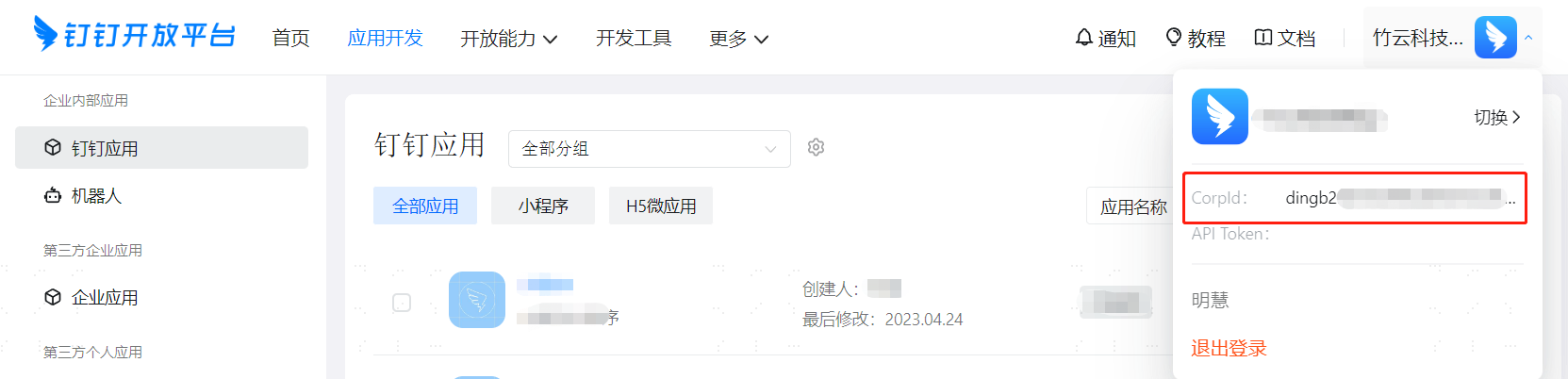
Log in to the DingTalk Developer Backend with a DingTalk account that has developer permissions, and join the correct organization.
Click the developer account in the upper-right corner to obtain the DingTalk CropId parameter.
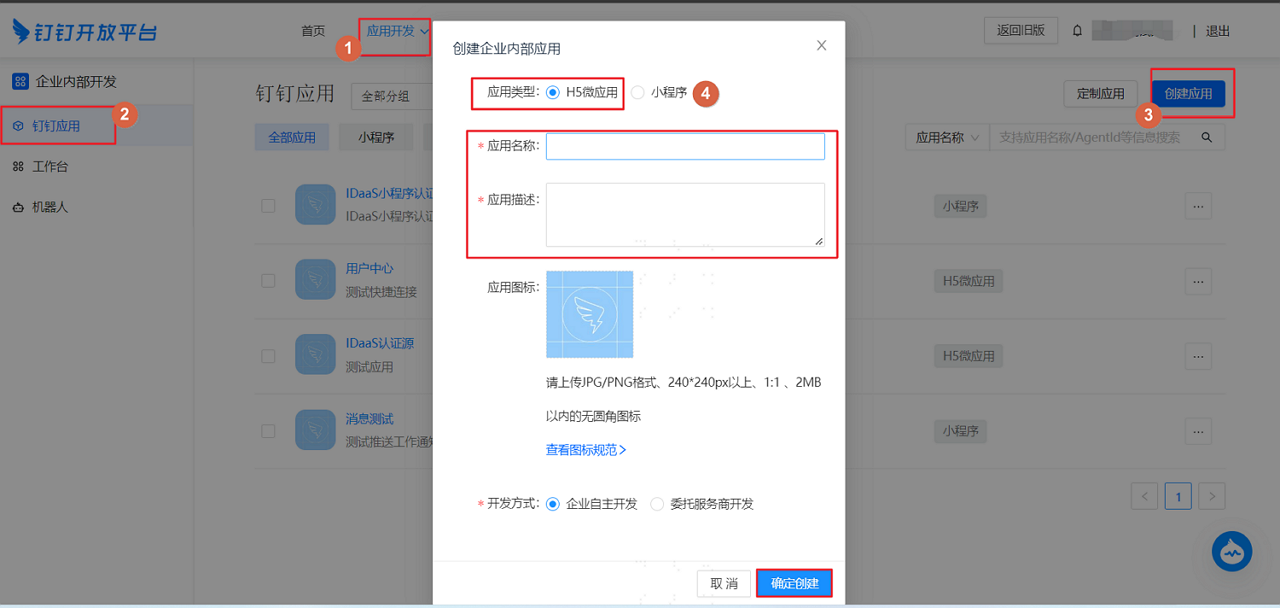
In the top navigation bar, select "Application Development > Internal Development > DingTalk Application", and click "Create Application" to create an internal enterprise application.
TIP
- The default application type is H5 micro application.
- The application name and description can be customized.
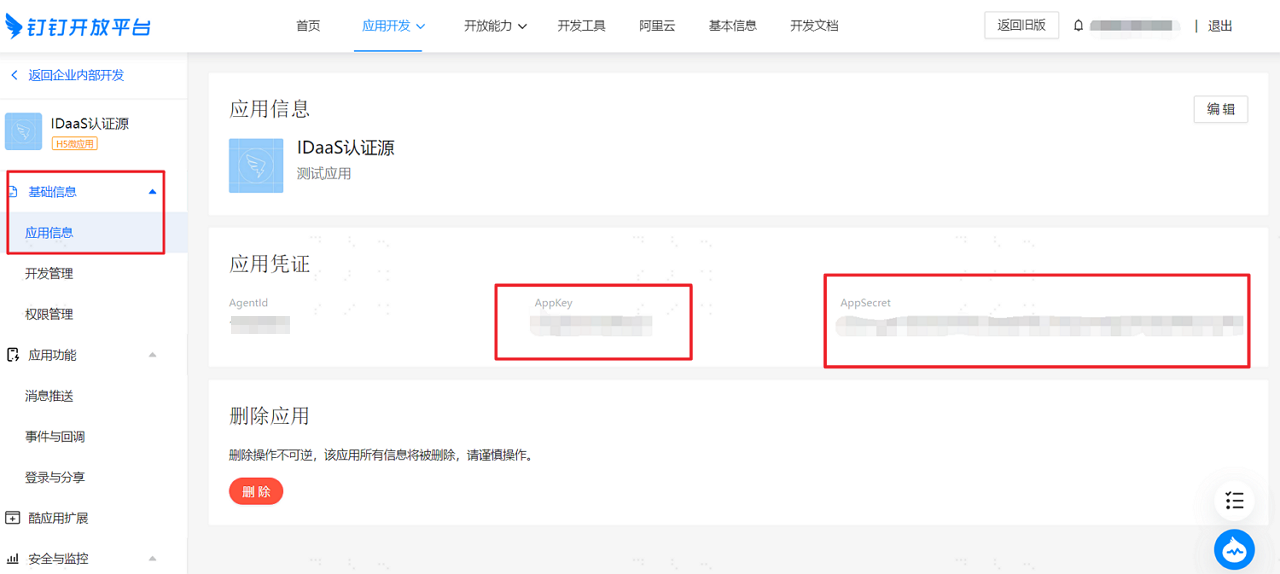
After the application is created successfully, click the application in the application list to enter the application details page. On the "Basic Information > Application Information" page, obtain the DingTalk application AppKey and AppSecret parameters.
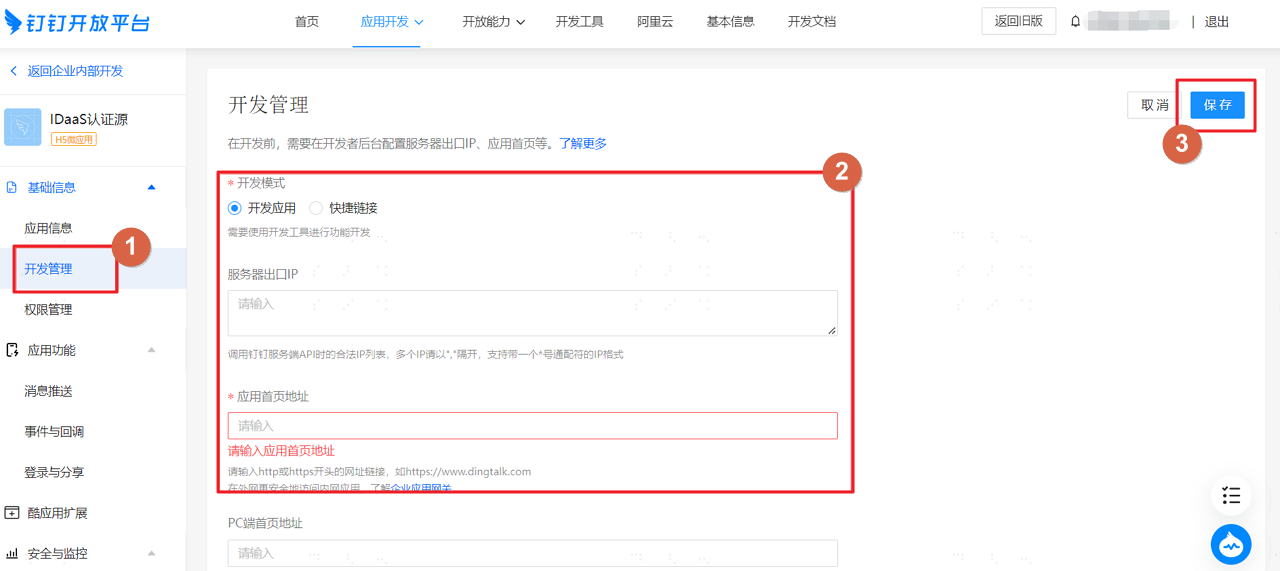
On the "Basic Information > Development Management" page, configure the DingTalk application server egress IP.
TIP
- Server egress IP: IDaaS service egress IP: 47.92.171.137.
- Application homepage address: fill in the IDaaS tenant domain, which can be obtained in the IDaaS enterprise center under "Settings > Enterprise Information".
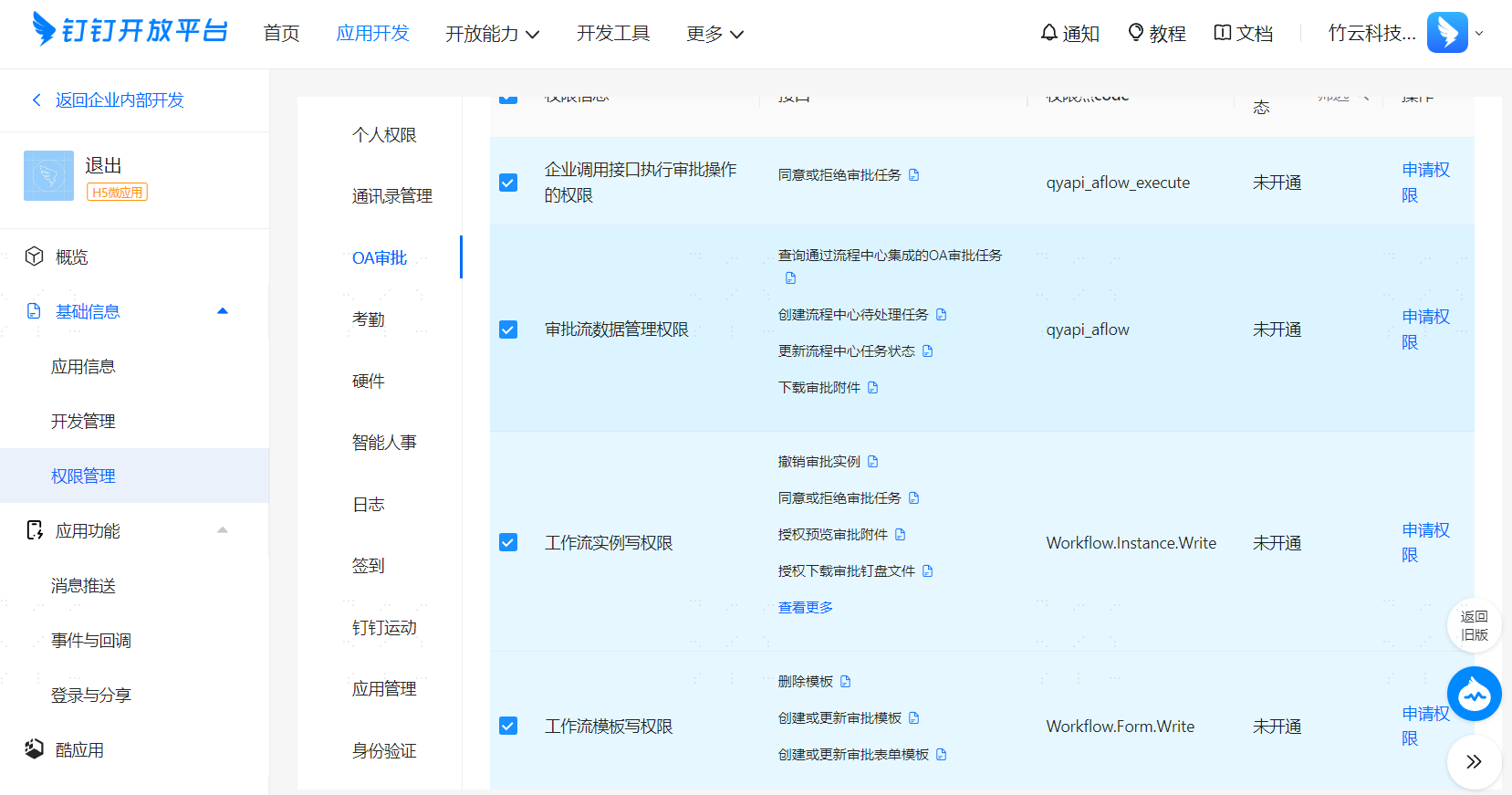
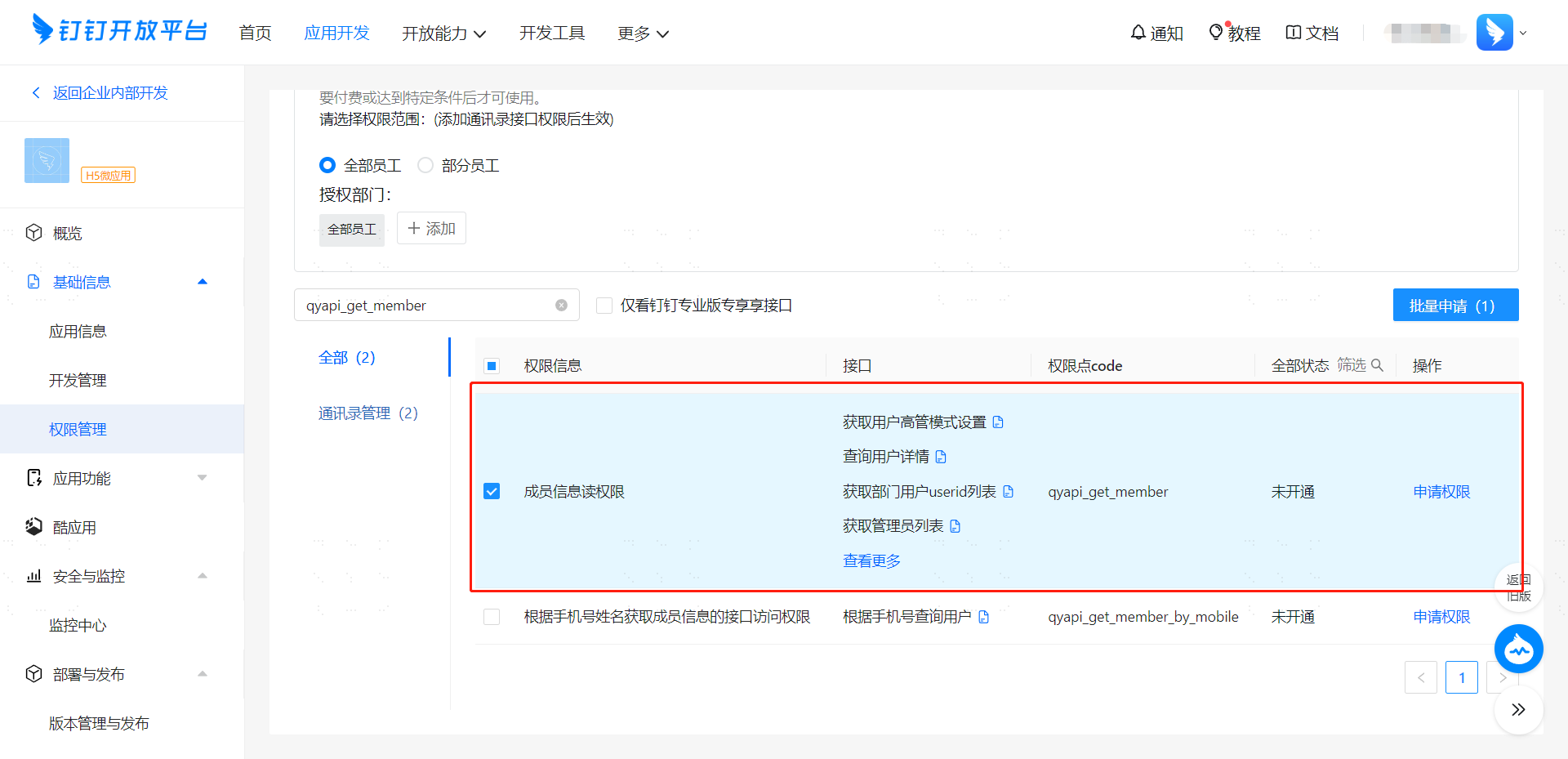
On the "Basic Information > Permission Management" page, apply for "All OA Approval Permissions", "Address Book Management Email and Other Personal Information Permissions", "Address Book Management Enterprise Employee Mobile Number Information Permissions", and "Member Information Read Permission".
Configure the DingTalk Approval Engine in the IDaaS Platform
Log in to the IDaaS enterprise center platform, and in the top navigation bar select "Settings > Approval Flow Settings > Enable DingTalk Approval Flow".
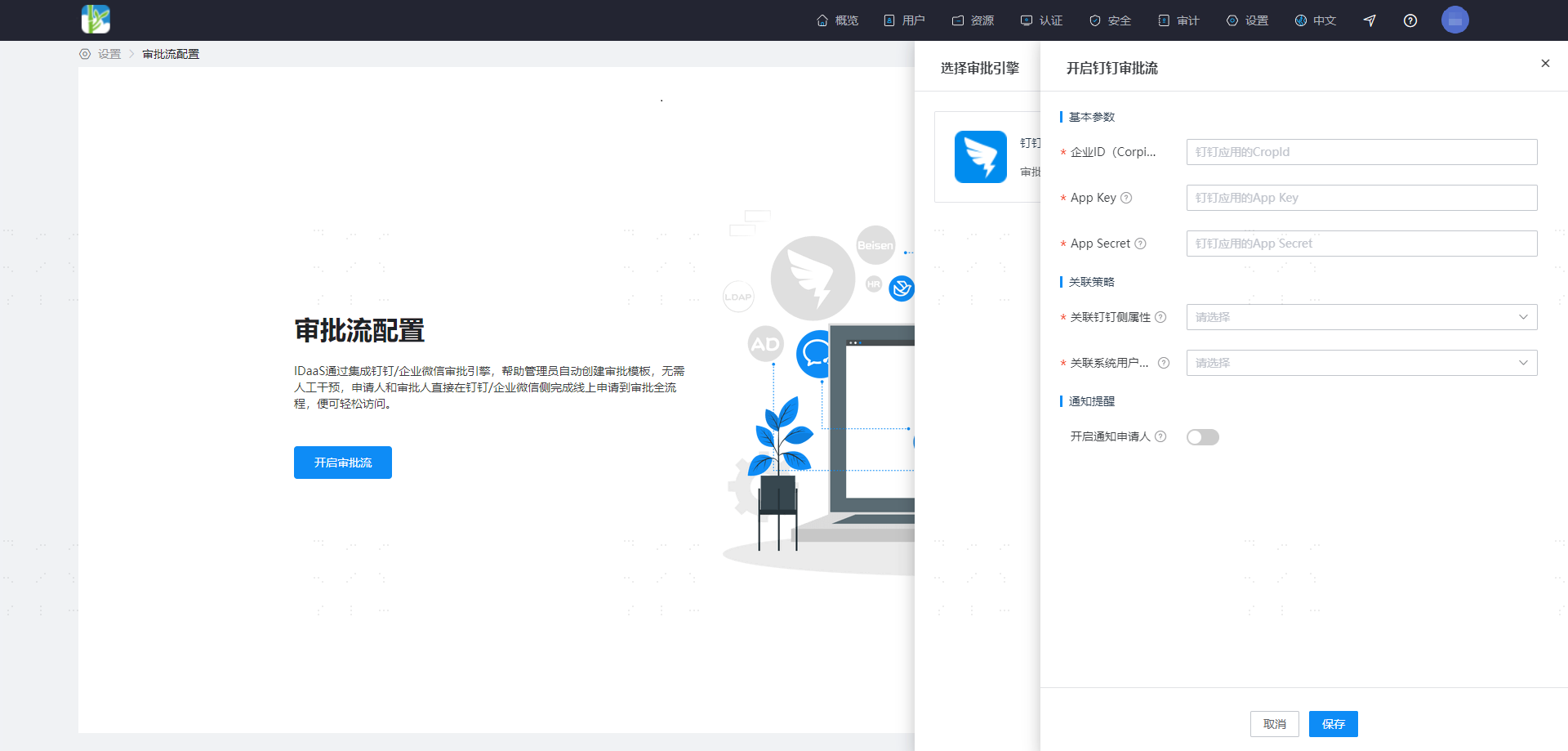
| Parameter | Description |
|---|---|
| Associated DingTalk Attribute | DingTalk attribute; you can select mobile, email, or userId |
| Associated System User Attribute | The unique attribute on the system user side. It is recommended that when the DingTalk attribute is mobile, the system user attribute is mobile number; when the DingTalk attribute is email, the system user attribute is email; when the DingTalk attribute is userId, the system user attribute is the corresponding attribute mapped from DingTalk userId in the system |
| Notify Applicant | After enabled, the processing result (success/failure) notification will be sent to the applicant via DingTalk |