
Select Authorization Model
The two permission models widely adopted today are role-based authorization (RBAC) and direct authorization (ACL).
- Role-Based Access Control (RBAC)
RBAC is role-based authorization. A role can be seen as a collection of multiple permissions. By associating users with roles, the relevant permissions are granted. This method is simpler and more efficient than directly granting permissions to users. You can grant one or more roles to a user; each role has one or more permissions, and the user inherits the permissions associated with the granted roles.
- Direct Authorization (ACL)
ACL is direct authorization, directly granting certain permissions to users. This model enables finer-grained authorization.
How to Choose an Authorization Model
Granting roles to users is simpler and more efficient. If your enterprise has clearly defined responsibilities for employees, we recommend defining roles based on employee responsibilities and using role-based authorization.
Directly granting permissions to users allows finer control and more precise management of the resources each user can access.
The system also supports using both authorization models simultaneously to efficiently and precisely control user permissions.
Graphical Authorization Model Configuration
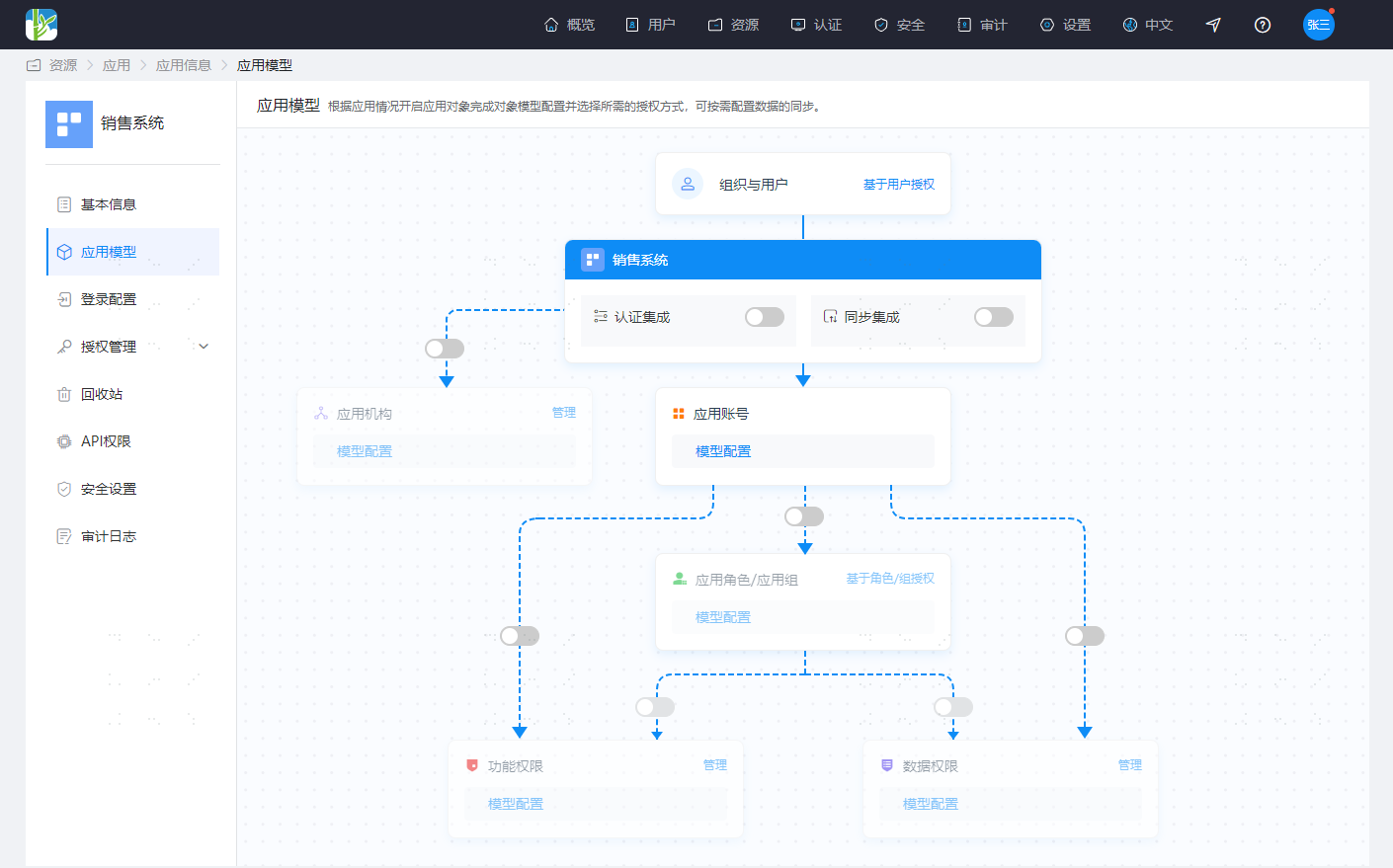
IDaaS uses a graphical approach to display the relationships among objects in an application system and provides basic configuration operations in the graphical interface, allowing you to complete basic application configuration intuitively and conveniently.
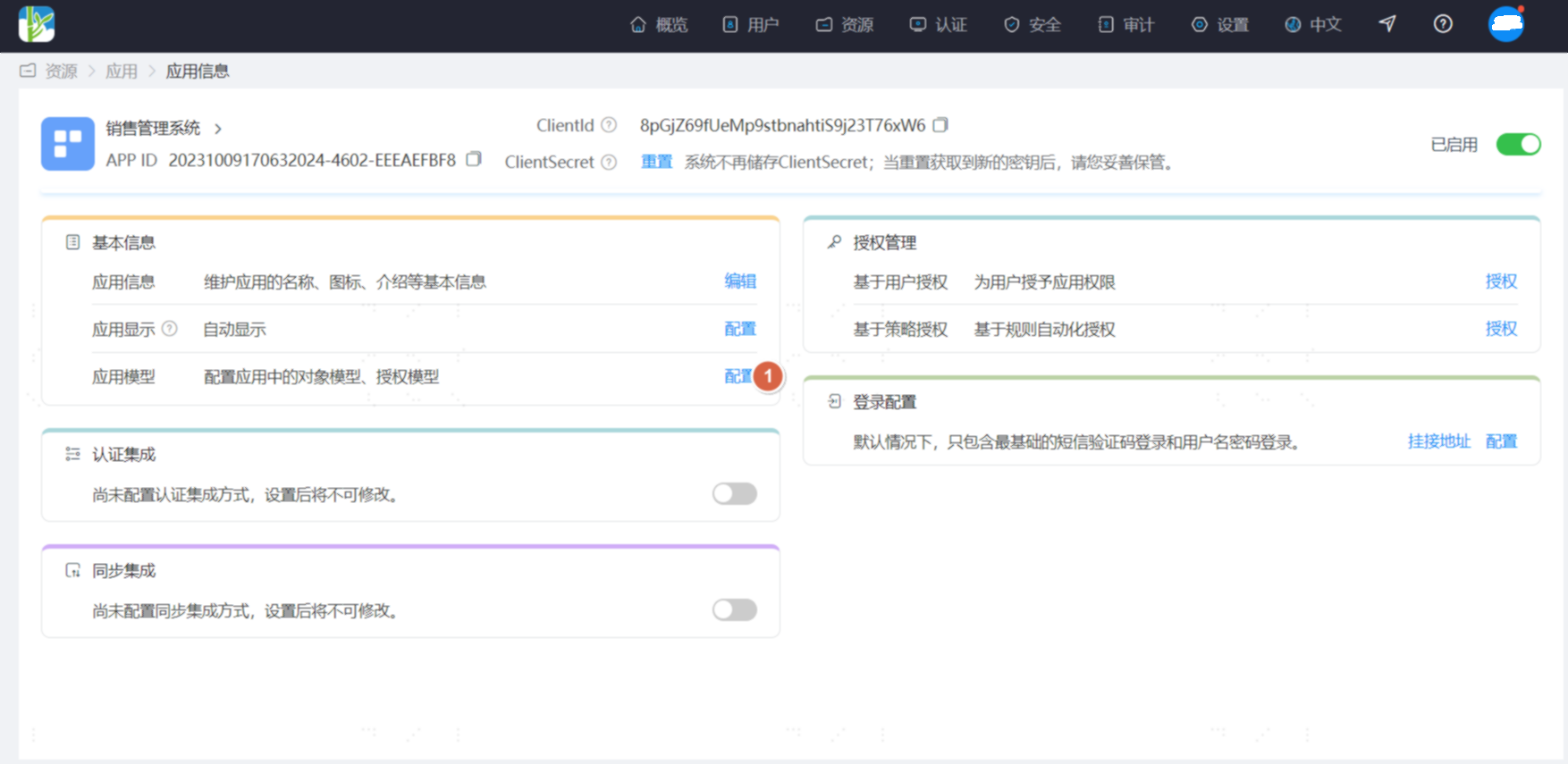
On the Resource-Application page, select the application to configure and click it to enter the application information page. In the Basic Information module, click the configuration operation behind the application model to enter the application model configuration interface.
The initial state of the authorization model is as follows:
The following sections explain how to enable authorization models in IDaaS by scenario.
Configure RBAC Authorization Model (Roles Not Associated with Permissions)
- Click the switch between application accounts and application roles/application groups.
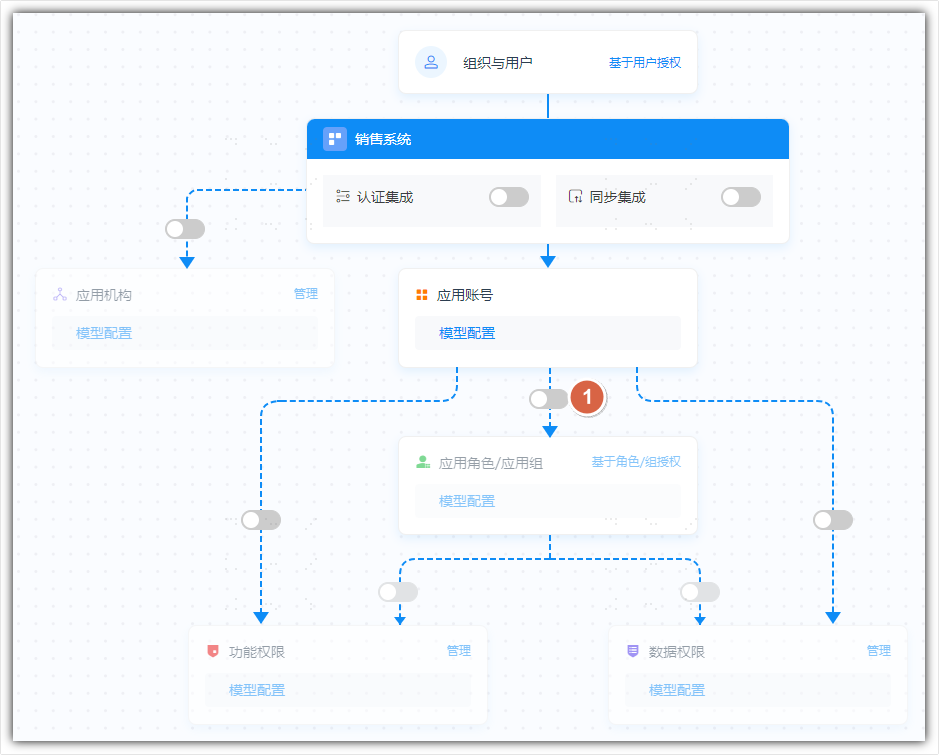
- Select the display name for application roles/application groups. This model is also compatible with groups in AD. For easy identification, you can choose to display them as application roles or application groups.

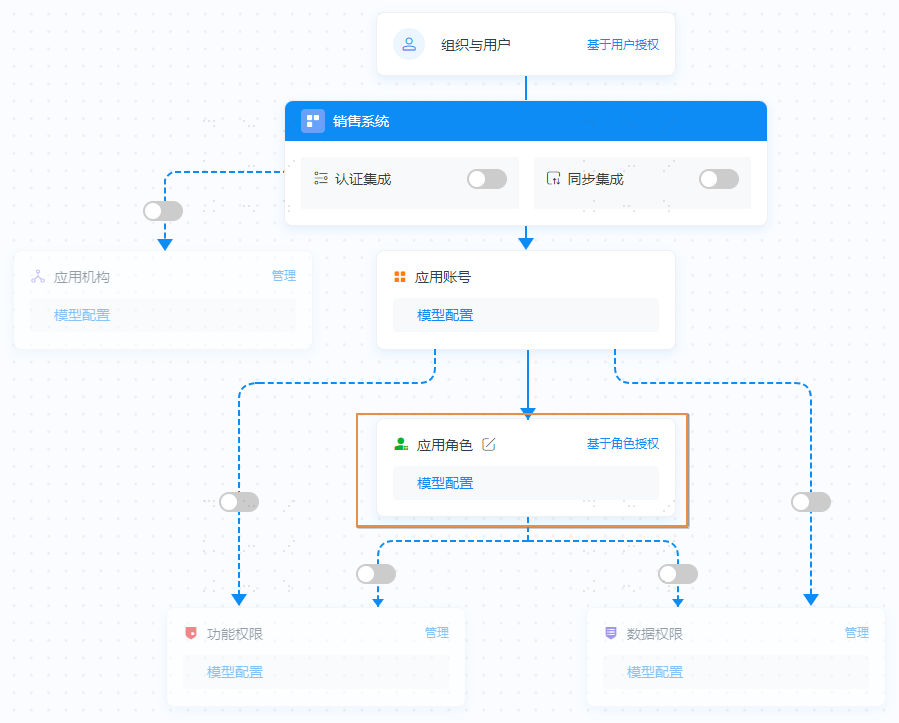
- After enabling, the application roles are no longer grayed out, as shown below. You can click Model Configuration to view role-related attributes, and click Role-Based Authorization to manage application roles.
Configure RBAC Authorization Model (Roles Associated with Permissions)
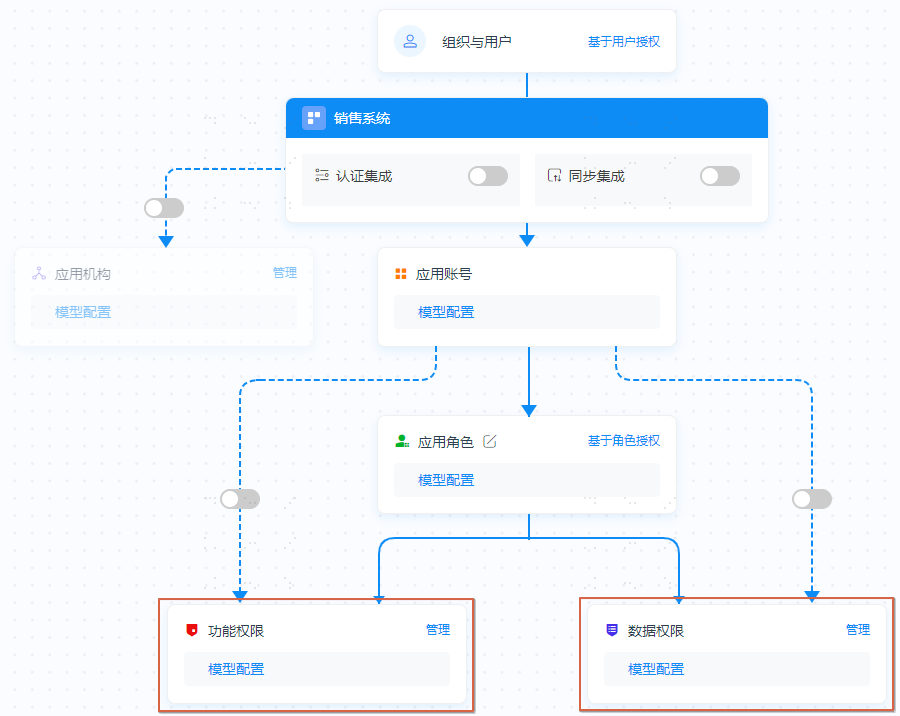
- Based on the RBAC authorization model (roles not associated with permissions), continue to enable the switch between application roles and functional permissions/data permissions. Functional permissions and data permissions can be enabled as needed, either one or both.
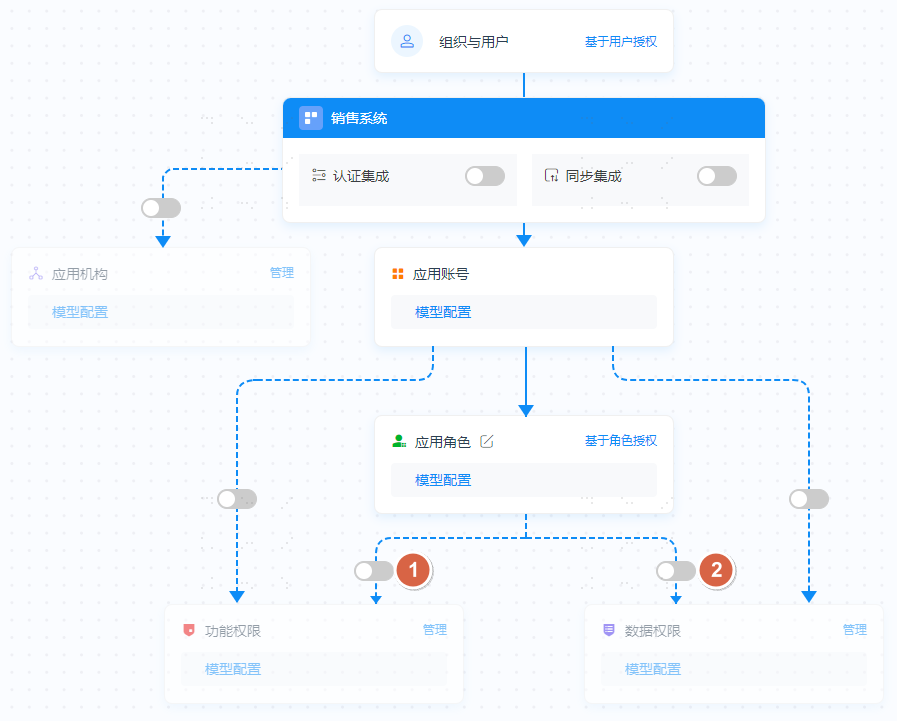
- After enabling, functional permissions and data permissions are no longer grayed out, as shown below. You can click Model Configuration to view the attributes of functional or data permissions, and click Manage to manage functional or data permissions.
Configure ACL Authorization Model
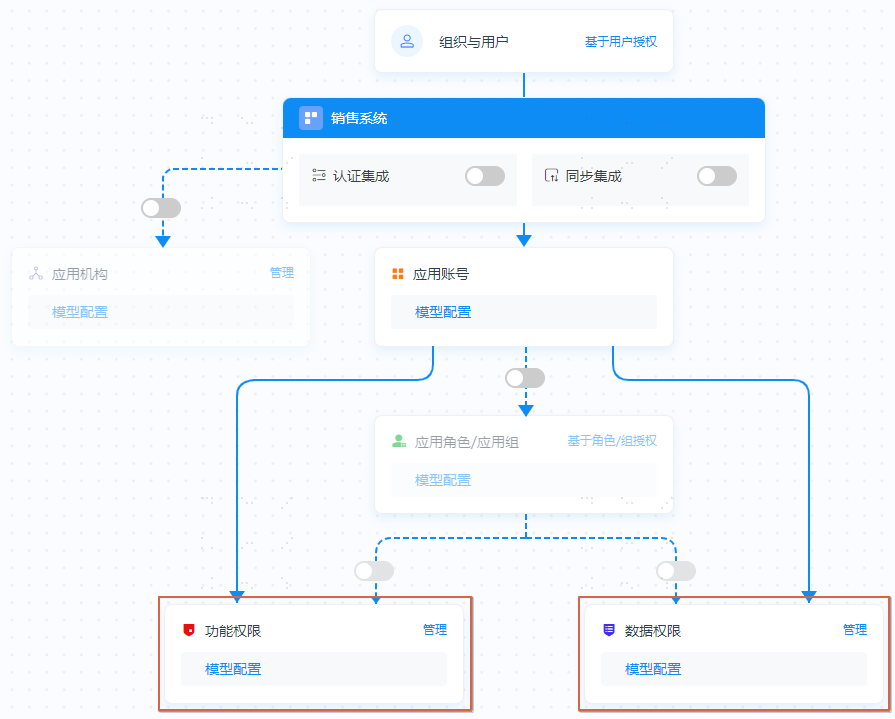
- Enable the switch between application accounts and functional permissions or data permissions.
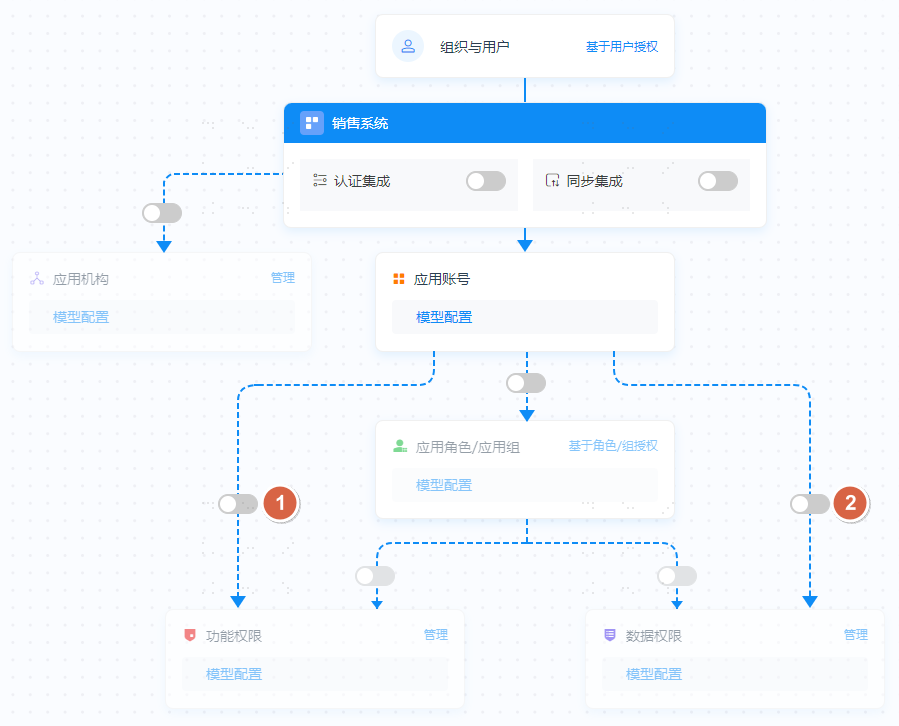
- After enabling, functional permissions and data permissions are no longer grayed out, as shown below. You can click Model Configuration to view the attributes of functional or data permissions, and click Manage to manage functional or data permissions.
After the authorization model is enabled, please follow the guidance in Resource Management, Role Management, and Authorization Management to start using it.