
Configure User Deactivation Notifications
IDaaS supports notifying users before their deactivation date if a deactivation date has been set. If configured, please ensure the user has valid contact information; otherwise, the user cannot be notified.
This notification method supports SMS, email, and DingTalk notifications, and the notification content is configurable.
Prerequisites
Administrator permissions for the IDaaS Enterprise Center.
Procedure
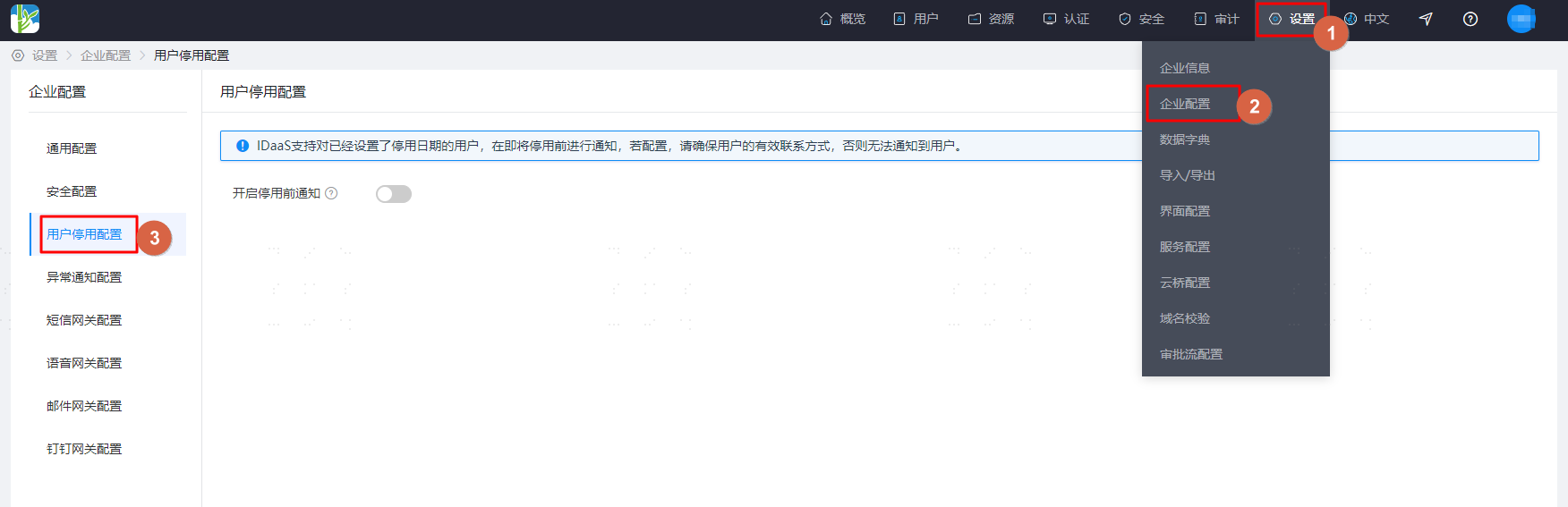
Log in to the IDaaS Enterprise Center, choose Settings > Enterprise Configuration from the top navigation bar, and select User Deactivation Configuration.
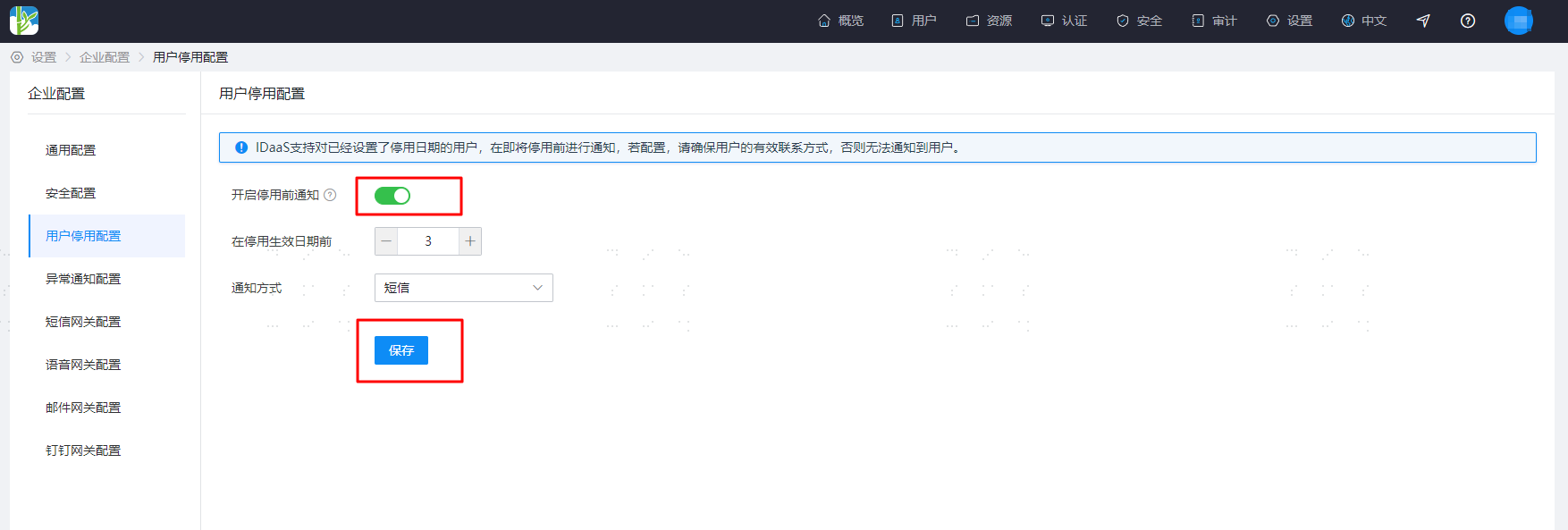
If you need to enable notifications, turn on the notification switch, set how many days before the deactivation effective date to start notifying, select the notification method, and save the configuration.
TIP
After enabling, according to the reminder days setting before the deactivation effective date:
- If set to ≤ 3 days, reminders are sent daily at 10:00.
- If set to > 3 days, reminders are sent three times. For example, if set to 7 days, reminders are sent at 10:00 on the 1st, 4th, and 7th day before deactivation.