Configure Weaver eteams Password-Free Login
This guide explains the configuration process for users to log in to IDaaS-integrated applications without a password within the Weaver eteams mobile APP. After configuring the Weaver eteams authentication source integration in the IDaaS platform, refer to this module to configure Weaver eteams password-free login for various application systems.
Prerequisites
- Administrator permissions for the IDaaS Enterprise Center.
- Weaver eteams open platform account administrator permissions, and an application has been created.
- The application has been integrated into the IDaaS platform.
- The Weaver eteams authentication source has been configured in the IDaaS platform.
Configuration Flow

Procedure
Configure Weaver eteams Authentication for Application
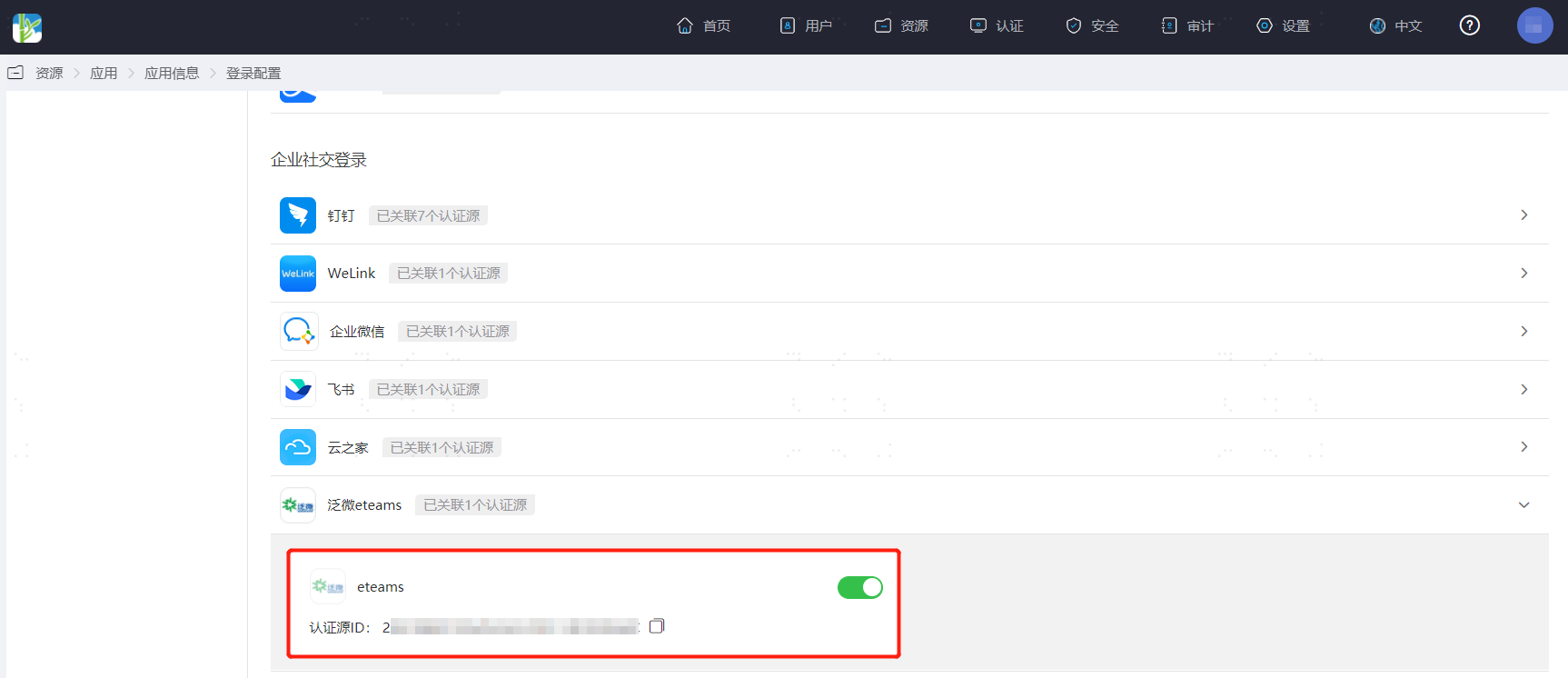
Log in to the IDaaS Enterprise Center, choose Resources > Apps from the top navigation bar. This guide uses the User Center app as an example. Select User Center, switch to the Login Configuration tab, select Weaver eteams from the dropdown, and enable the previously added Weaver eteams authentication source.
Weaver eteams Management Console Configuration
Log in to the eteams Open Platform, find the previously created application, and configure the
eteams_tokenacquisition address in the Enter URL Address field.The
eteams_tokenacquisition address composition structure and parameter descriptions are as follows:texthttp://www.eteams.cn/auth/third?app_key=%s&redirect_uri=%s (URL encoding is required)TIP
app_keyis theapp_keyobtained when creating the application.redirect_uriishttps://IDaaS tenant domain/api/v1/login/eteams. The tenant domain is obtained in the IDaaS Enterprise Center under Settings > Enterprise Info.
Verify Weaver eteams Client Password-Free Login
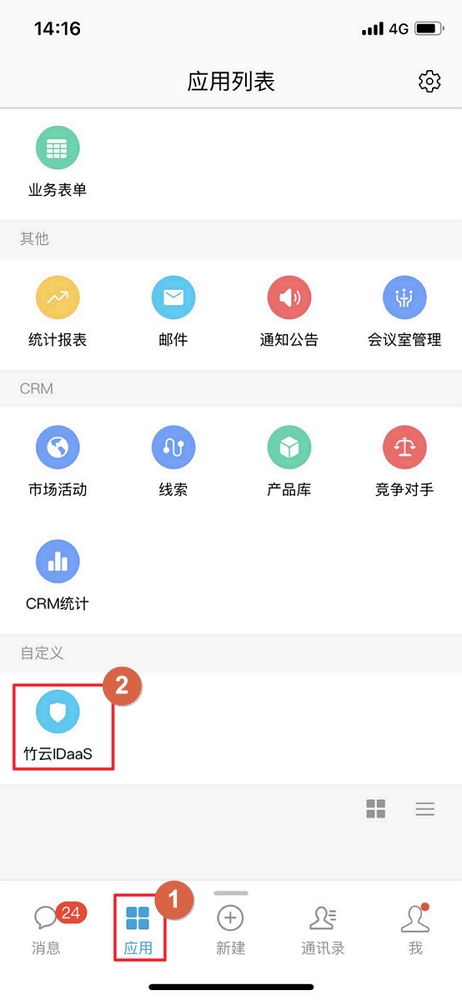
The user logs in to the Weaver eteams mobile APP, finds the application created in Weaver eteams, and clicks the application to log in to the application system without a password.