Application Recycle Bin
Due to human factors or other risks, IDaaS provides an application account recycle bin feature. You can set a protection period, after which accounts are automatically deleted or manually deleted.
This feature supports setting the recycle bin deletion protection period, which defaults to 7 days. After expiration, the system automatically performs deletion at 02:00:00 on the scheduled execution date.
If the application is configured to synchronize data downstream, when the recycle bin is enabled, deleted accounts enter the recycle bin and do not trigger downstream data synchronization. Only after the account is permanently deleted from the recycle bin will downstream data synchronization be triggered. If the recycle bin is not enabled, downstream data synchronization occurs when the account is deleted.
Prerequisites
- You have permissions for the IDaaS enterprise center application menu and applications.
Procedure
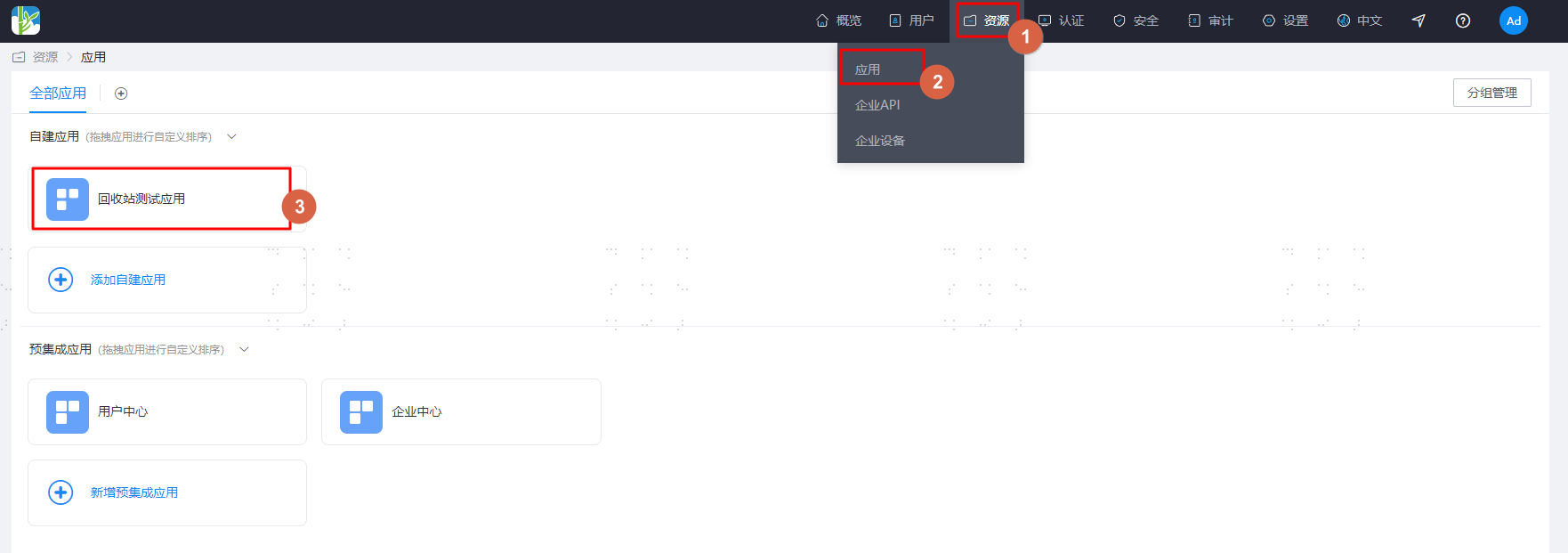
Log in to the IDaaS enterprise center platform. In the top navigation bar, select "Resources > Applications", click the application to process, and enter the "Recycle Bin" management page.
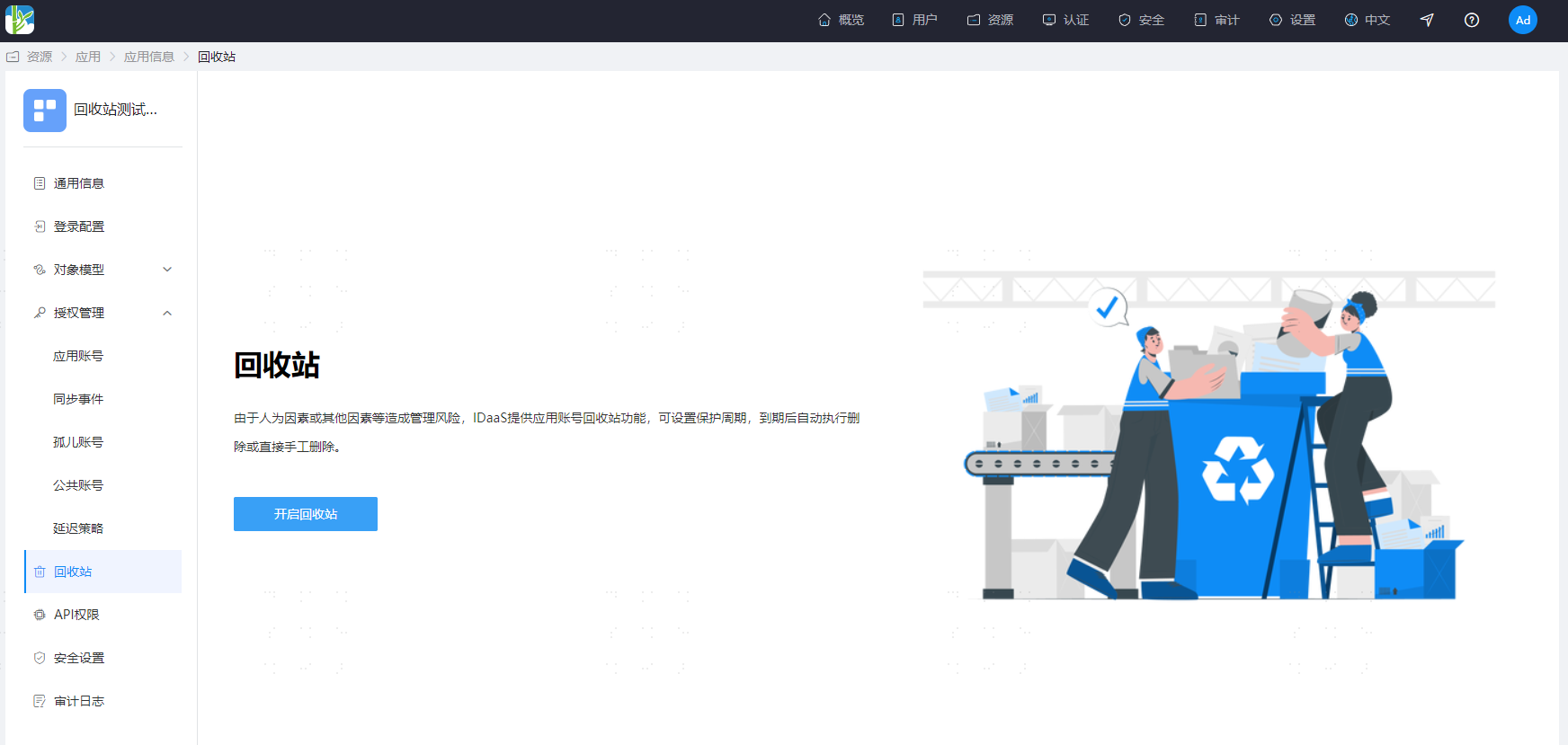
Click the "Enable Recycle Bin" button to enable the application recycle bin.
TIP
For newly added applications, the application recycle bin is enabled by default with a default deletion protection period of 7 days.
When there is unprocessed data in the recycle bin, it cannot be disabled. You must process the data first before disabling.
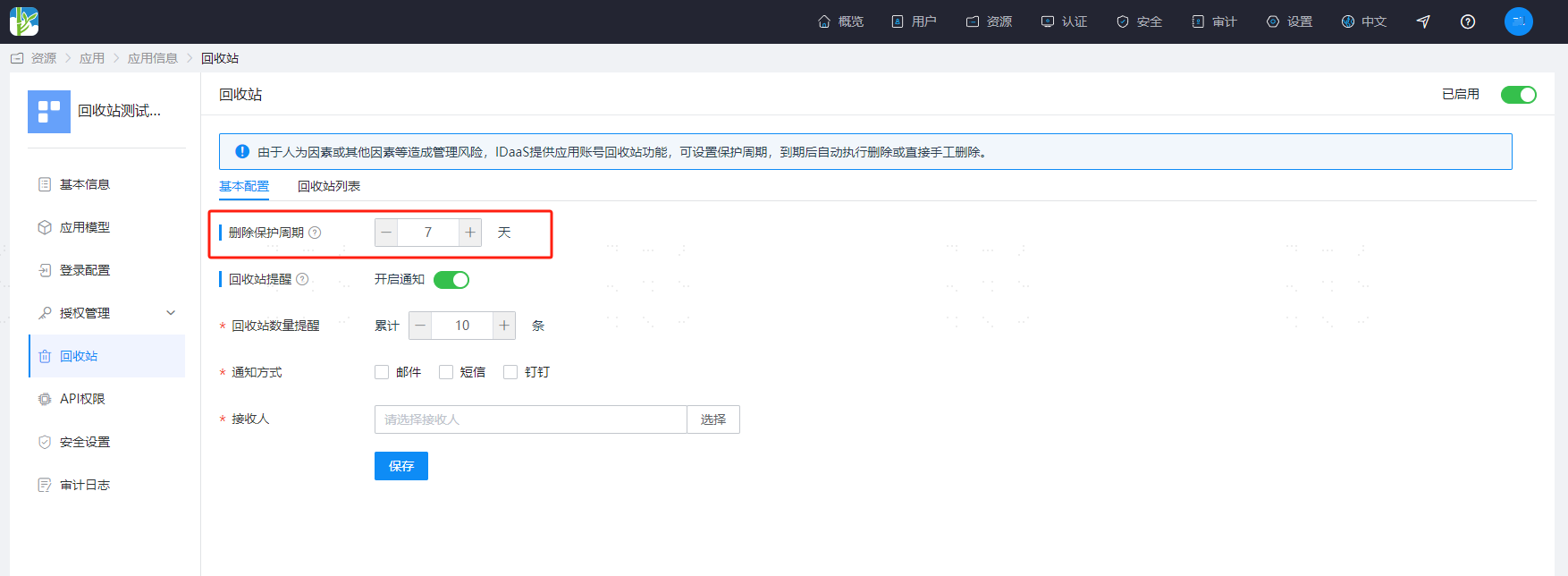
Configure the deletion protection period.
TIP
The deletion protection period must be at least 1 day and at most 30 days.
The system has a scheduled task that checks whether the application account data has reached the deletion period threshold. If so, it will be deleted.
The scheduled task execution time is 2:00 AM every day.
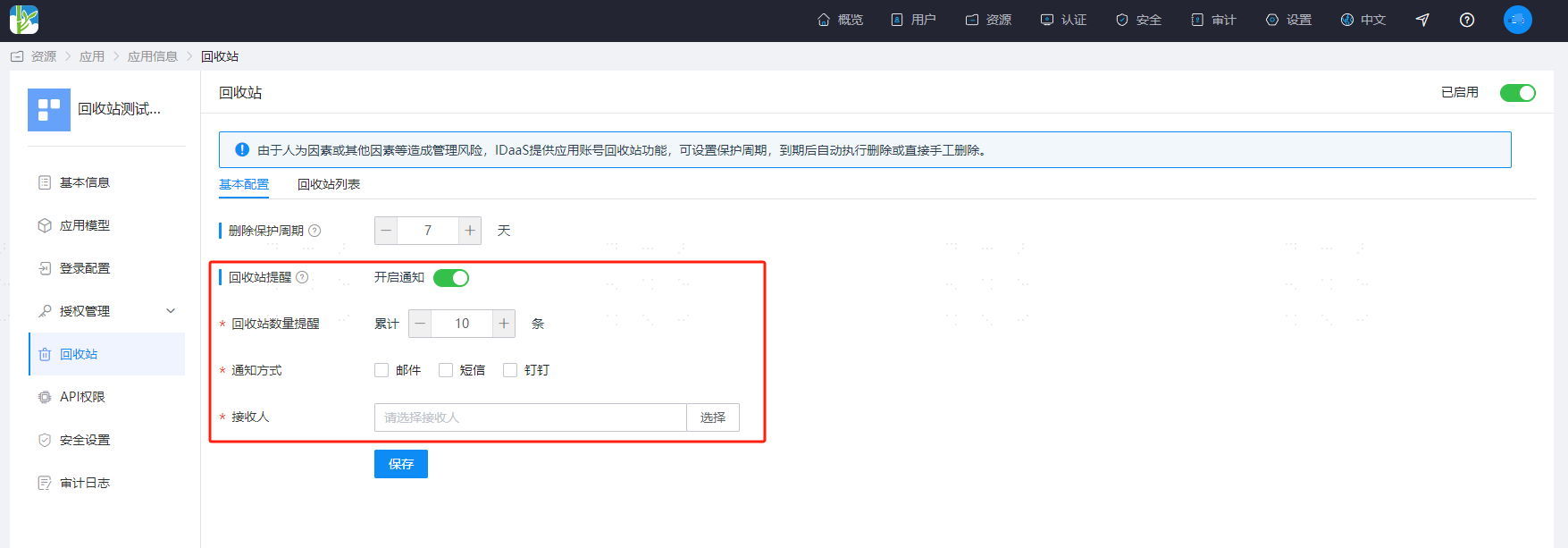
Configure recycle bin reminders.
TIP
The default is disabled.
After enabling, when the reminder threshold is reached, notifications are sent immediately. If not processed that day, another notification will be sent at 10:00 the next day to remind administrators to view and process.
Notification methods support email, SMS, and DingTalk (the message gateway must be successfully configured in advance).
Recipients are administrators who have permissions for this application menu and data permissions.
Recycle Bin List
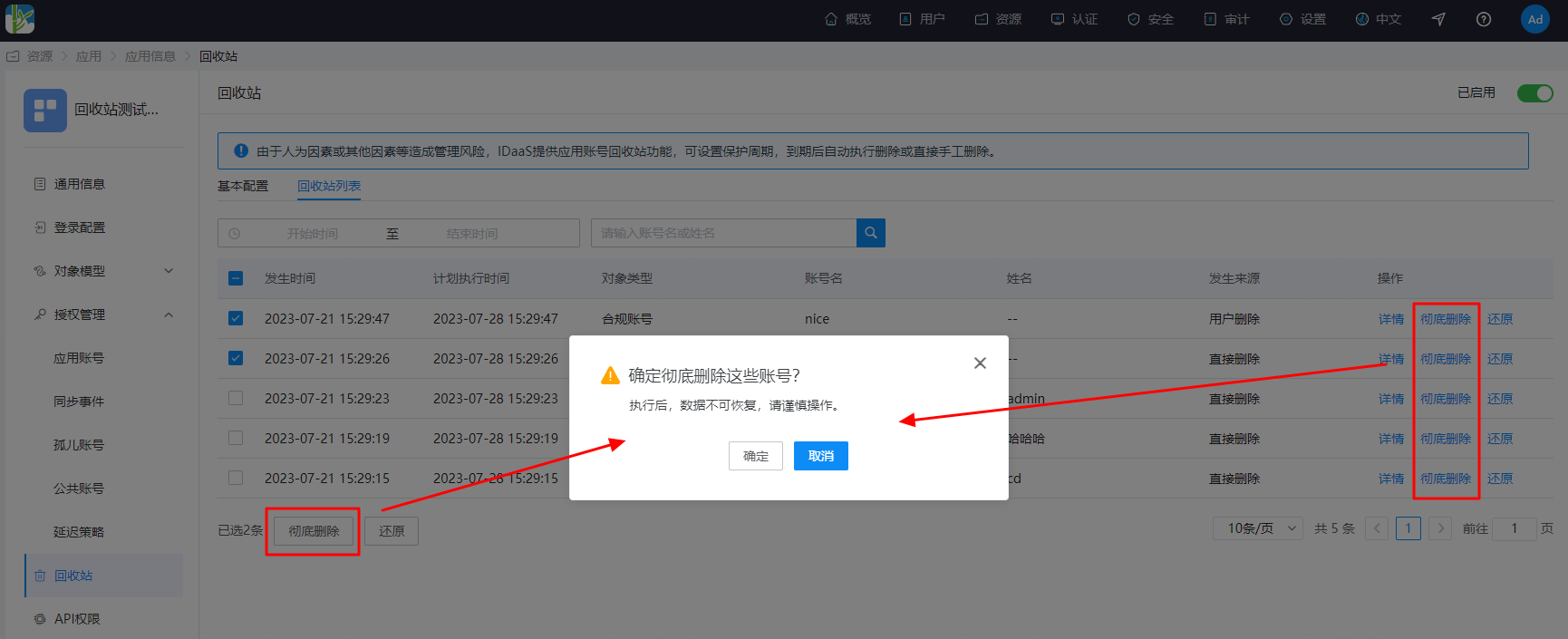
The list shows relevant data of accounts that have entered the recycle bin.
Including occurrence time, scheduled execution time, object type, account name, name, source, and operation.
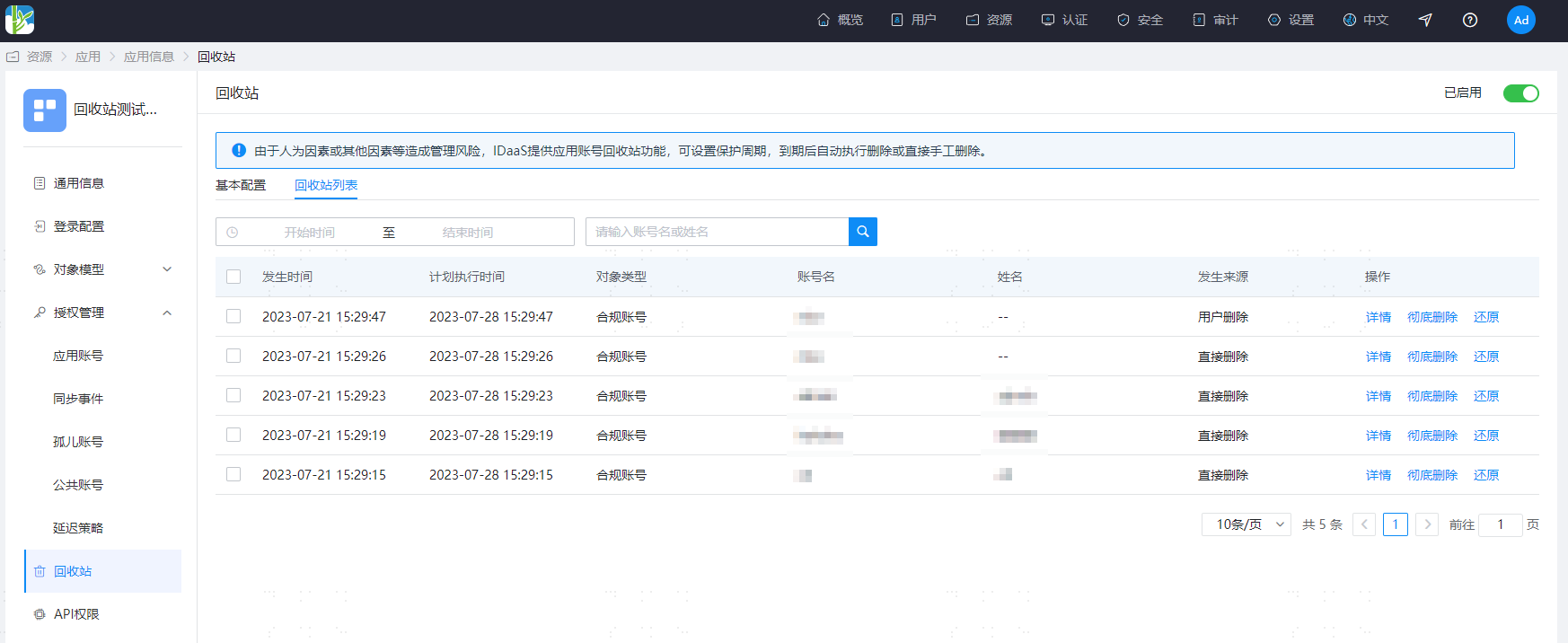
Object types include: compliant account, orphan account, shared account.
Source
Direct deletion: deleting an account directly in the "Application Account", "Orphan Account", or "Shared Account" menus in the "Authorization Management" interface causes the account to enter the recycle bin.
User deletion: deleting a system user in the application's account model configuration causes the corresponding application account to be deleted and enter the recycle bin.
User disabled: disabling a system user in the application's account model configuration causes the corresponding application account to be deleted and enter the recycle bin.
Authorization policy deletion: deleting an account because it no longer satisfies the authorization policy conditions causes the account to enter the recycle bin.
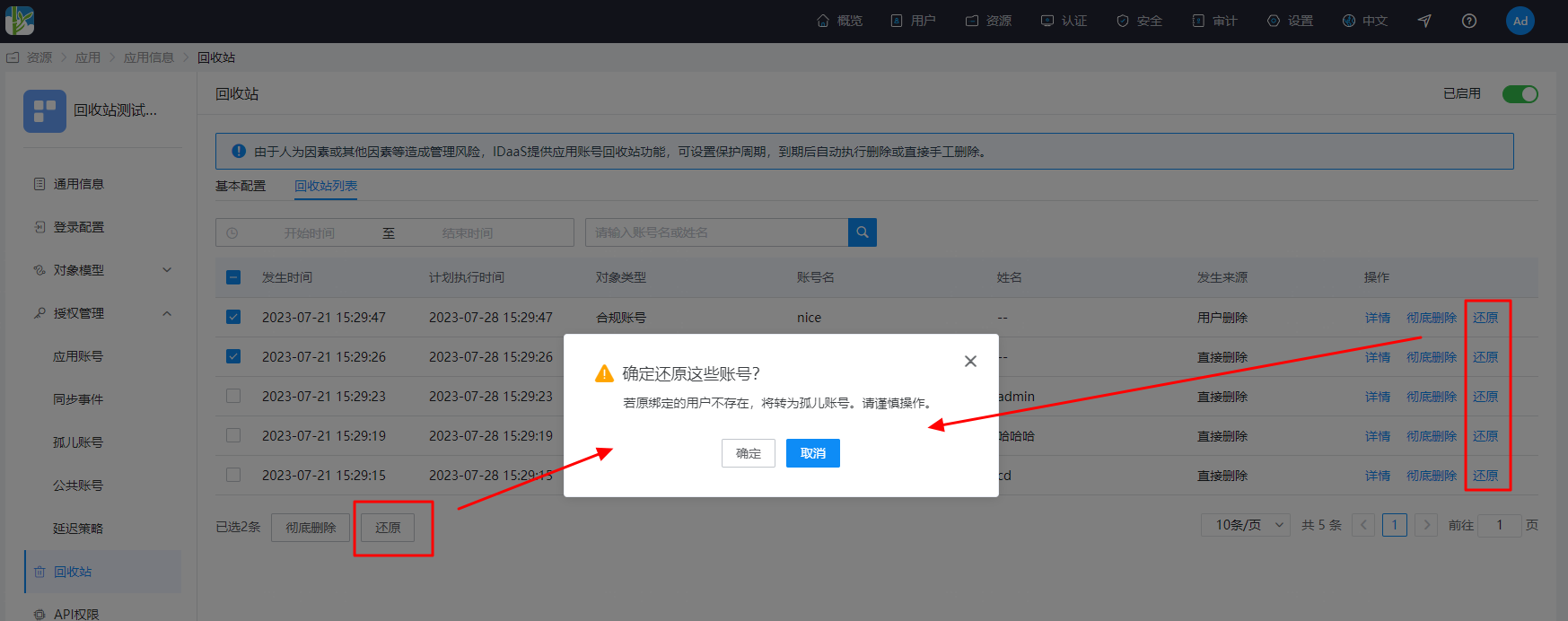
Restore recycle bin accounts.
Restore supports single and multiple restores.
When restoring, if the originally bound user no longer exists, it becomes an orphan account. If the restored account information (unique attribute in the application account model) is already occupied, restoration fails. If the restored account's user is bound to another account, restoration fails.
Permanently delete recycle bin accounts.
Permanent deletion supports single and multiple permanent deletions. If downstream synchronization is configured, downstream synchronization will be triggered after permanent deletion.