
Functional Permission Management
This chapter guides you through managing functional permissions. If your application has functional permission controls, you need to manage functional permissions according to this chapter before authorizing application accounts.
Prerequisites
- You have administrator permissions for the IDaaS enterprise center platform.
- You have created the application and enabled an authorization model associated with functional permissions/data permissions.
Procedure
Open Functional Permission Management Page
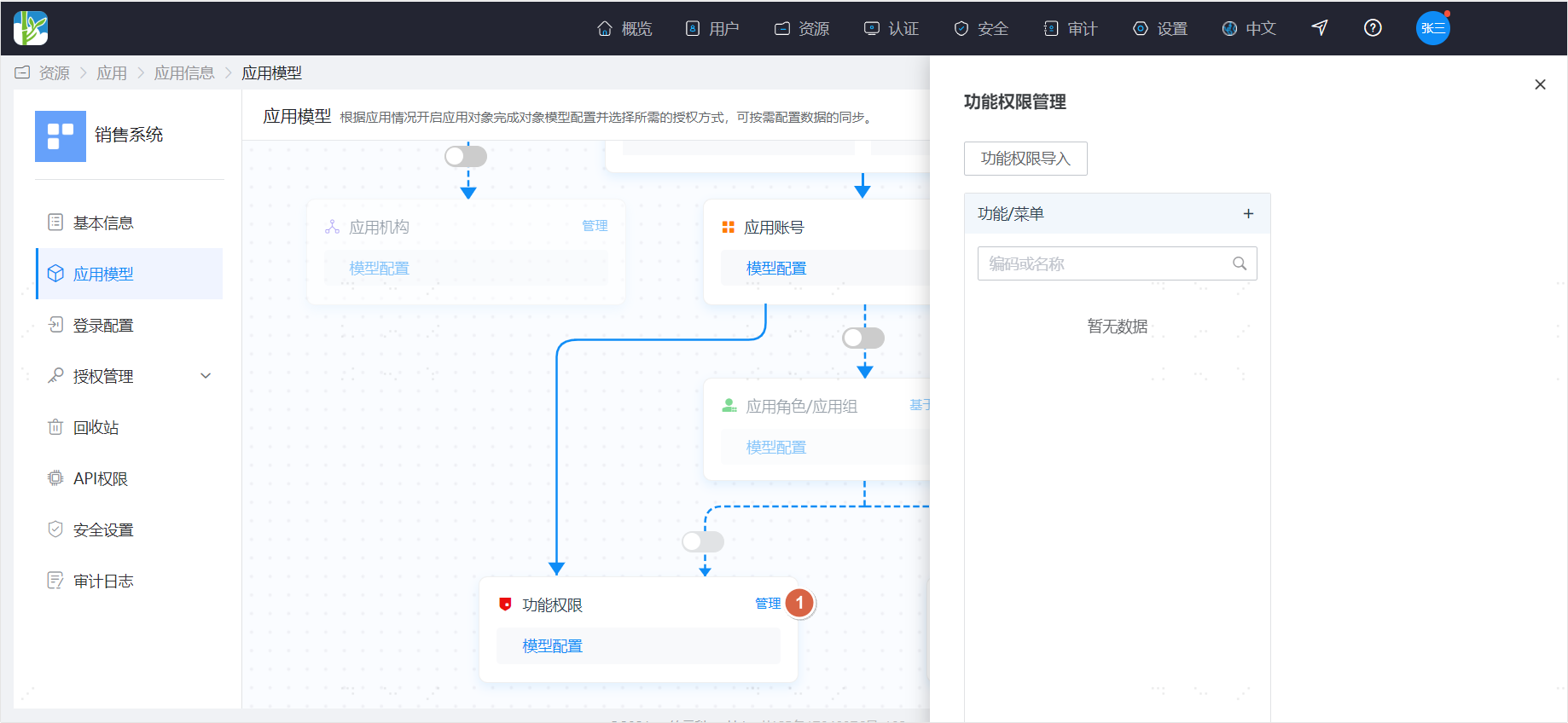
Click the Manage operation on functional permissions in the application model to open the functional permission management page.
Import Functional Permissions
You can batch import functional permissions via an Excel spreadsheet. Click the functional permission import operation to jump to the application-side permission import page. Select the application, download the import template, prepare the data according to the template, and import.
Manage Functional Permissions Manually
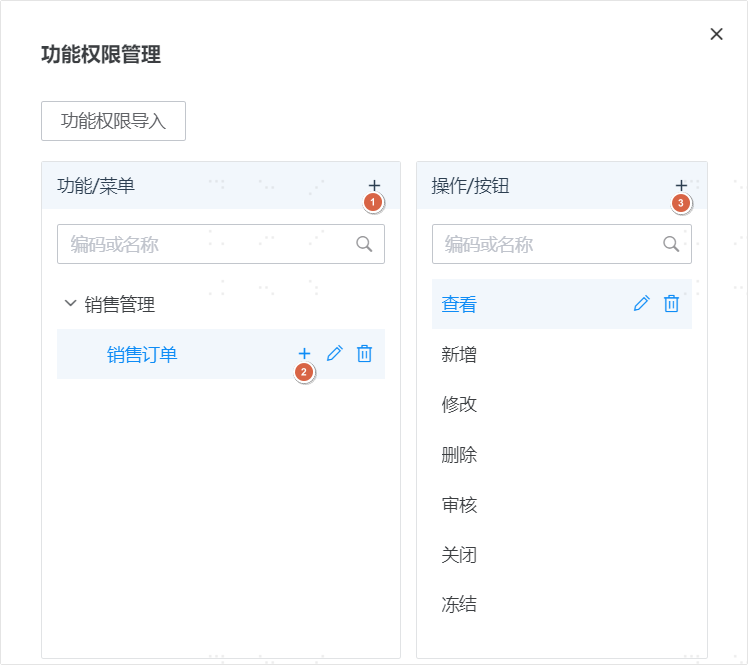
- Click the Add button at the top of Functions/Menus to add a top-level menu.
- Click the Add button on a menu to add a submenu.
- Select a menu and click the Add button in Operations/Buttons to add an operation for that menu.
- Fill-in instructions:
- Name: no duplicates at the same level.
- Code: unique, cannot be duplicated.
- Sequence: smaller numbers are displayed first.
Authorize Functional Permissions
After functional permission management is complete, you can authorize functional permissions to application accounts or assign functional permissions to application roles according to the authorization management guidance.