Configure Custom SMS Gateway and Templates
In scenarios such as Login Authentication, Registration, Forgot Password, and VPN Two-Factor, SMS verification codes may be used to confirm the user's identity and prevent impersonation or identity theft.
The IDaaS platform provides SMS notification functions. It pre-configures and registers notification templates for possible scenarios in advance, and enables the IDaaS built-in SMS gateway by default. At the same time, the IDaaS platform also supports custom SMS gateways and SMS notification templates for various scenarios. Subsequently, your configuration will be called to send SMS and verification code-related information to users at the appropriate time and in the appropriate scenario.
TIP
Currently, custom gateways support Huawei Cloud, Alibaba Cloud, Xiaoshui Intelligence, Zhutong Technology, and Montnets Cloud Communications. Enterprises need to register and purchase messaging and SMS services from the above service providers in advance.
Prerequisites
- Administrator permissions for the IDaaS Enterprise Center.
- You have applied for an account with the gateway vendor and registered notification templates for various scenarios, and have obtained the template ID or code. For details, refer to each vendor's documentation.
- Montnets Cloud Communications gateway supports users sending SMS with custom SMS templates, without needing to configure a template ID or code.
Configuration Flow

Procedure
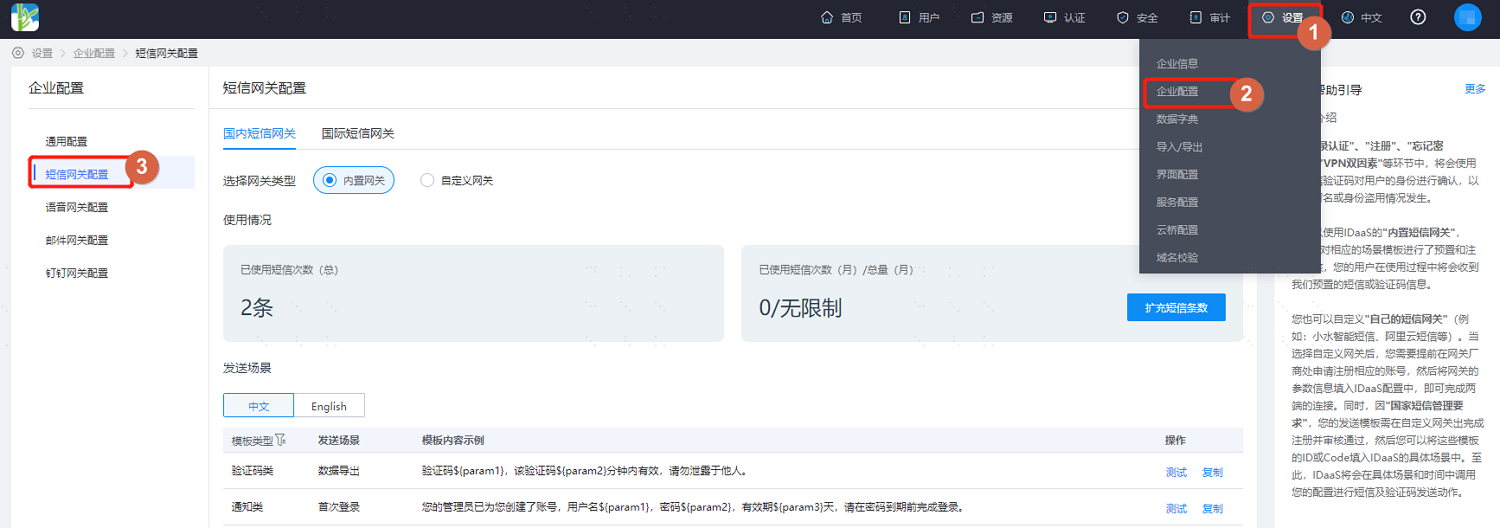
Log in to the IDaaS Enterprise Center, choose Settings > Enterprise Configuration from the top navigation bar, and select SMS Gateway Configuration.
Select Domestic SMS Gateway, choose Custom Gateway as the gateway type, and fill in the basic gateway configuration. Different service providers require different gateway information.
TIP
- If you need to send SMS to Hong Kong, Macao, Taiwan, or international mobile numbers, you can configure the international SMS gateway. Currently, the international SMS custom gateway service providers only support Huawei Cloud and Alibaba Cloud. You need to apply for and enable international/Hong Kong, Macao, and Taiwan SMS services on the corresponding SMS service provider platform.
- The international SMS configuration process is the same as the domestic SMS gateway configuration process.
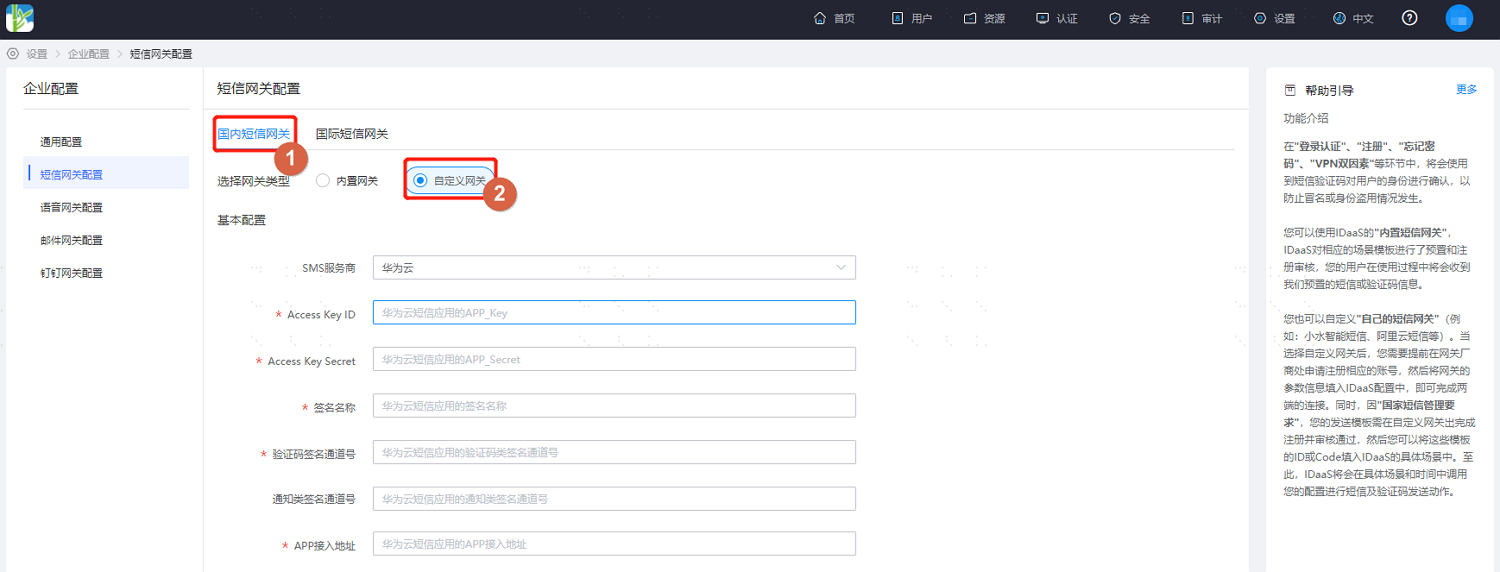
SMS Service Provider is Huawei Cloud
For configuration details, refer to the Huawei Cloud Message & SMS MSGSMS Help Documentation. Key parameters are described below.
Parameter Description SMS Service Provider Huawei Cloud AccessKey ID Huawei Cloud SMS application APP_Key AccessKey Secret Huawei Cloud SMS application APP_Secret SMS Signature Signature information created according to user identity, must be approved by Huawei Cloud before use Verification Code Signature Channel Number Signature channel number after Huawei Cloud SMS signature approval Notification Signature Channel Number Signature channel number after Huawei Cloud SMS signature approval APP Access Address APP access address assigned by the system after Huawei Cloud SMS application creation DANGER
- You need to apply for two SMS signatures with consistent names in Huawei Cloud, with signature types of verification code and notification respectively.
- When applying for SMS templates, for verification code sending templates, select the verification code type signature as the affiliated signature. For notification templates such as password reset, select the notification type signature.
- In sending scenarios, the template ID for the password reset sending scenario is a notification type SMS signature template, and other scenarios use verification code type SMS signature templates.
SMS Service Provider is Alibaba Cloud
For configuration details, refer to the Alibaba Cloud SMS Service Help Documentation. Key parameters are described below.
Parameter Description AccessKey ID AccessKey Description AccessKeyId is used to identify users AccessKey Secret AccessKeySecret is the key used to verify users SMS Signature SMS signature name, must be approved in the Alibaba Cloud SMS console before use SMS Service Provider is Xiaoshui Intelligence
Parameter Description Username Account name obtained when the customer opened an account on the Xiaoshui Intelligence platform Secret Password obtained when the customer opened an account on the Xiaoshui Intelligence platform SMS Service Provider is Zhutong Technology
Parameter Description Username Account name obtained when the customer opened an account on the Zhutong Technology platform Password Password obtained when the customer opened an account on the Zhutong Technology platform SMS Signature Registered SMS signature User Extension Information User-defined information, returned when the user obtains the status report SMS Service Provider is Montnets Cloud Communications
Parameter Description Account Account obtained when the customer opened an account on the Montnets Cloud Communications platform Password Password obtained when the customer opened an account on the Montnets Cloud Communications platform IP Address IP address configured when the customer opened an account on the Montnets Cloud Communications platform After basic configuration is complete, configure SMS sending scenario notification templates according to project requirements. Both Chinese and English SMS template configurations are supported.
According to the scenarios used, the administrator creates corresponding SMS templates on the SMS service provider platform, and fills in the generated SMS template ID/CODE.
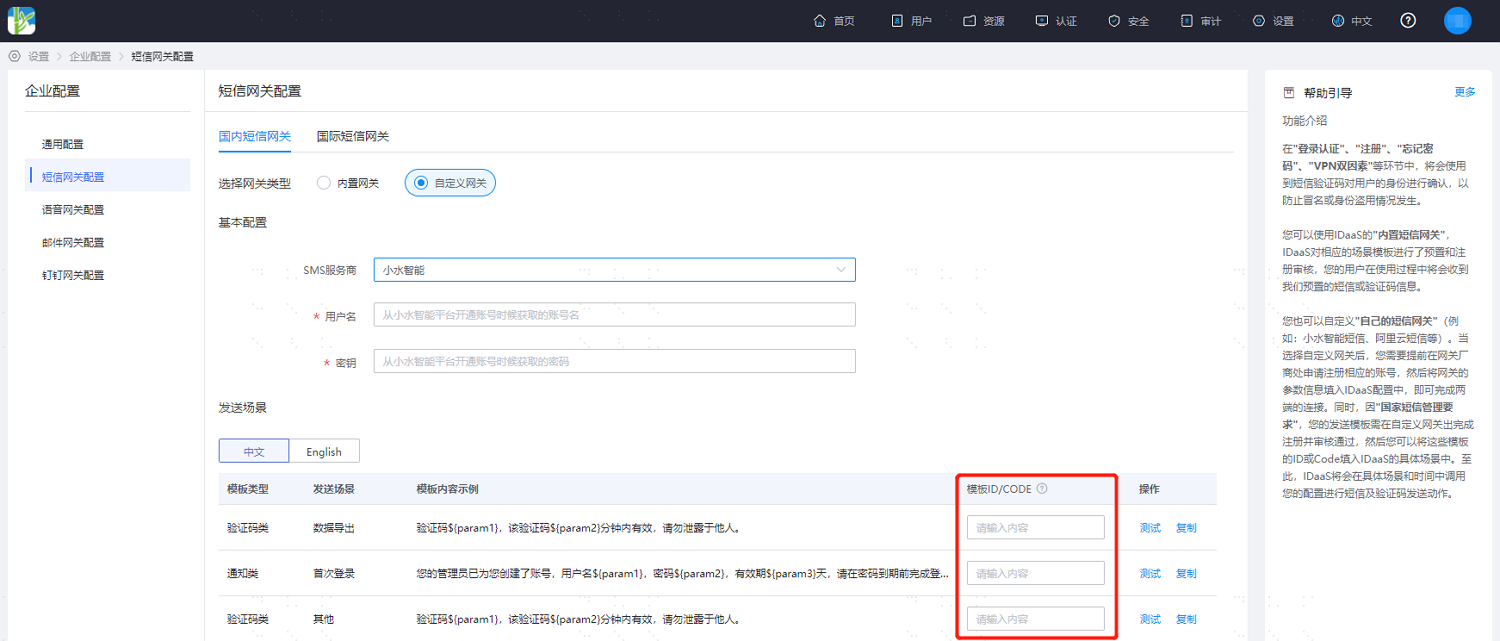
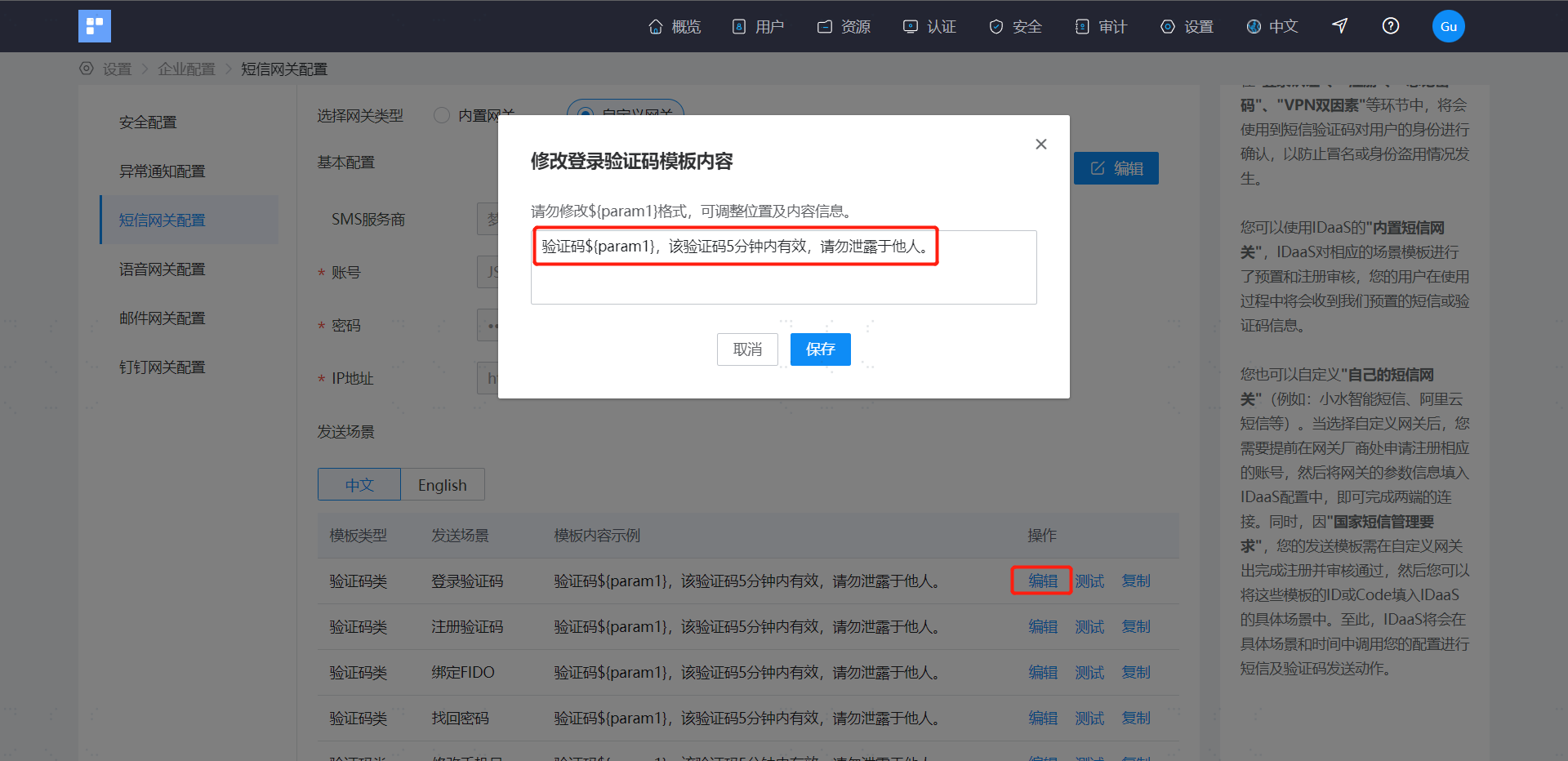
The Montnets Cloud Communications gateway uses the system built-in SMS template by default and supports user customization.
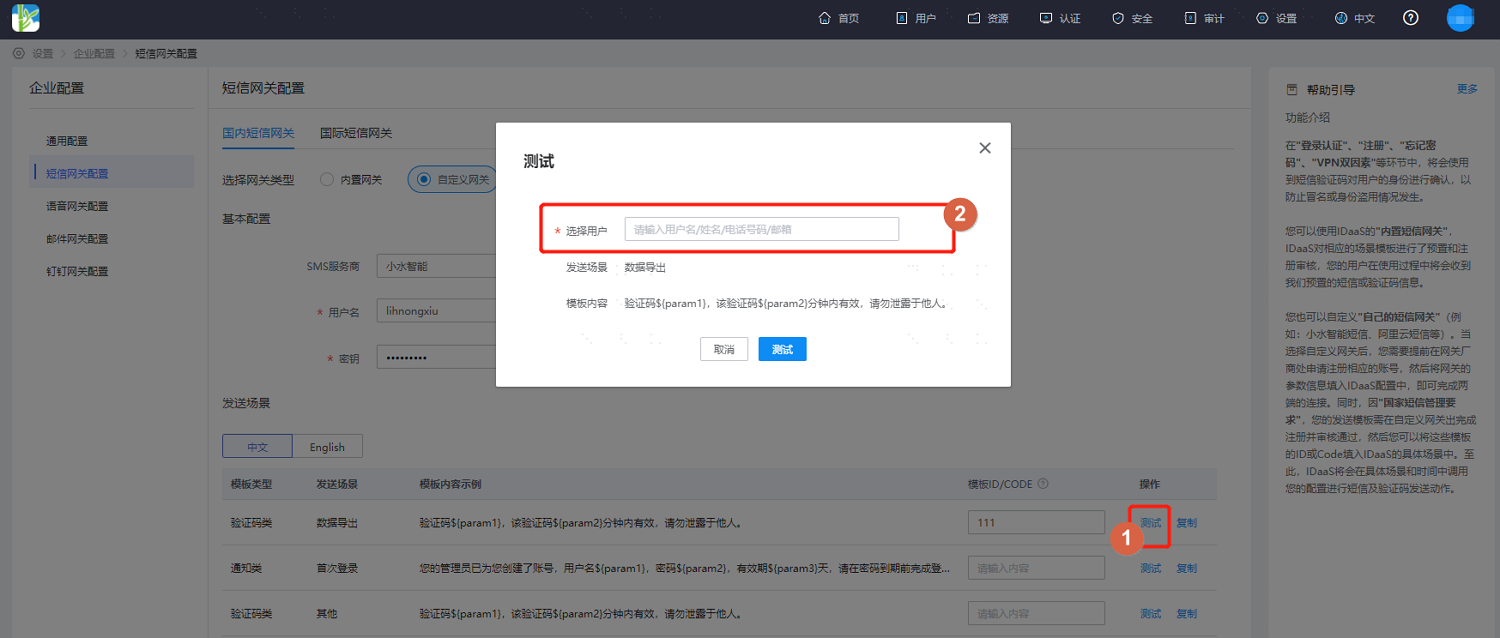
After configuration, click Test, select a test user, and an SMS test will be sent.