
Beisen HR as Identity Source
IDaaS supports enterprises importing user and organizational data from multiple identity sources into the IDaaS platform. This guide explains how to configure the Beisen HR system as an identity source in IDaaS to synchronize organizational and user data.
Prerequisites
- Administrator permissions for the Beisen open platform.
- Administrator permissions for the IDaaS Enterprise Center.
Configuration Flow

Procedure
Create a Connector in Beisen Development Platform
Log in to the Beisen Open Platform, enter the administrator console, choose My Connectors > Create Connector, fill in the connector name and description, then click OK.
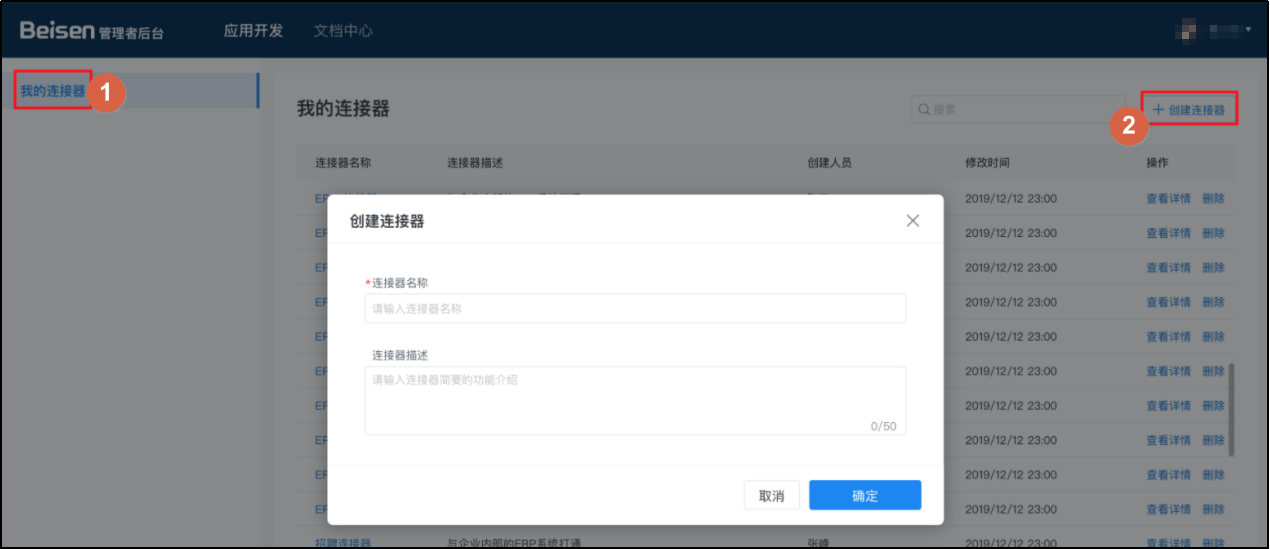
Click to enter the newly created connector detail page, and add connector API permissions.
- User: Query changed employee information by modification time window
- Organization: Query subordinate organization units of a specified organization
- Position: Query changed position information by time window
- Job Post: Query changed job post information by time window
After configuration, obtain and save the
KeyandSecret.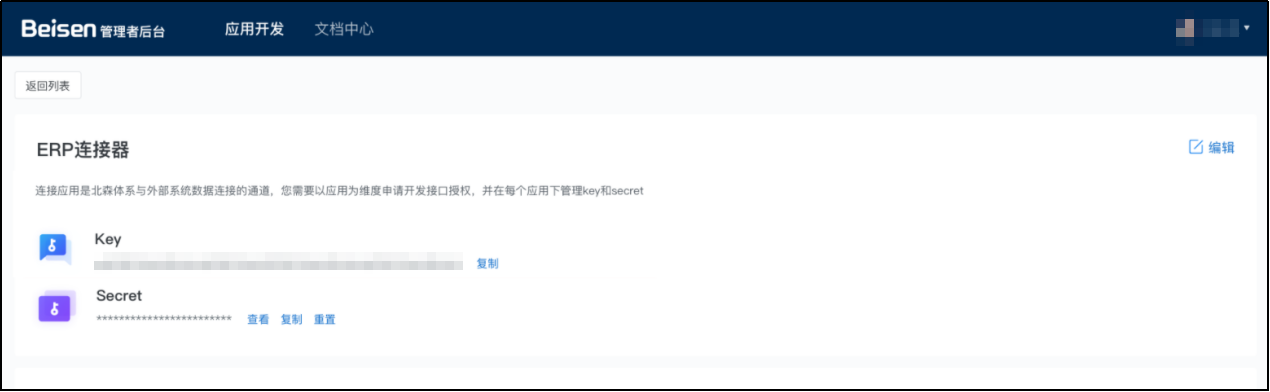
Configure the Beisen Identity Source in IDaaS
Log in to the IDaaS Enterprise Center, choose Users > Identity Source Management from the top navigation bar, click Add Identity Source, and select Beisen HR.
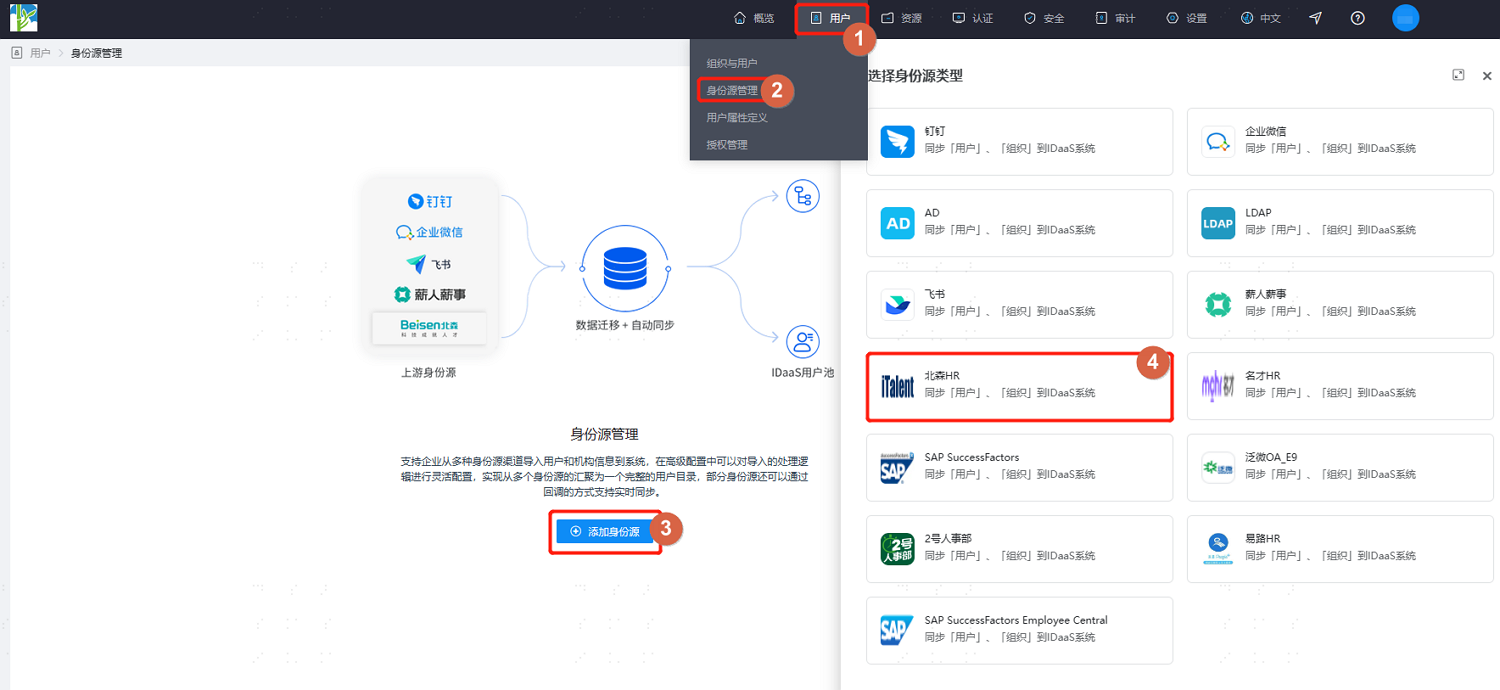
Customize the identity source name, fill in the Key, Secret, Beisen HR root department ID, and other parameters as prompted, then click OK to save.
Enter the detail page of the newly created identity source to view or update the Basic Configuration, including connection parameters and synchronization mechanism.
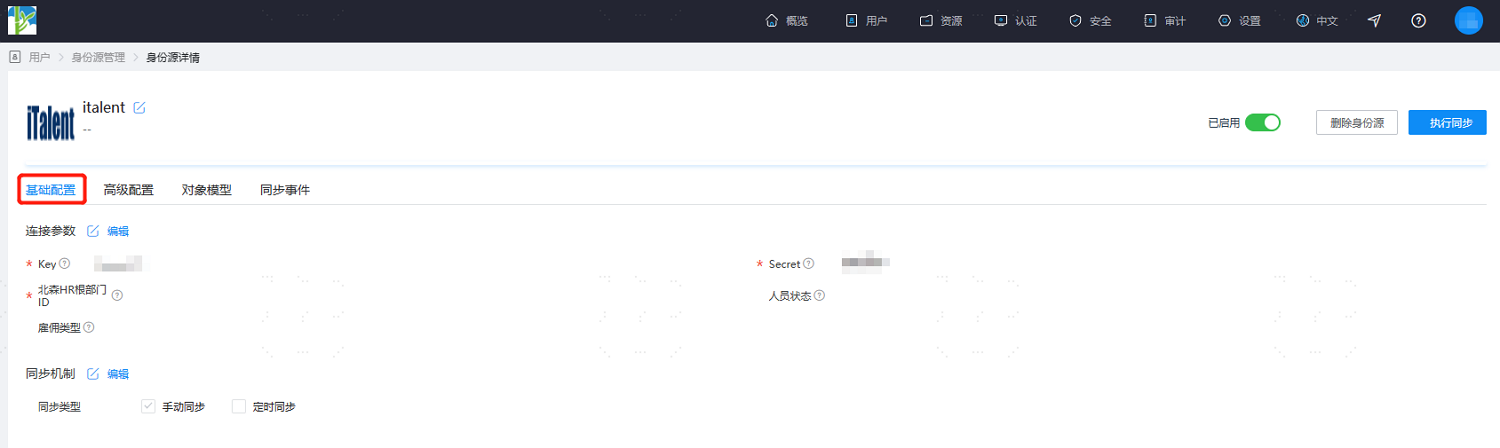
Switch to the Advanced Configuration tab. It is recommended to keep the default values or adjust them according to actual requirements.
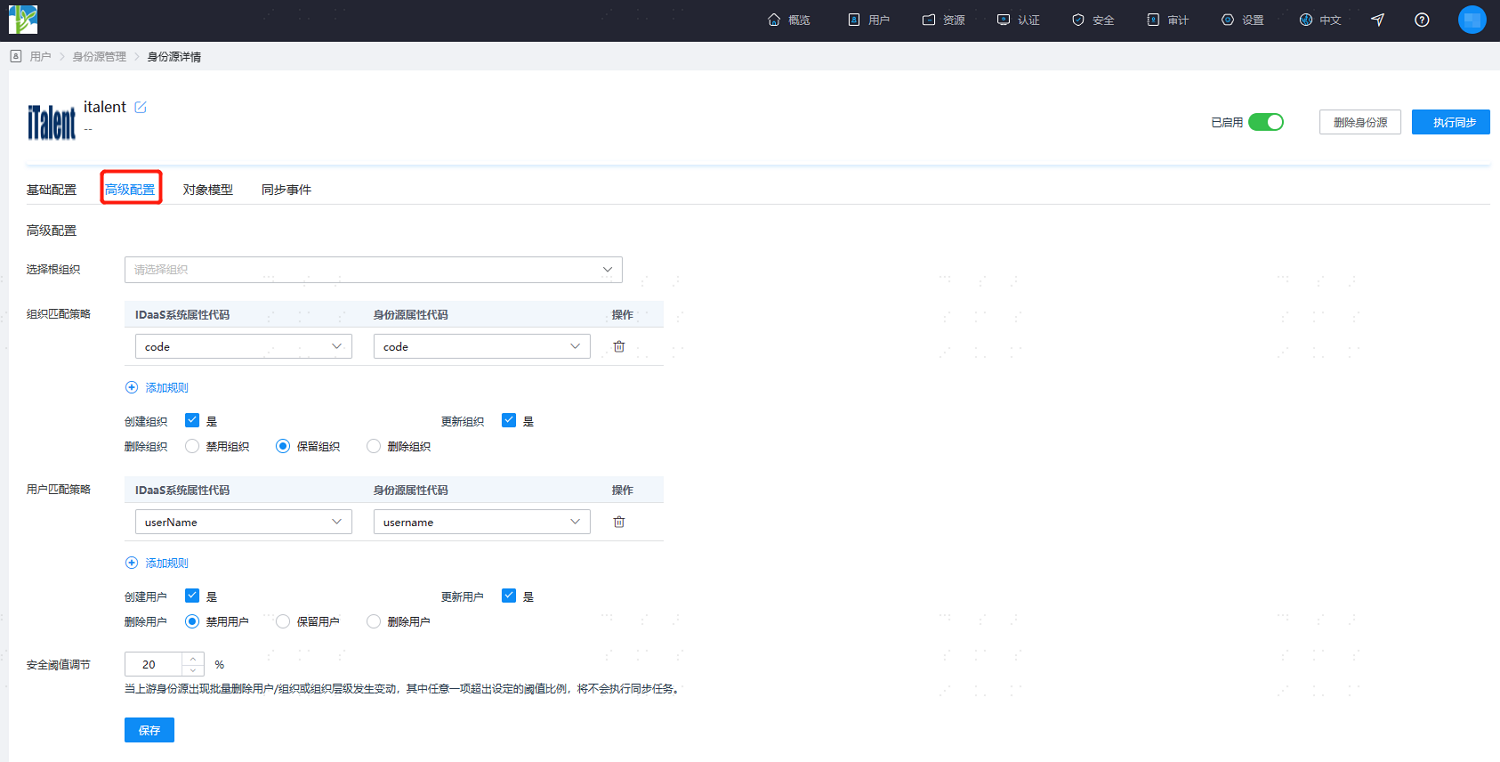
Parameter Description Select Root Organization The organization node into which identity source data is imported. The default is fine. Organization Matching Policy Mapping relationship for importing Beisen organizations into IDaaS. The default is fine. Create Organization Create and update organizations are checked Yes by default. Delete Organization By default, organizations are retained (i.e., when an organization is deleted in Beisen HR, it is retained in IDaaS). You can also disable or delete organizations. User Matching Policy Mapping relationship for importing Beisen users into IDaaS. The default is fine. Create User Create and update users are checked Yes by default. Delete User By default, users are disabled (i.e., when a user is deleted in Beisen HR, the user is disabled in IDaaS). You can also retain or delete users. Safety Threshold Adjustment Sets the maximum threshold ratio for changes such as deleting users, deleting organizations, or changing organization hierarchy in the upstream identity source.
Threshold = (Difference between platform-recovered data and this recovery / Recovered data) × 100%. If the upstream identity source disables or deletes data exceeding the threshold, the platform will not perform the disable or delete operation.After configuration, switch to the Object Model tab, select Attribute Definition, and add organization/user attributes from the Beisen HR system according to project requirements. You can add preset attributes or custom attributes based on your system.
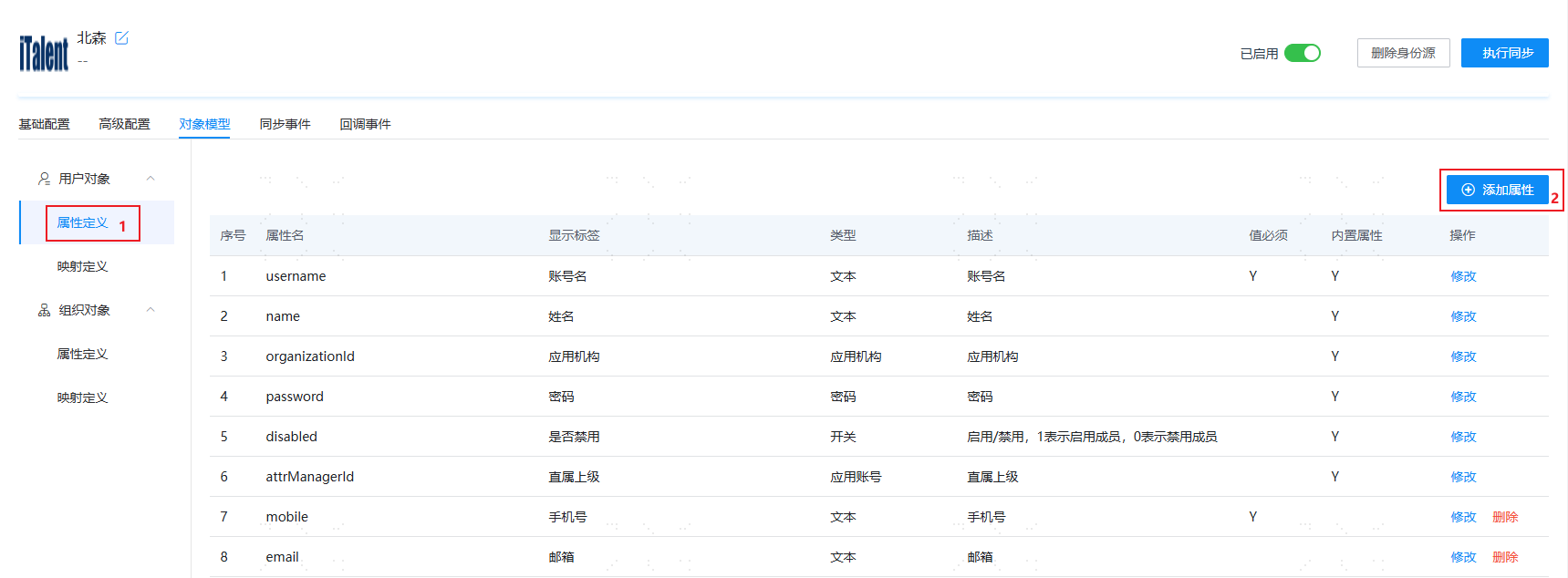
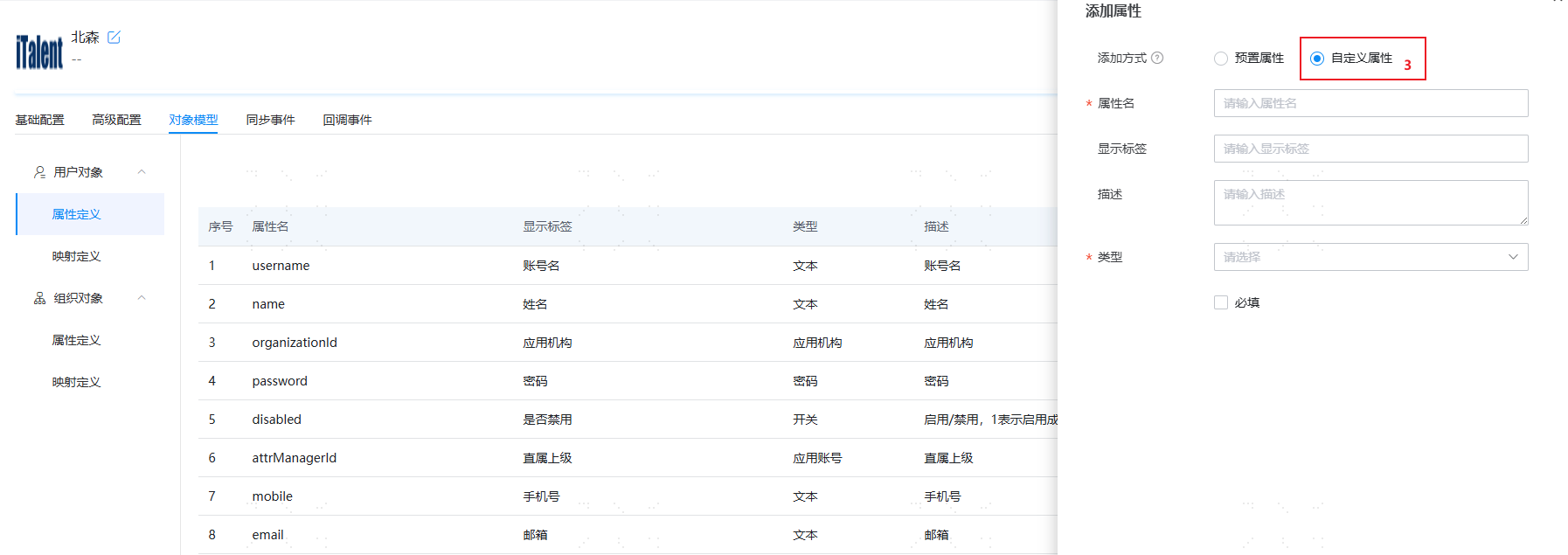
TIP
- For user objects, custom attributes can be added. Configure the correct attributes based on the fields returned by the Beisen HR paginated query changed employee information API. For properties under
BasicInfosandServiceInfos, directly fill in the field names. - For organization objects, custom attributes can be added. Configure the correct attributes based on the fields returned by the Beisen HR query subordinate organization units API. For object properties, concatenate with English periods (
.). For example:url,address,customProperties.extBrand_605801_1638480538.
- For user objects, custom attributes can be added. Configure the correct attributes based on the fields returned by the Beisen HR paginated query changed employee information API. For properties under
After configuration, switch to the Object Model tab, select Mapping Definition, and configure mapping relationships between Beisen HR organization/user attributes and IDaaS organization/user attributes according to project requirements.
The object model supports mapping attributes of users and organizations from the Beisen HR identity source to IDaaS user and organization attributes. After configuration, user and organization attributes are recovered from Beisen HR into IDaaS.
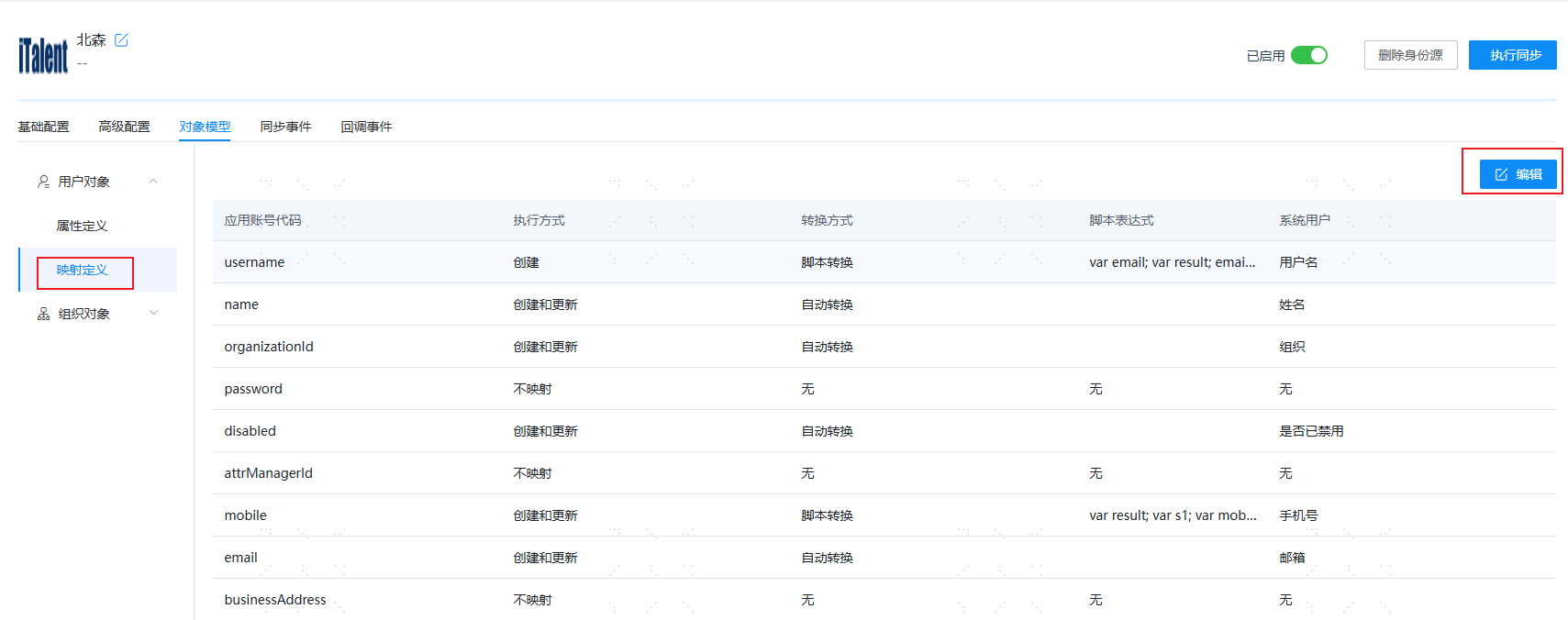
- Execution Mode: Sets when the attribute needs to be mapped.
- Do Not Map: The attribute will not be synchronized to IDaaS.
- Create: The attribute is synchronized only during creation.
- Update: The attribute is synchronized only during update.
- Create and Update: The attribute is synchronized during both creation and update.
- Transformation Mode: Sets how the attribute is mapped.
- Auto Transform: Synchronize the value as-is from the identity source.
- Script Transform: Use this when the value from the identity source does not meet the required format. Refer to Script Mapping Methods.
- Execution Mode: Sets when the attribute needs to be mapped.
After configuration, click Execute Synchronization to run the synchronization immediately.
TIP
If the synchronization mechanism in the basic configuration is set to scheduled synchronization, there is no need to manually execute the synchronization task here.
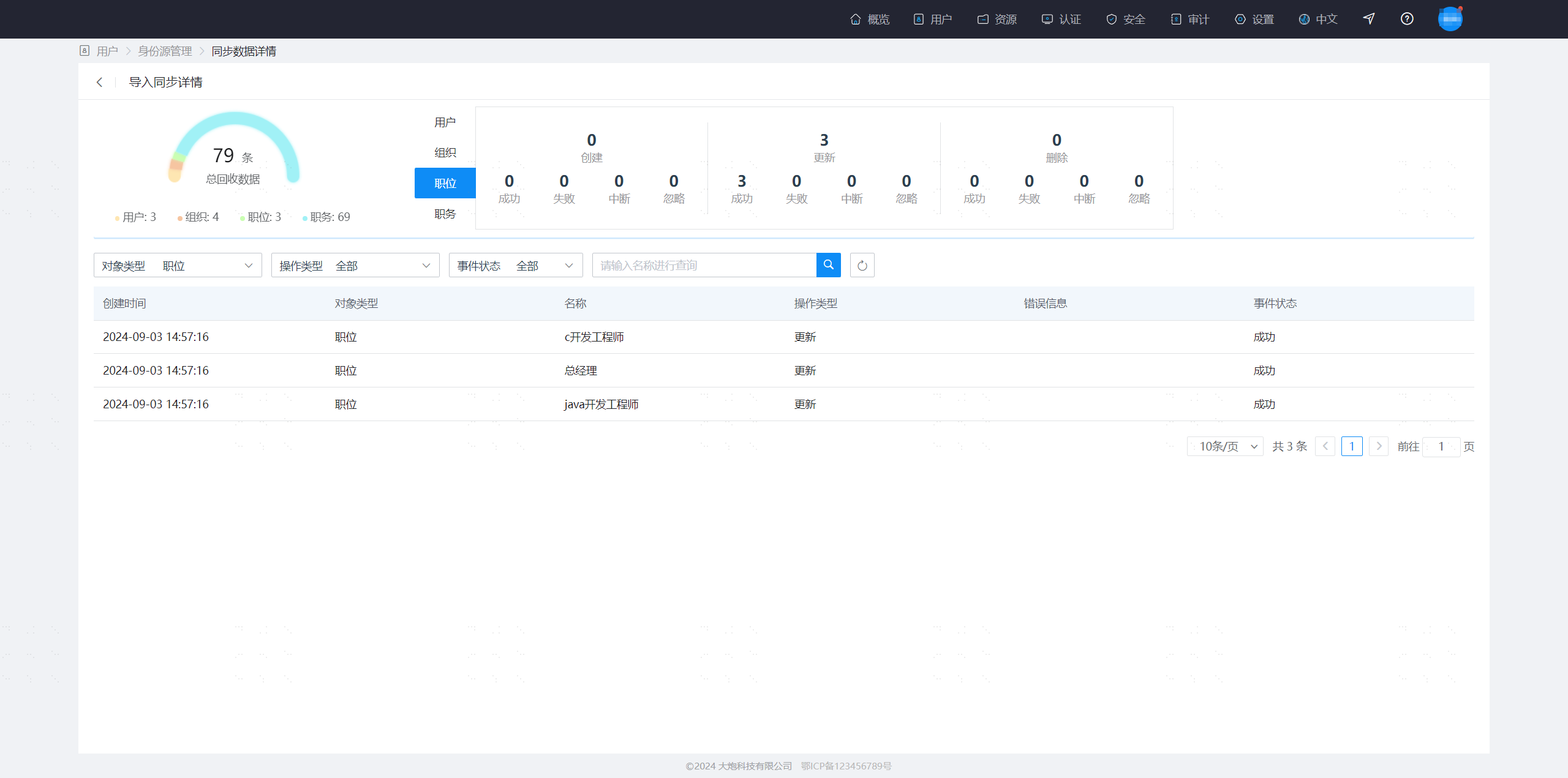
After execution, switch to the Synchronization Events page to view all synchronization tasks for this identity source. Click Details under the Operation column to view the import results, or go to the Users > Users and Organizations page to view the imported data.
If you need to recover Beisen user data in real time, complete the configuration as follows:
- Enable real-time callback in the basic configuration of the Beisen identity source.
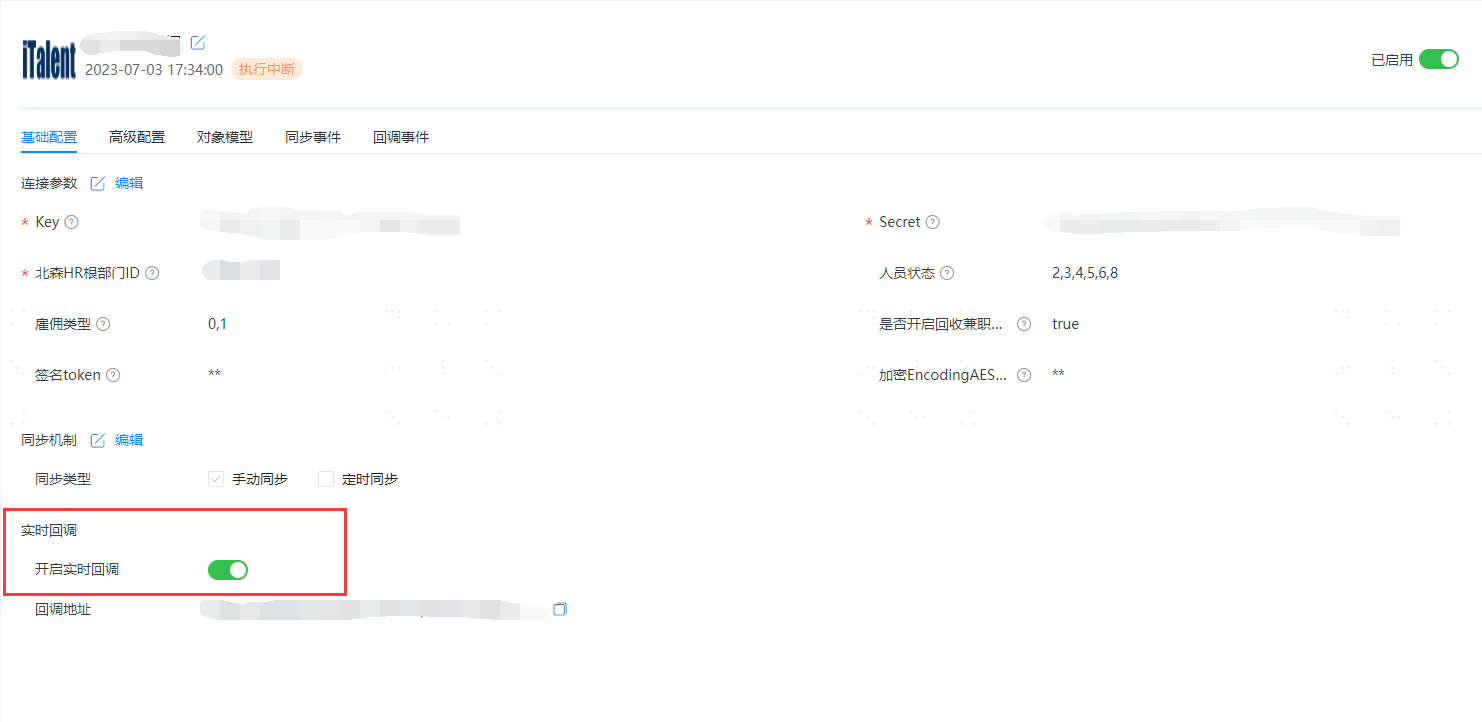
- After enabling real-time callback, copy the callback URL on the page and provide it to the Beisen administrator to configure the webhook connection on the Beisen side. (Note: Currently, this address needs to be configured by contacting Beisen customer service. It is only configured at 8 PM every Friday.) Then obtain the signature token and encryption
EncodingAESKeyfrom Beisen staff and configure them in the Beisen identity source.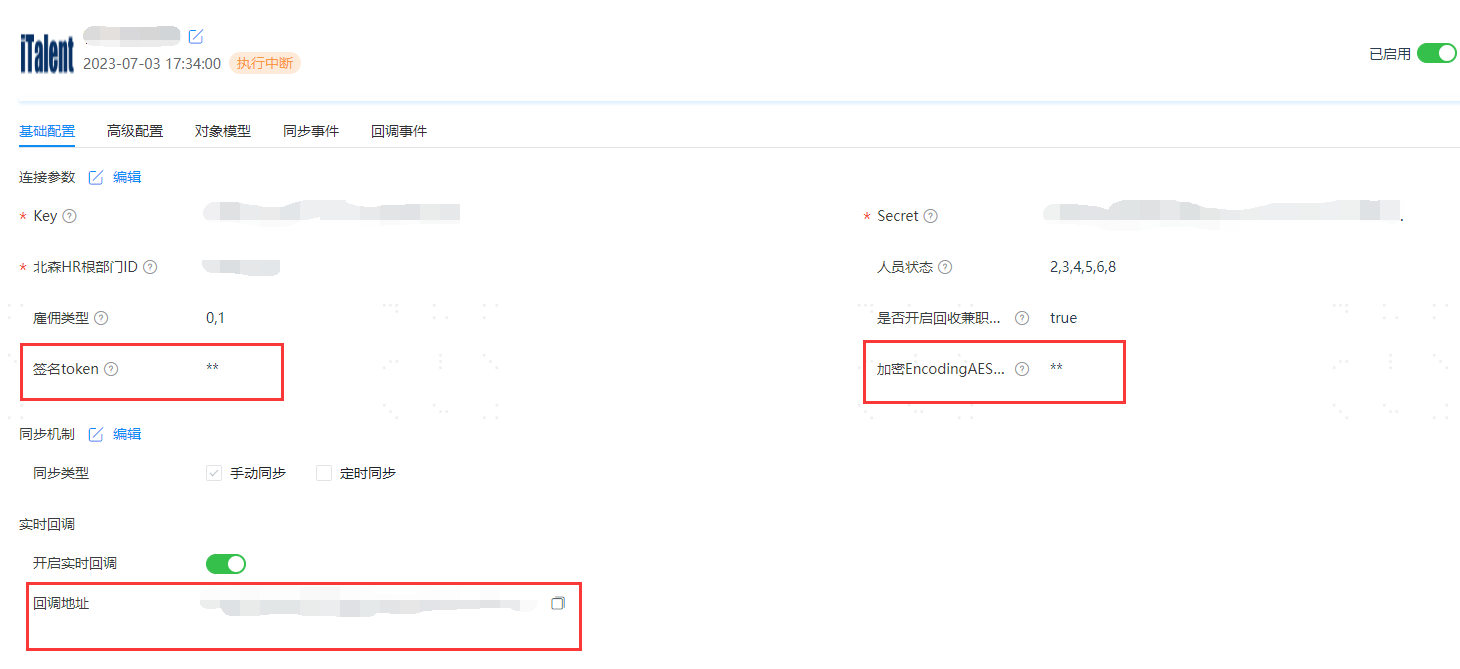
- Open the relevant API permissions on the Beisen open platform:
- User: Get undeleted employee information by employee UserID collection
- User: Get specified condition service records by employee UserID collection
- Organization: Get organization information by organization OId collection
- Position: Get position information by position OId collection
- Job Post: Get job post information by job post OID
- Enable real-time callback in the basic configuration of the Beisen identity source.
Recover Beisen Job Assignment Data in IDaaS
Enable job assignment management on the system side. For details, see Manage User Job Information.
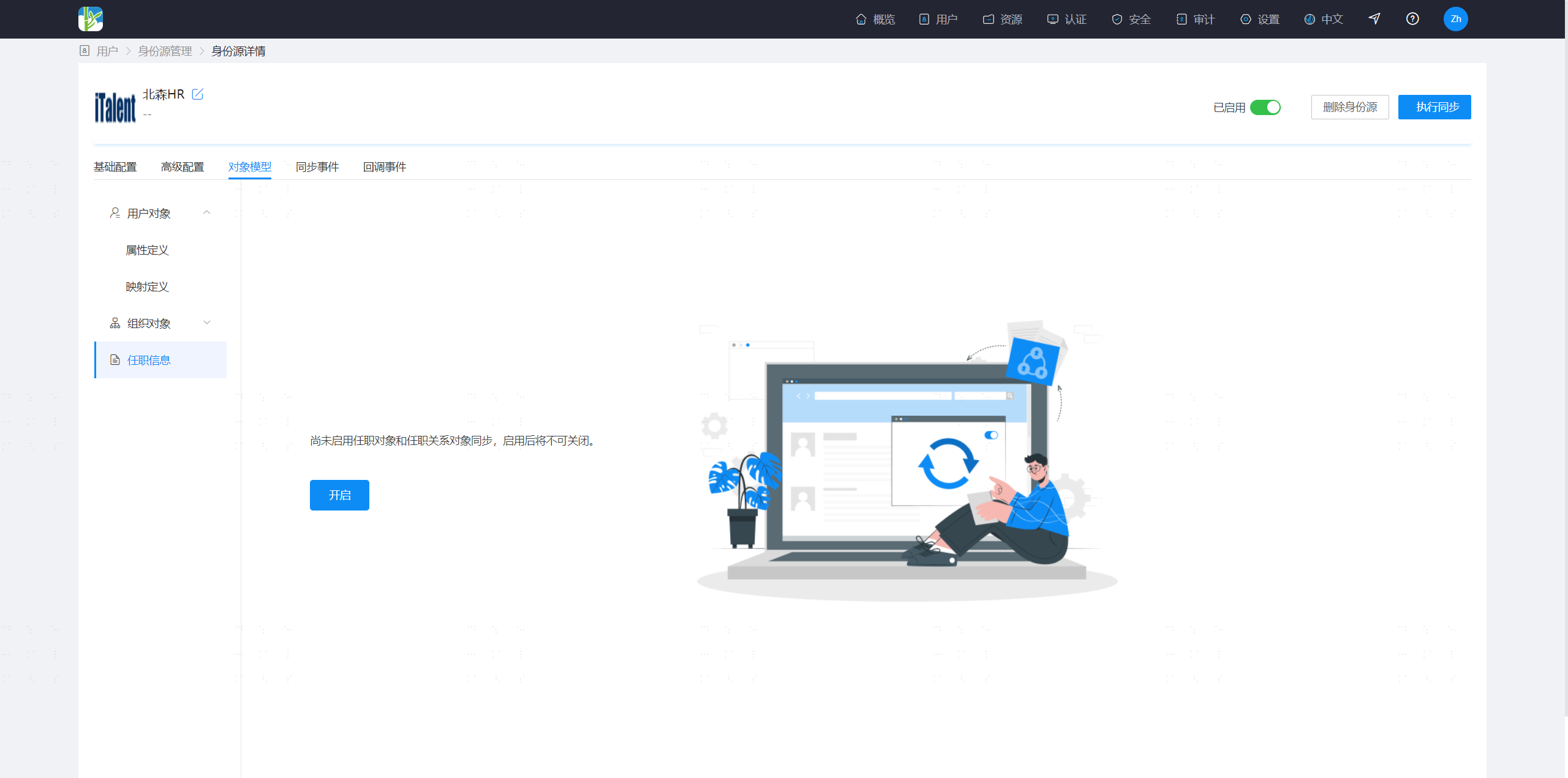
Enable job assignment information recovery in the Beisen identity source object model.
- After enabling, default data for position, job post, and job assignment relationship object models will be added.
- Once enabled, it cannot be disabled.
- Position and job post object models do not support customization. They recover the name and code from Beisen by default.
- The job assignment relationship object model supports customization. You can configure the relevant data to be recovered as needed.
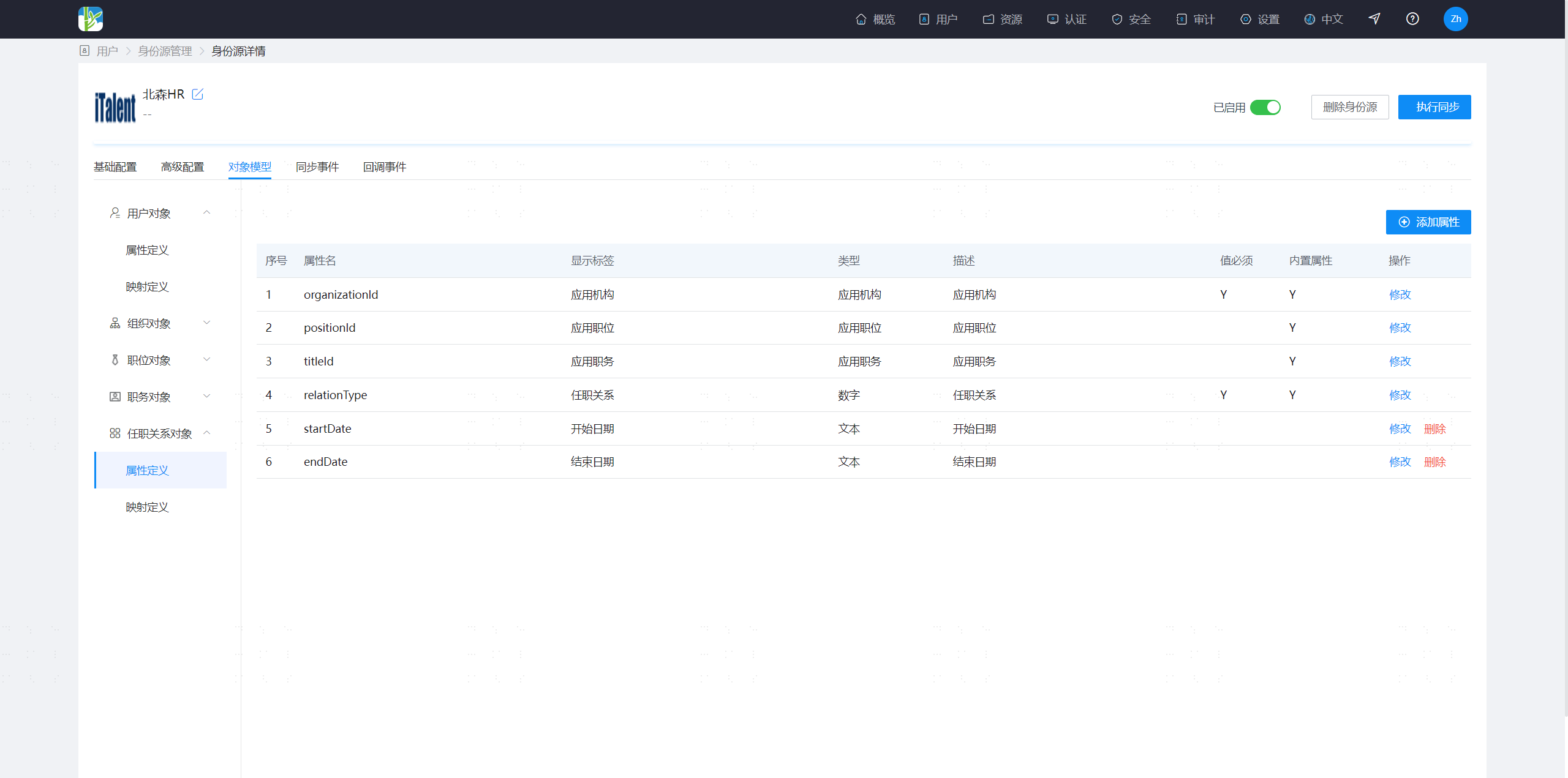
- After recovering data again, the positions, job posts, and user job assignment information from upstream Beisen will be recovered into the IDaaS platform. You can view the recovered data in the recovery details.
- After enabling, default data for position, job post, and job assignment relationship object models will be added.