
Configure Taobao Authentication Source
To facilitate enterprise user authentication login, the IDaaS platform supports configuring Taobao as an authentication source. Users can authenticate and log in to various application systems through Taobao, bringing enterprise users a simpler and more convenient login method and better user experience.
This guide explains the related operations for configuring a Taobao authentication source.
Prerequisites
- Developer permissions for the Taobao Open Platform. The Taobao Open Platform requires entering as an enterprise to create Taobao Open Platform applications. You can refer to the Taobao Open Platform Developer Entry Guide.
- Administrator permissions for the IDaaS Enterprise Center.
Procedure
Taobao Open Platform Configuration
- Log in to the Taobao Open Platform, complete identity authentication, and create an application. Refer to the Taobao Open Platform Developer Entry Guide.
- After the Taobao application is created, obtain the
AppKeyandAppSecretparameters.
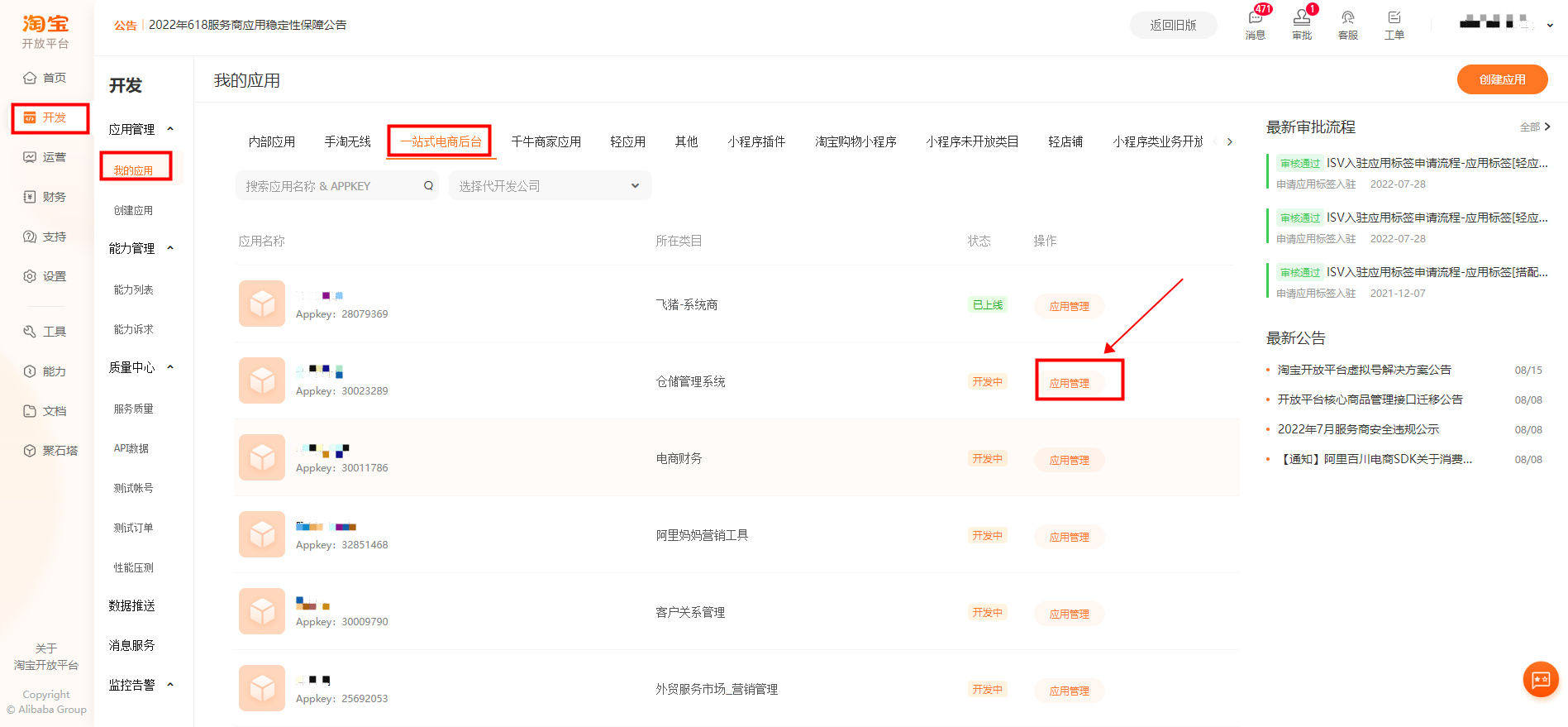
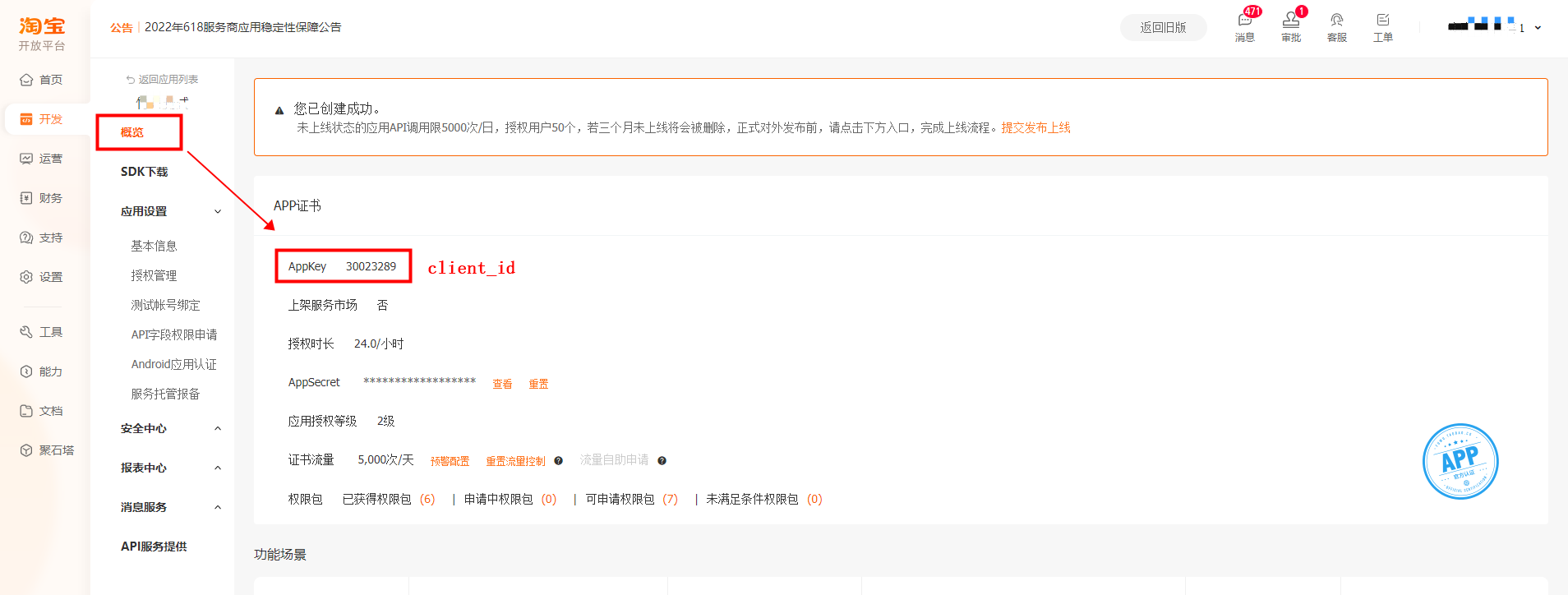
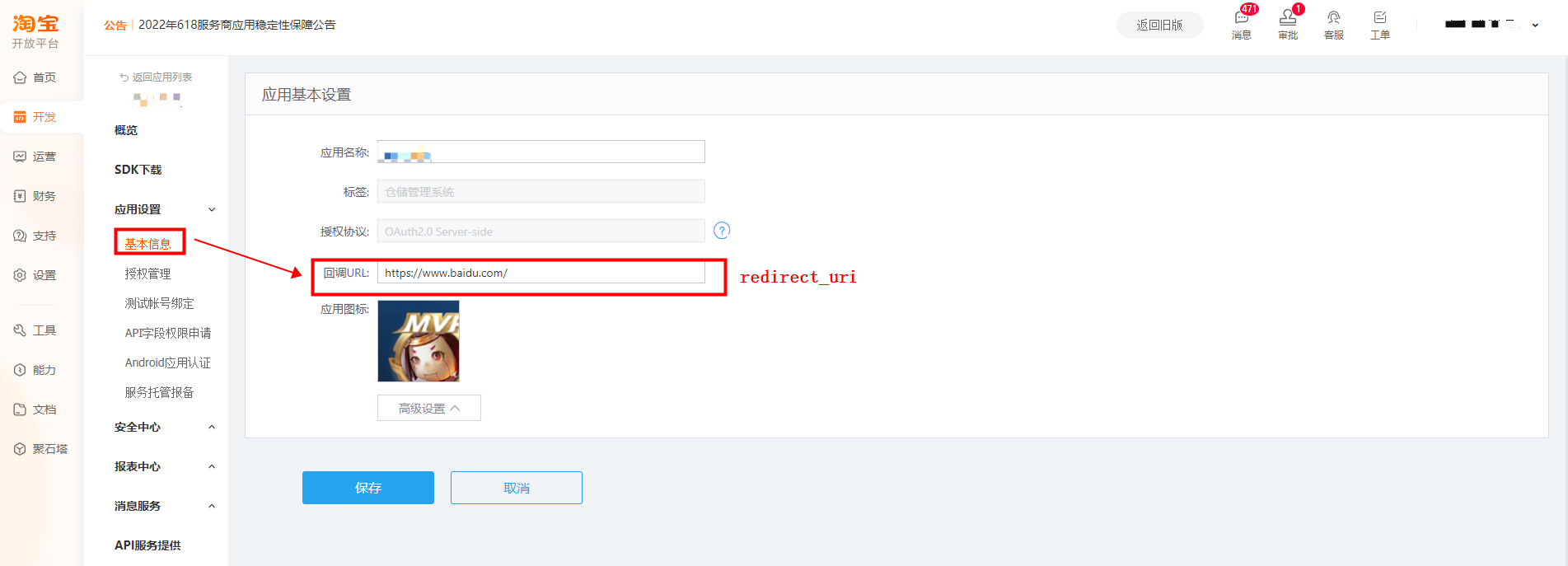
- Set the application callback address.
TIP
The Taobao application callback address format is https://{domain}/api/v1/login/taobao. The domain parameter is your domain name.
Configure IDaaS Taobao Authentication Source
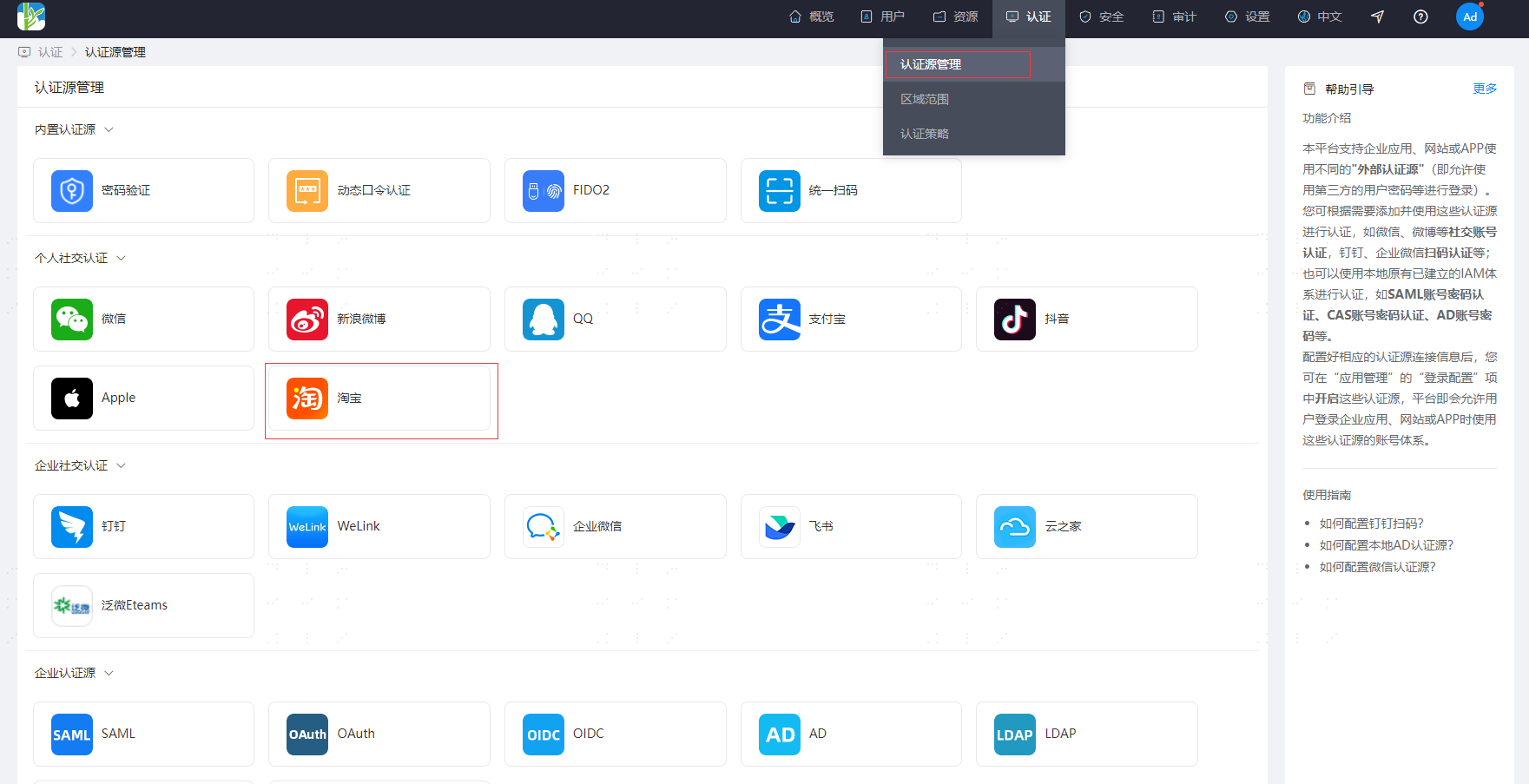
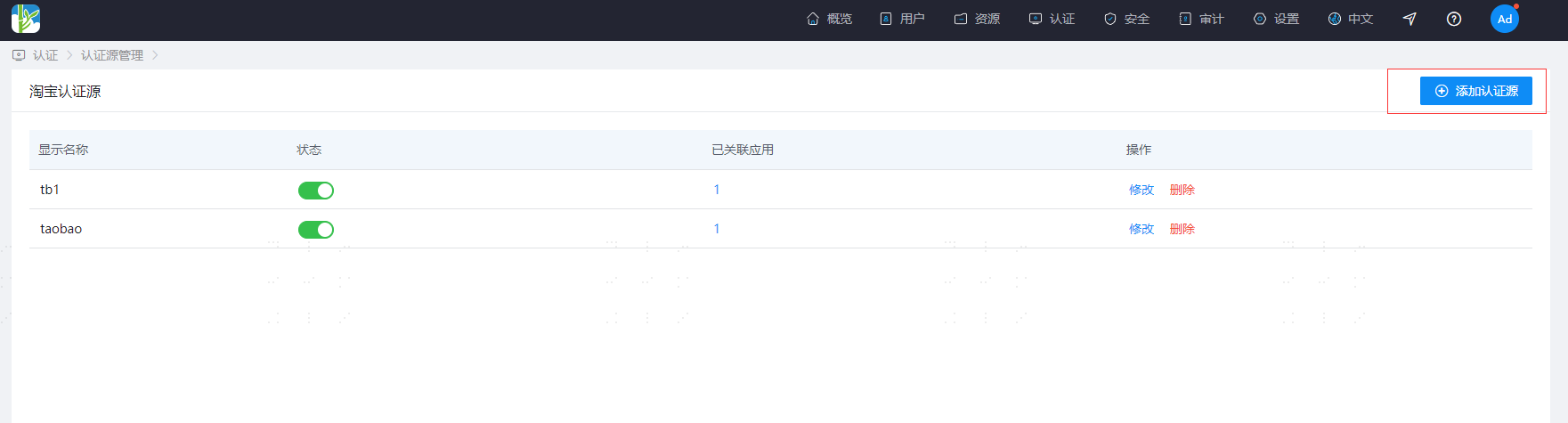
Enter the IDaaS Enterprise Center authentication source menu, select the Taobao authentication source to enter the Taobao authentication source list page, and click Add Authentication Source to add a Taobao authentication source.
TIP
- Status: Enable or disable the Taobao authentication source. After disabling, Taobao authentication source login cannot be used.
- Associated Applications: The number of applications that have enabled the Taobao authentication source.
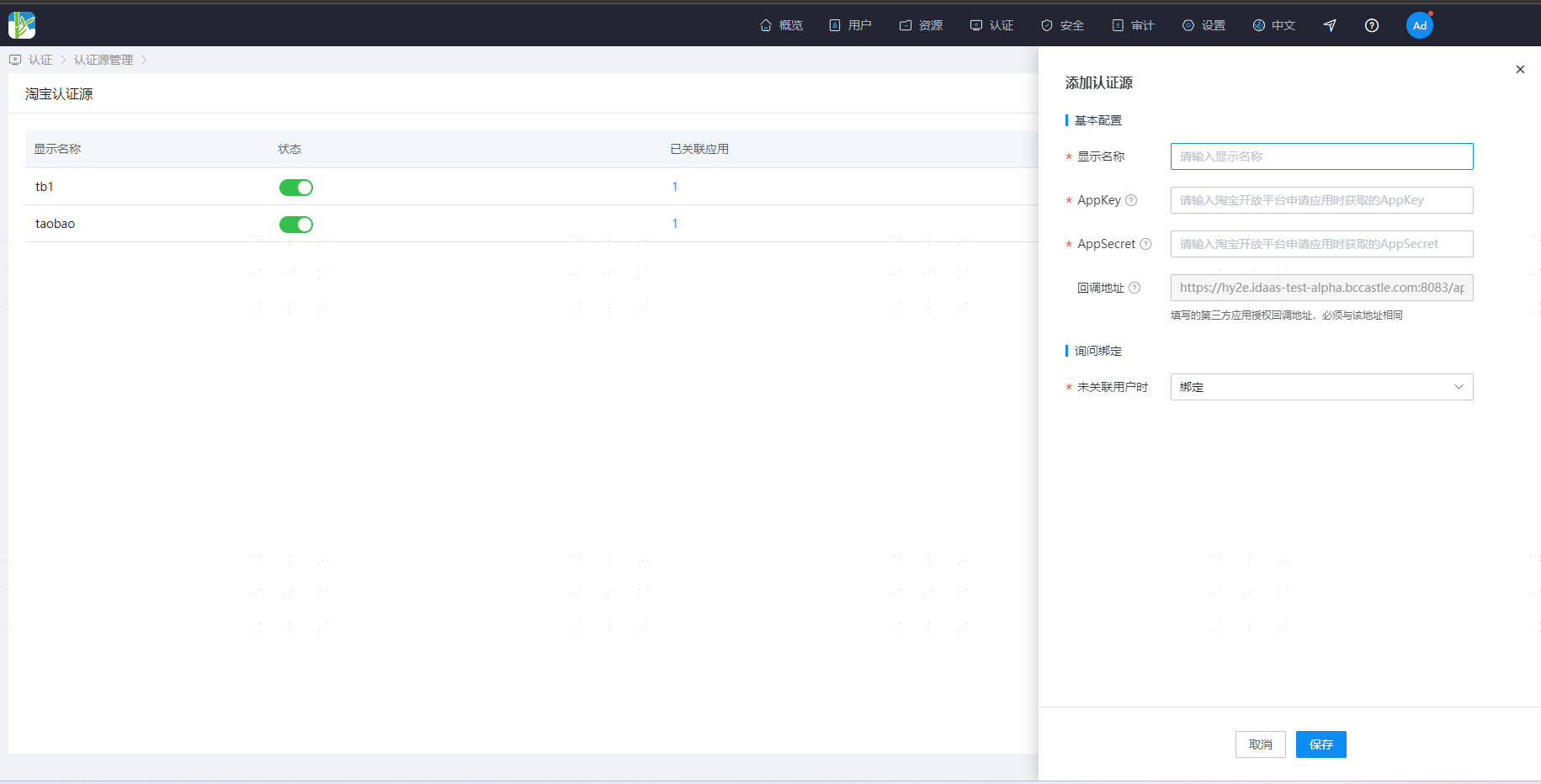
TIP
- AppKey: Taobao Open Platform application AppKey. AppSecret: Taobao Open Platform application AppSecret.
- Callback URL: The callback address provided by IDaaS, which needs to be filled in the Taobao Open Platform application callback address configuration.
- When User Not Associated: When the Taobao user unique identifier returned by the Taobao Open Platform is not associated with a system user in IDaaS, the optional configurations are as follows.
- Bind: When no user is associated, the page redirects to the corresponding verification page through the set binding method. After entering the SMS verification code successfully, the corresponding existing user can be bound.
- Bind or Register: When no user is associated, enter the SMS verification code. After success, if the mobile number does not exist, enter the registration process, complete the registration information, and then pass authentication and log in.