Manage User Position Information
Usually, in actual personnel management, an employee typically has one primary job and may also have multiple concurrent jobs. The position, job title, and other information under each job may differ. Most HR systems have users with concurrent jobs.
To ensure the integrity of enterprise employee data after migration to the IDaaS platform, IDaaS also provides the function to manage user position information.
In the IDaaS platform, a user is only allowed to have one primary job and is allowed to have multiple concurrent jobs.
Procedure
Enable Position Management
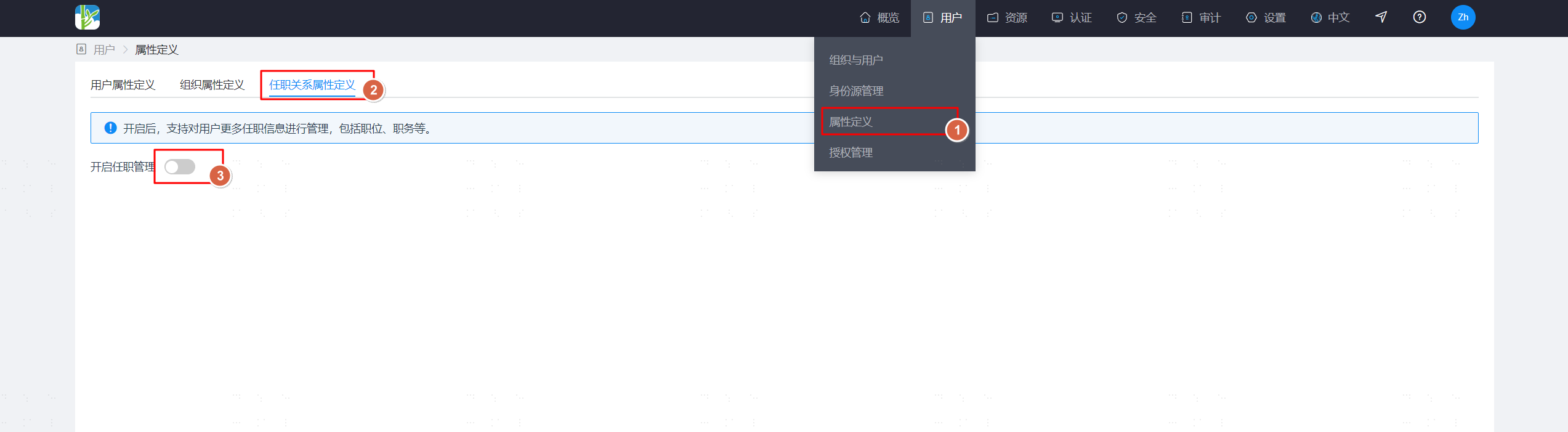
Log in to the IDaaS enterprise center platform. In the top navigation bar, select "Users > Attribute Definition", enter the "Position Relationship Attribute Definition" tab, and click the switch to enable position management.
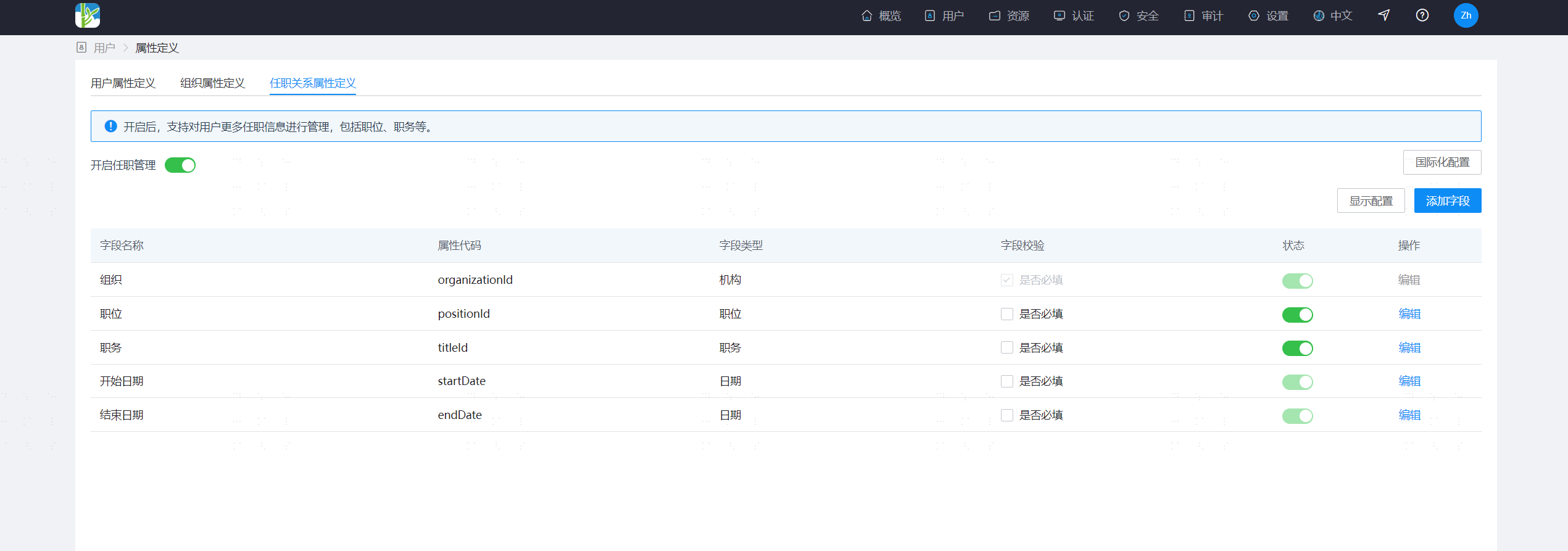
After enabling, default position relationship attribute definitions will be added, and the organization attribute (organizationId) in the user attribute definition will become disabled and non-editable. A new position information attribute (attrJobInfo) will be added.
TIP
- After enabling position management, the original user-organization relationship data is automatically upgraded to the user's position data.
- If your enterprise uses the following user management-related interfaces, please note that after enabling position management, the input and output parameters of the interfaces will change. Please adjust interface calls as soon as possible!
Disable Position Management
Log in to the IDaaS enterprise center platform. In the top navigation bar, select "Users > Attribute Definition", enter the "Position Relationship Attribute Definition" tab, and click the switch to disable position management.
After disabling, the default position relationship attribute definitions will be deleted, and the organization attribute (organizationId) in the user attribute definition will become enabled. The position information attribute (attrJobInfo) will be deleted.
TIP
- If position/title-related data already exists, disabling is not allowed.
- If the identity source has enabled position data recycling, disabling is not allowed.
- If the application has enabled position data provisioning, disabling is not allowed.
Position Management
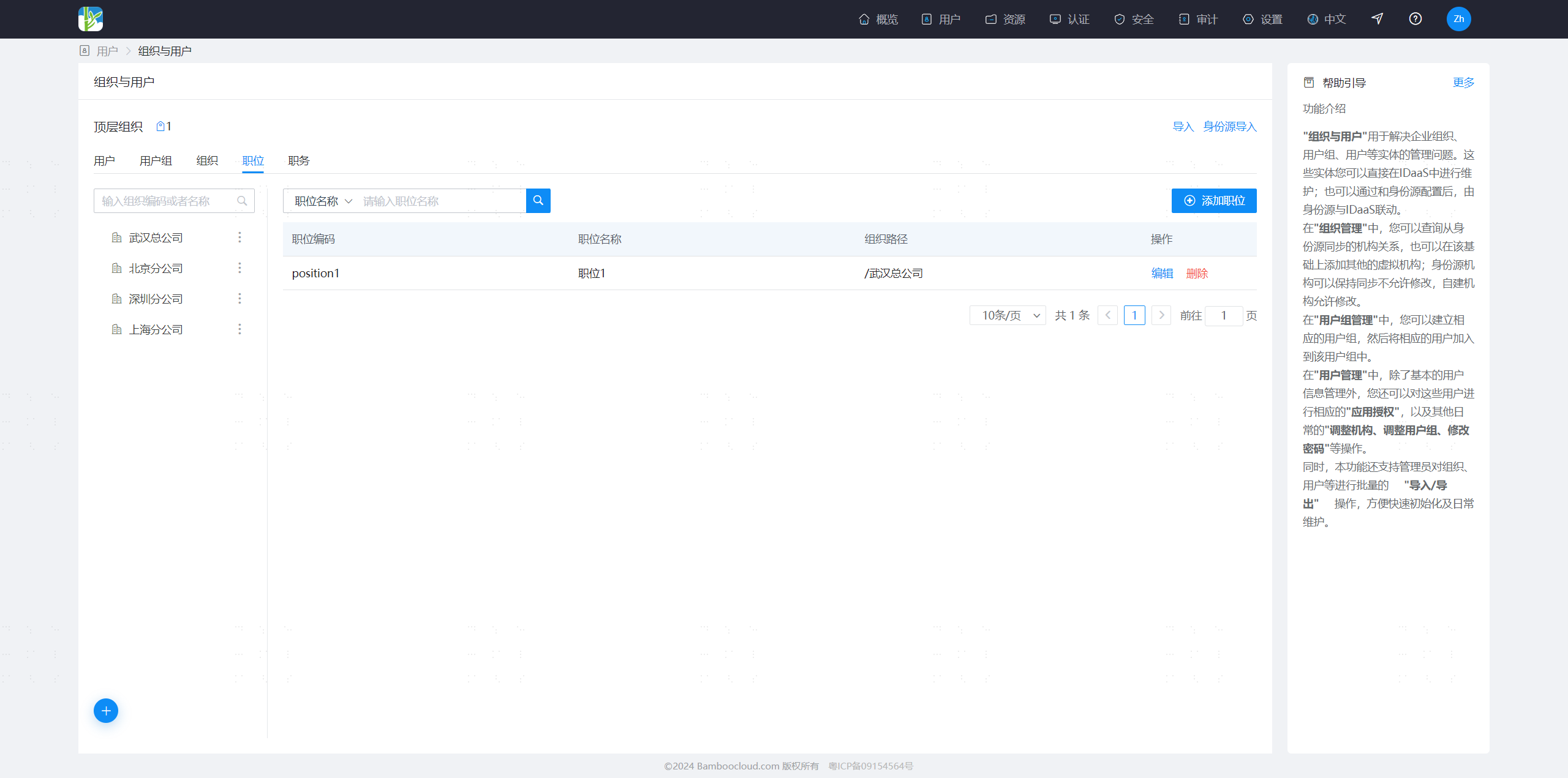
Log in to the IDaaS enterprise center platform. In the top navigation bar, select "Users > Organization and Users", enter the "Position" tab, and manage position data.
Positions need to be attached under organizations.
Positions can be associated with default job titles.
Job Title Management
Log in to the IDaaS enterprise center platform. In the top navigation bar, select "Users > Organization and Users", enter the "Job Title" tab, and manage job title data.
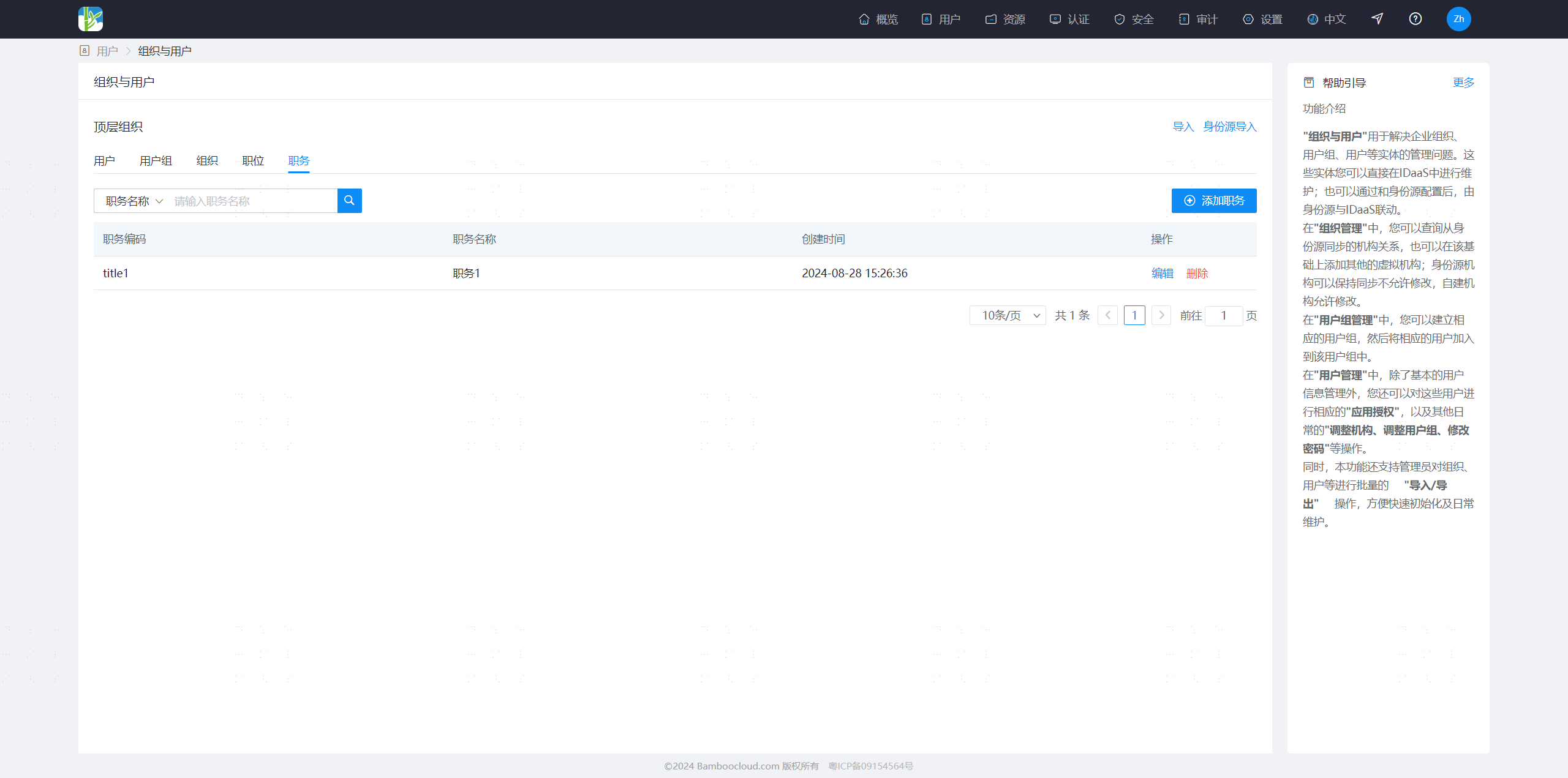
User Position Information Management
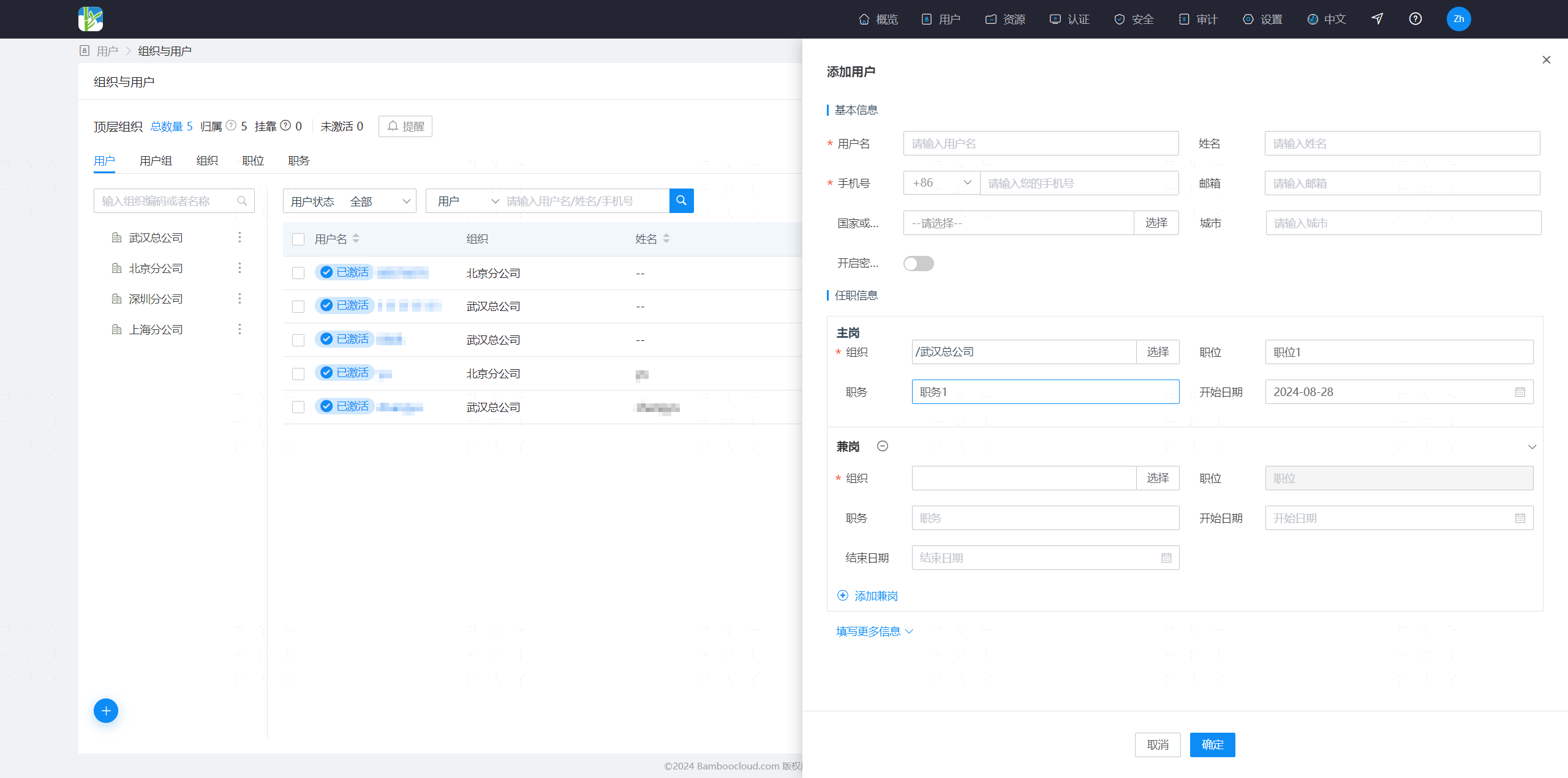
Log in to the IDaaS enterprise center platform. In the top navigation bar, select "Users > Organization and Users", enter the "User" tab, and manage user data.
When adding a user, you can fill in position information for primary and concurrent jobs. The attribute fields in position information can be extended and modified in the position relationship attribute definition.
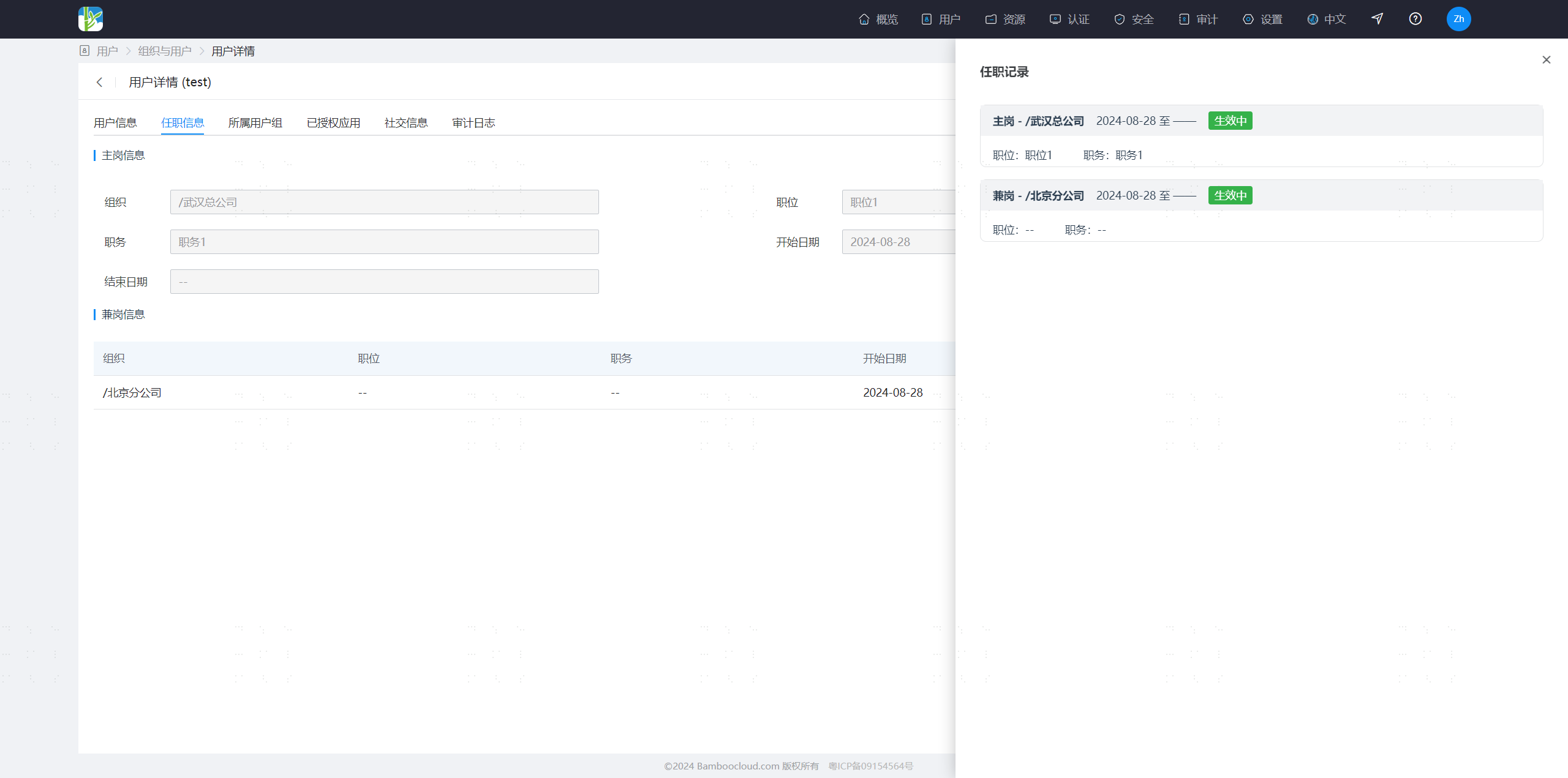
Enter the user details, select the position information tab, and you can adjust the user's primary job, and edit and delete concurrent jobs.
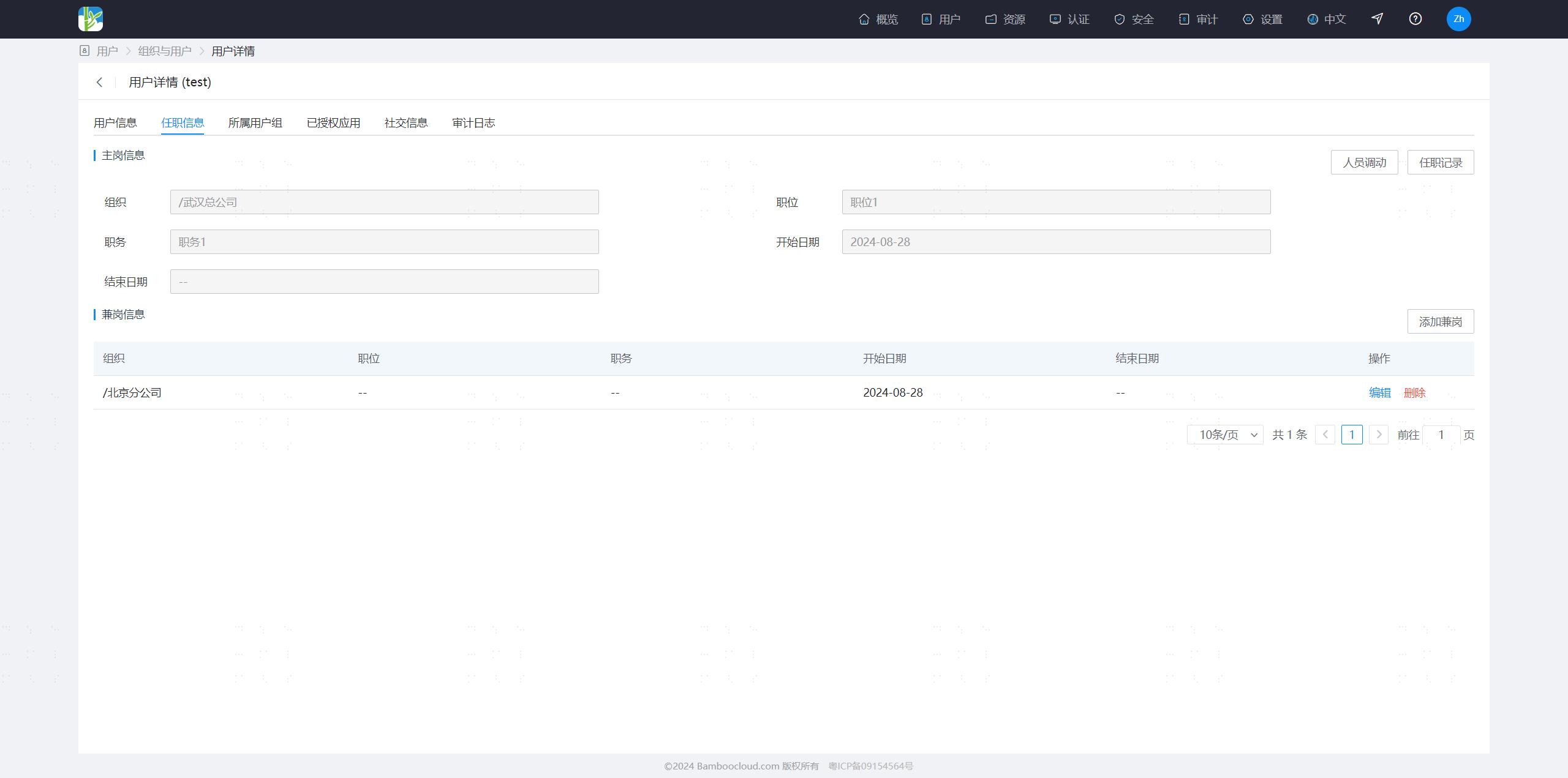
Enter the user details, select the position information tab, and view the user's position history information.