Configure Feishu External Browser Password-Free Login
This guide explains the configuration process for users to log in to IDaaS-integrated applications through an external browser without a password from the Feishu PC client. After configuring the Feishu authentication source integration in the IDaaS platform, refer to this module to configure Feishu external browser password-free login for various application systems.
Prerequisites
- Access management permissions for the IDaaS Enterprise Center.
- Feishu Open Platform account administrator permissions, and an application has been created.
- The application has been integrated into the IDaaS platform.
- The Feishu authentication source has been configured in the IDaaS platform.
Configuration Flow

Procedure
TIP
The example application in this guide is an OAuth authentication protocol application created in IDaaS: OAUTH_1. Applicable scope: All self-built applications and pre-integrated applications that integrate with IDaaS through protocols.
Configure Feishu Authentication for Application
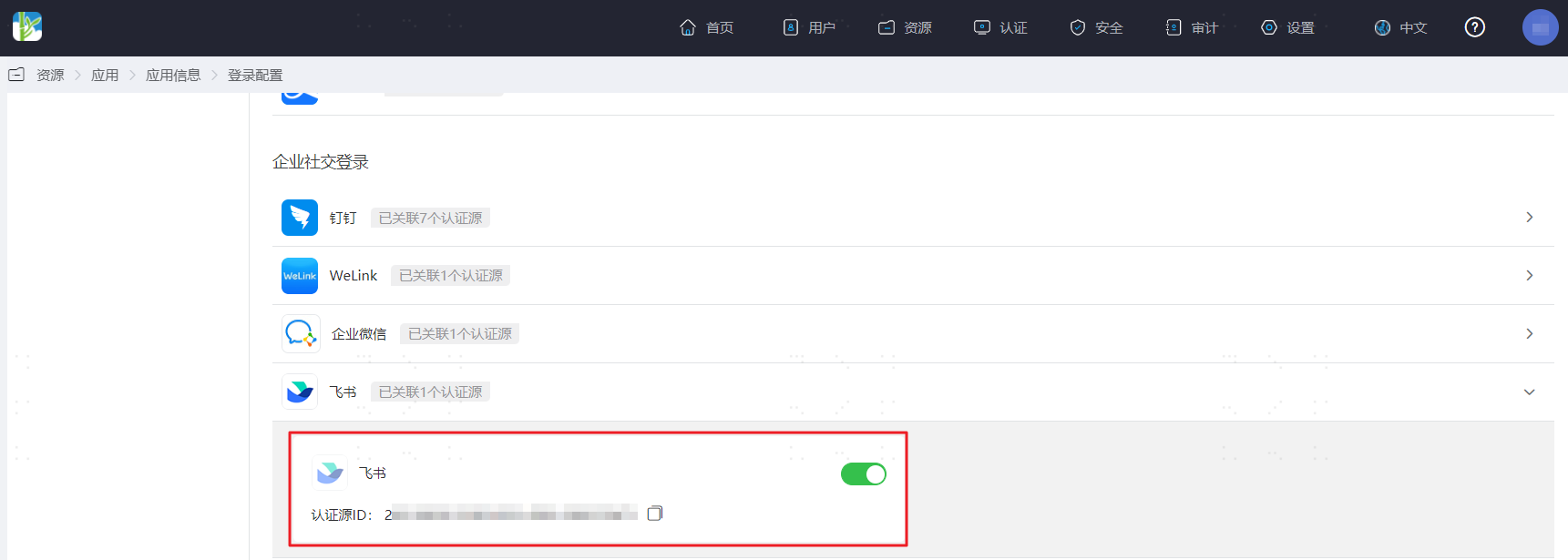
Log in to the IDaaS Enterprise Center, choose Resources > Apps from the top navigation bar. This guide uses the OAuth authentication protocol application as an example. Select OAUTH_1, switch to the Login Configuration tab, select Feishu from the dropdown, and enable the previously added Feishu authentication source.
Switch to the General Info tab, and obtain the application
ClientId.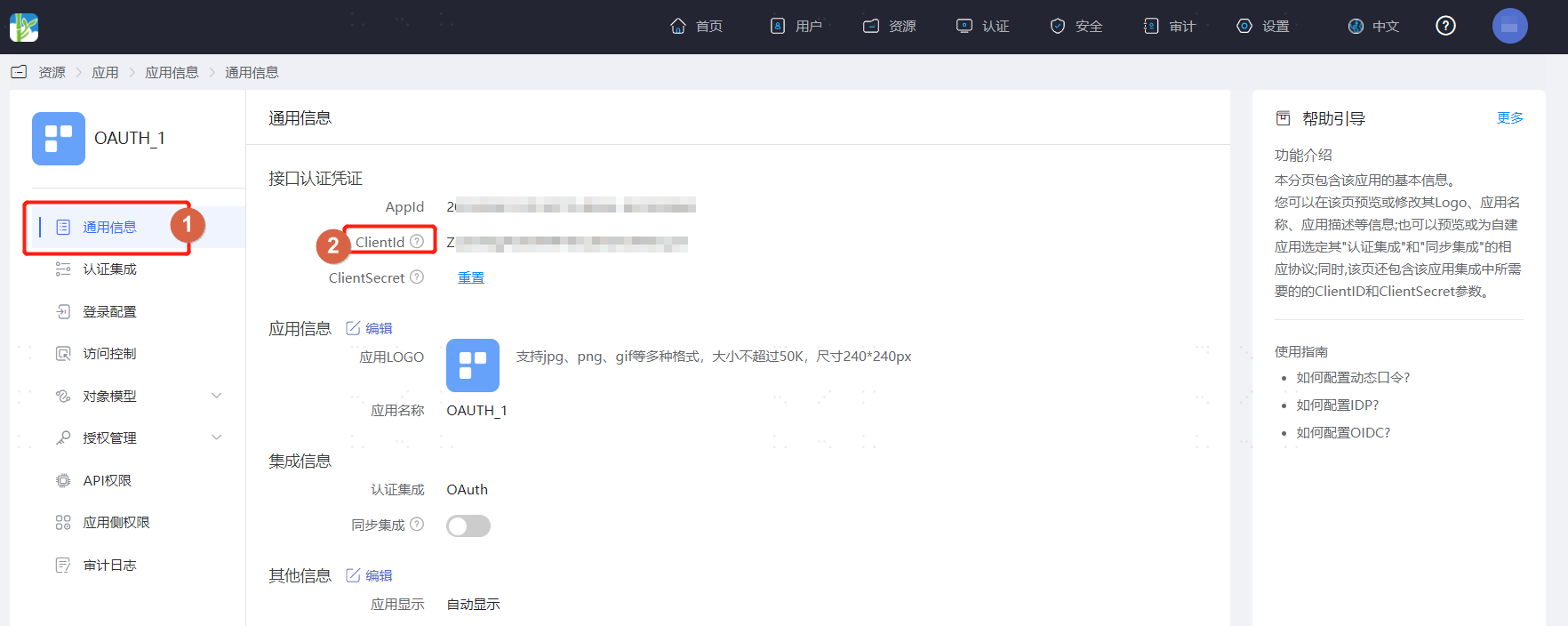
Feishu Management Console Configuration
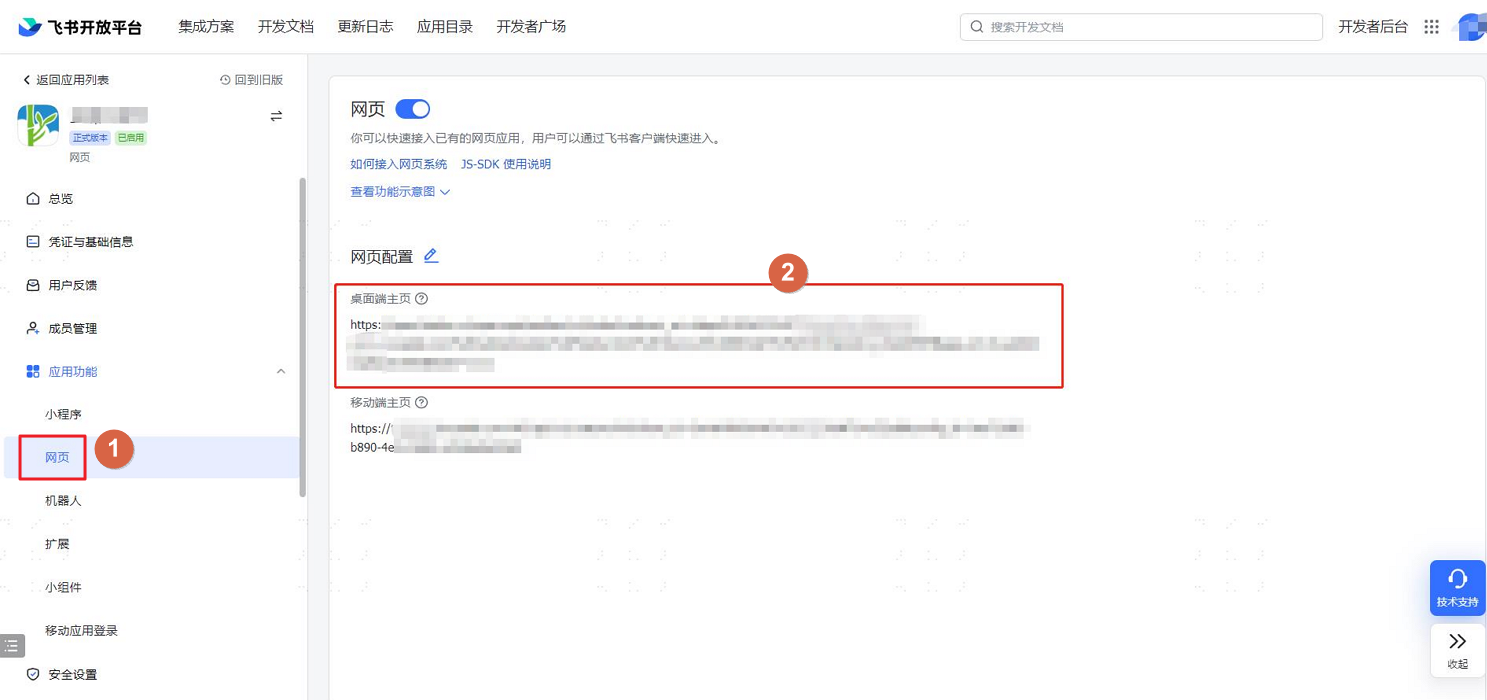
Log in to the Feishu Open Platform, find and enter the previously created application, choose App Features > Webpage, and set the desktop homepage.
WARNING
Desktop homepage link composition:
https://open.feishu.cn/open-apis/authen/v1/index?redirect_uri={REDIRECT_URI}&app_id={APPID}- REDIRECT_URI composition:
https://xxx.bccastle.com/authentication/feishu.html?client_id={CLIENT_ID}client_idis the application ClientId obtained in IDaaS.REDIRECT_URIneeds URL encoding. Example:https%3A%2F%2Fxxx%2Fauthentication%2Ffeishu.html%3Fclient_id%3DBDvQP7V7fiZXXi4cqovDekDl5fM
- APPID parameter: The AppKey of the Feishu authentication source configured in IDaaS, i.e., the AppId of the application in which the authentication source is configured in Feishu.
TIP
Quickly obtain the AppKey: In the IDaaS Enterprise Center, go to Authentication Sources > Feishu Authentication Source, click Edit for the corresponding authentication source, and you will find the AppKey of the Feishu application on the configuration page.
Example:
texthttps://open.feishu.cn/open-apis/authen/v1/index?redirect_uri=https%3A%2F%2Fxxx%2Fauthentication%2Ffeishu.html%3Fclient_id%3DBDvQP7V7fiZXXi4cqovDekDl5fM&app_id=cli_a26xxxxx81be100e- REDIRECT_URI composition:
Switch to the Security Settings tab, select H5 Trusted Domain, and add the IDaaS tenant domain:
https://xxx.bccastle.com/. The tenant domain is obtained in the IDaaS Enterprise Center under Settings > Enterprise Info.
TIP
Note: The H5 trusted domain must be added to the application corresponding to
app_id(the application used for QR code authentication integration with IDaaS). Do not configure it in the currently created application.Switch to the Security Settings tab to configure the redirect URL, the callback address after Feishu authentication succeeds.
TIP
- Replace
xxxin the redirect URL with your enterprise IDaaS tenant domain. Example:https://xxx.bccastle.com/authentication/feishu.html. The tenant domain is obtained in the IDaaS Enterprise Center under Settings > Enterprise Info. - Note: The redirect URL must be configured in the application corresponding to
app_id(the application used for QR code authentication integration with IDaaS). Do not configure it in the currently created application. If configured incorrectly, Feishu will prompt "Redirect URL is incorrect, please contact the app administrator" (error code: 20029).
- Replace
Verify Feishu PC Client External Browser Password-Free Login
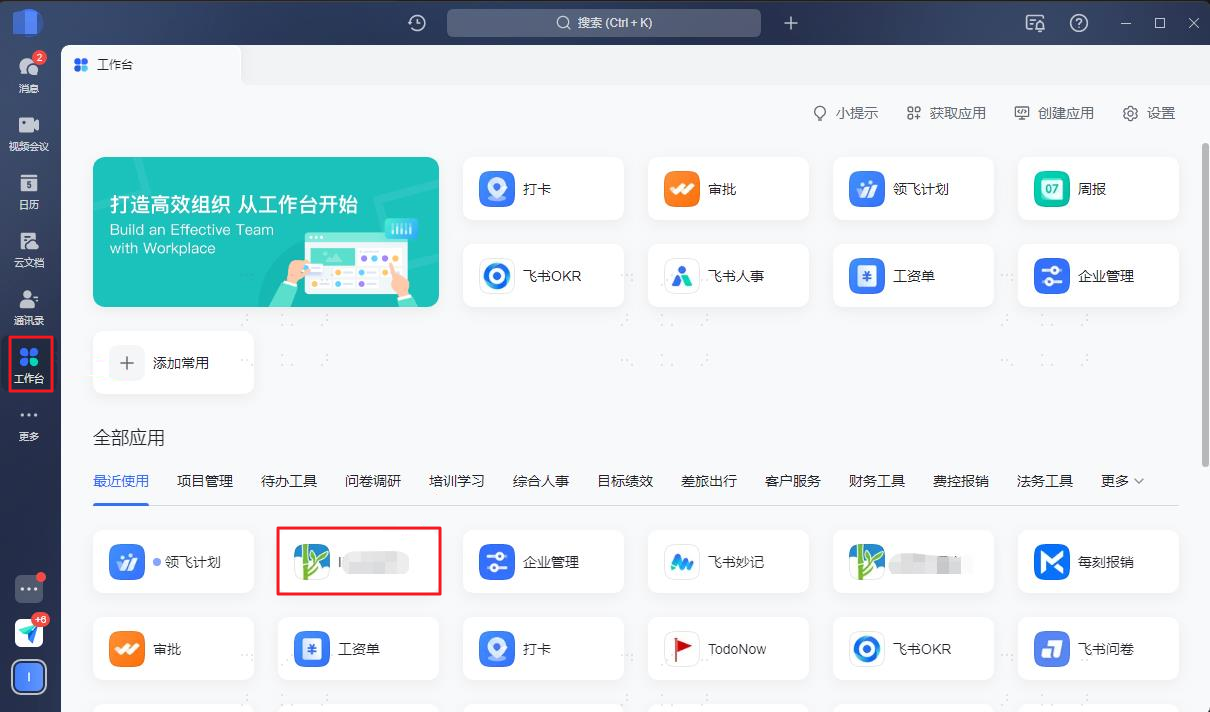
The user logs in to the Feishu client, finds the application created in Feishu, and clicks the application to open the computer's default browser and log in to OAUTH_1 without a password.