
Use Webhook to Listen for User Events
Webhook allows you to listen for events such as user registration, login, and personal information modification for subsequent custom processing.
When adding a Webhook, configure the callback address in the IDaaS platform and specify the user events to listen for. When the relevant user events are triggered, a POST request is sent to the remote HTTP URL. This feature is currently only supported in 2C scenarios.
Prerequisites
You have administrator permissions for the IDaaS enterprise center platform.
Procedure
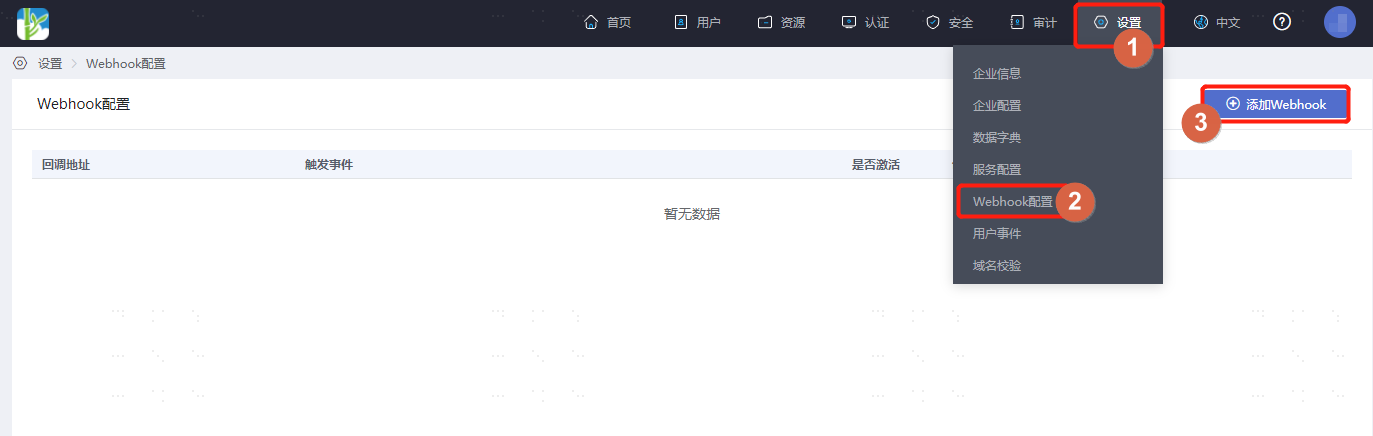
Log in to the IDaaS enterprise center platform. In the top navigation bar, select "Settings > Webhook Configuration", and click "Add Webhook".
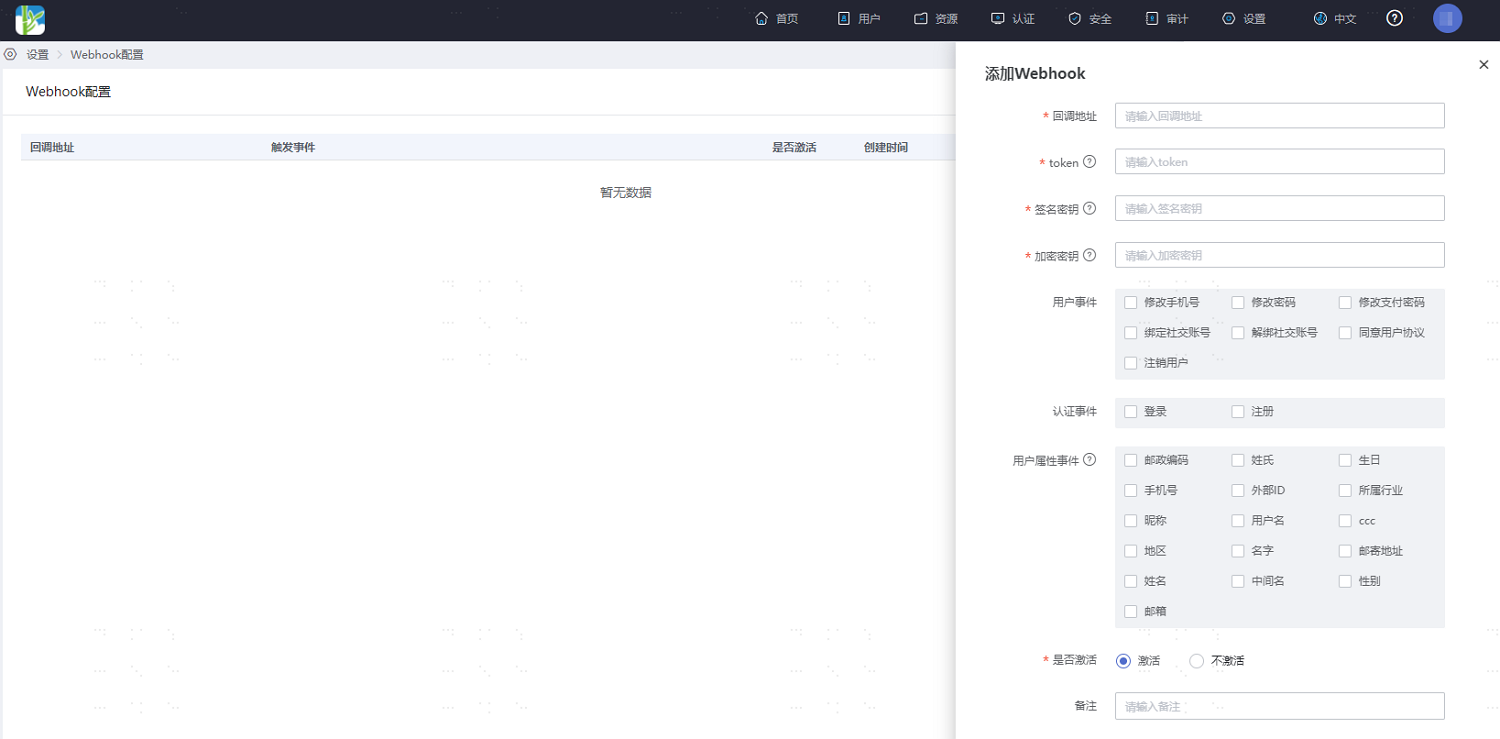
Fill in the relevant parameters for the custom Webhook according to the interface prompts, and check the user behavior events to listen for.
After configuration, return to the Webhook configuration page. Click "Test" under the operation column of an existing Webhook to test whether the Webhook is effective. After successful testing, you will see detailed request and response information.