
Configure Weibo Authentication Source
Weibo authentication login allows users to securely log in to third-party applications or websites using Weibo as the authentication source. To facilitate enterprise user authentication login, the IDaaS platform supports configuring Weibo as an authentication source. Users can log in to various application systems through Weibo authentication, bringing enterprise users a simpler, more convenient login method and a better user experience.
This section describes the operations related to configuring the Weibo authentication source.
Prerequisites
- You have administrator permissions for the Weibo Open Platform.
- You have administrator permissions for the IDaaS Enterprise Center platform.
Procedure
Create an Application on the Weibo Open Platform and Obtain Parameters
Create the corresponding application based on the actual Weibo authentication method required:
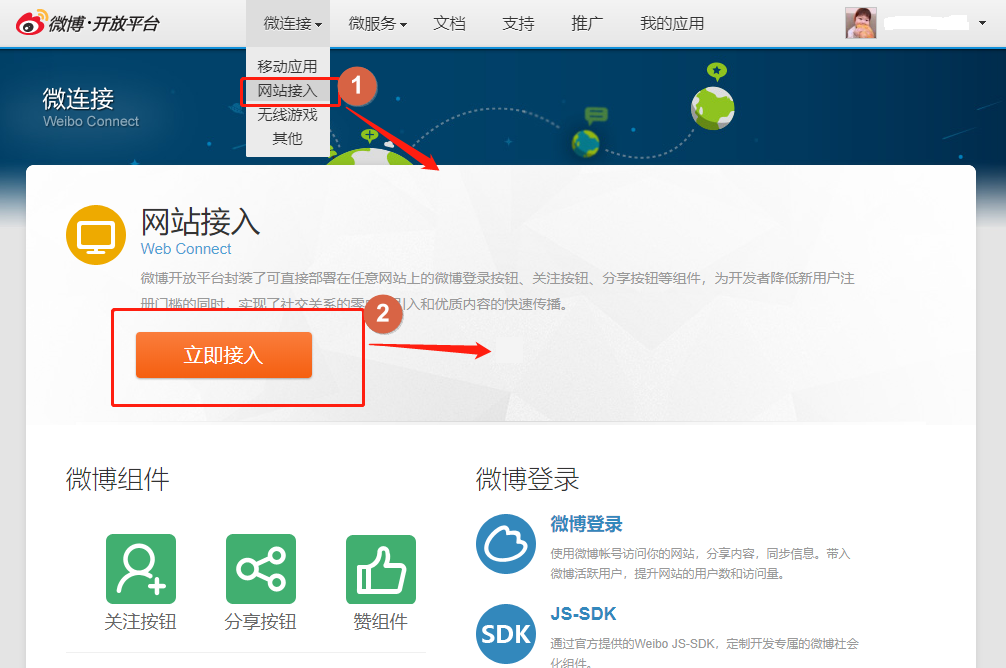
To configure Weibo QR code login: log in to the Weibo Open Platform, choose Micro Connection > Website Access, click Access Now to create a website application, obtain the AppKey and AppSecret parameters, and then submit it for release review. The Weibo authentication feature can only be officially used after the review is passed and it goes online.
TIP
On the Application Info > Advanced Info page, perform OAuth2.0 authorization settings, add the tenant's callback address, and obtain it from the Weibo authentication source parameters in Authentication > Authentication Source Management of the IDaaS Enterprise Center.
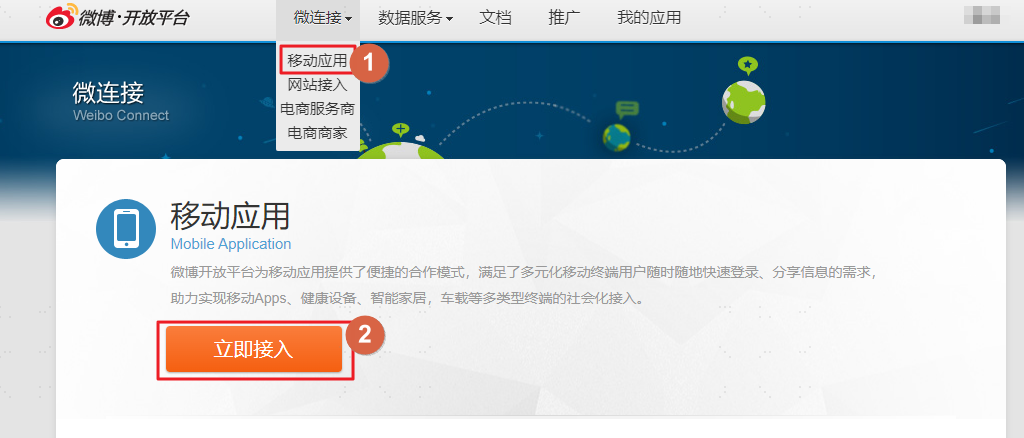
To configure Weibo mobile authorization login: log in to the Weibo Open Platform, choose Micro Connection > Mobile Applications, click Access Now to create a mobile application, obtain the AppKey and AppSecret parameters, and then submit it for release review. The Weibo authentication feature can only be officially used after the review is passed and it goes online.
Configure the Weibo Authentication Source on the IDaaS Platform
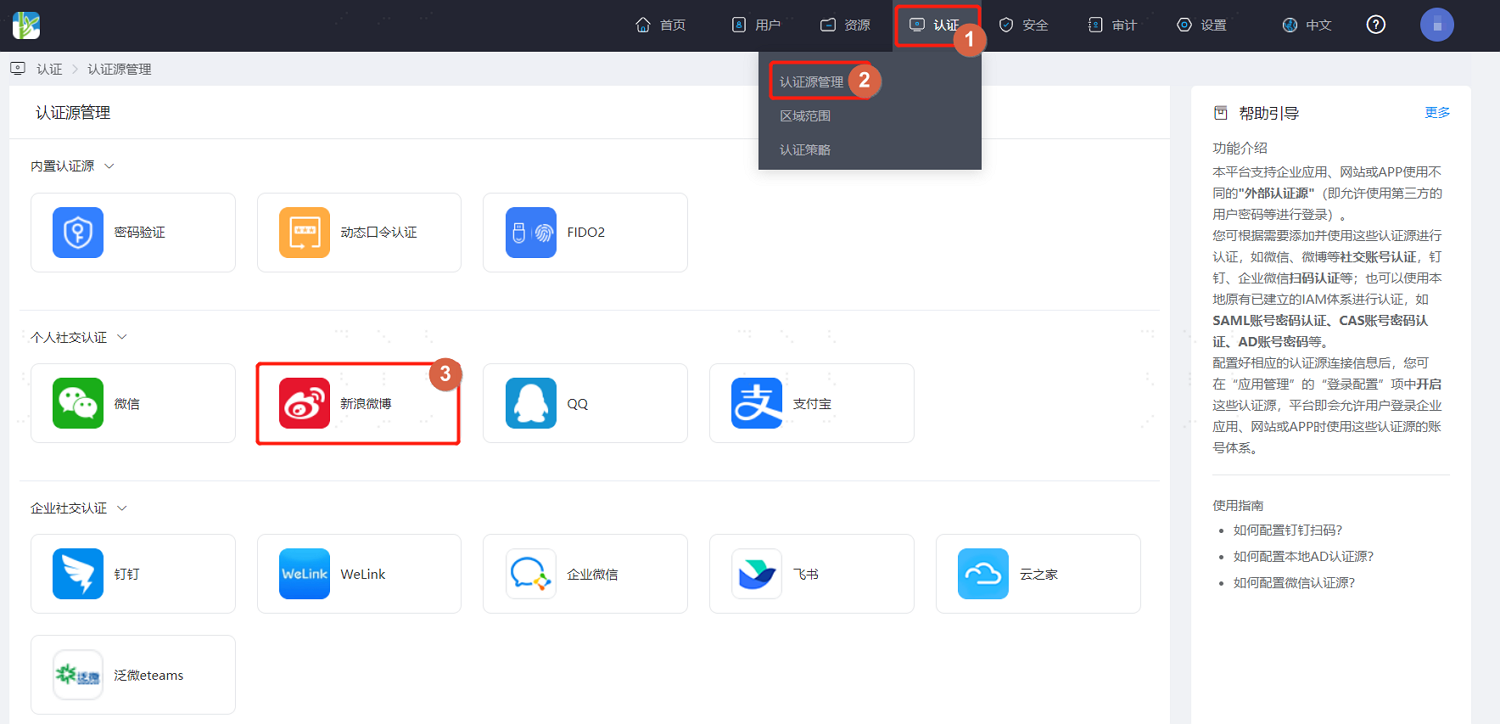
Log in to the IDaaS Enterprise Center platform. In the top navigation bar, choose Authentication > Authentication Source Management > Weibo. On the Weibo authentication source page, click Add Authentication Source.
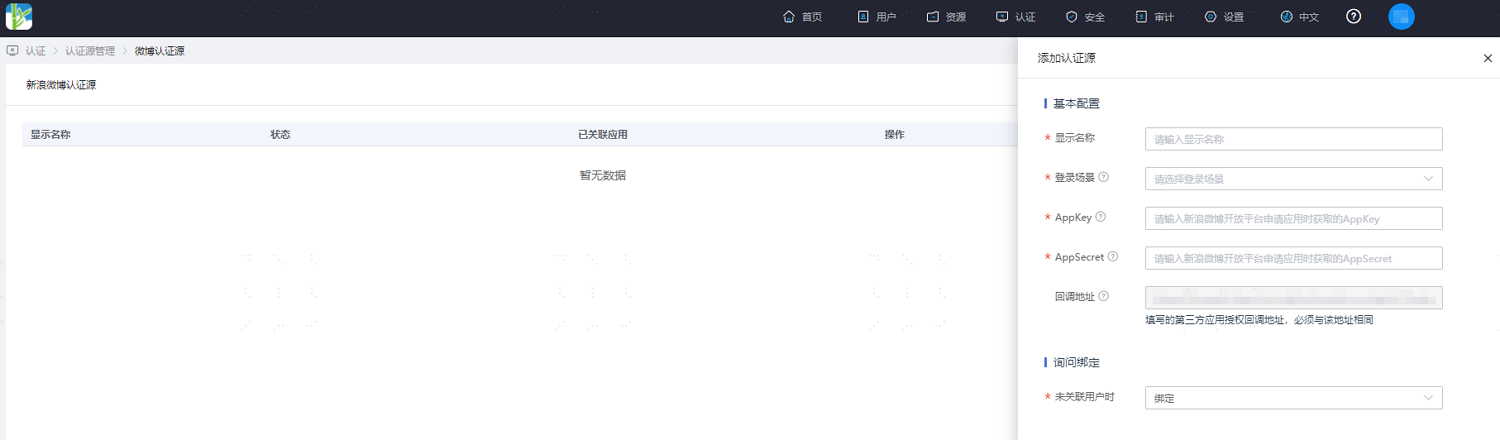
Configure the Weibo authentication source parameters according to the on-screen prompts. Key parameter descriptions are as follows.
TIP
- Login Scenario: Select the login scenario based on the Weibo authentication type, including PC Browser QR Code Login and Mobile APP Authorization Login, corresponding to Weibo QR code login and Weibo mobile authorization login respectively.
- When User Is Not Associated: That is, when the authentication source attributes of the user information returned by the Weibo platform are inconsistent with the associated user attributes in IDaaS and no system user is associated, the optional configuration items are as follows.
- Bind: When set to Bind, if no user is associated, it will jump to the mobile number or email verification page. Enter an existing IDaaS mobile number or email. If the verification succeeds, the user passes authentication.
- Bind or Register: When set to Bind or Register, if no user is associated, it will jump to the mobile number or email verification page. Enter an existing IDaaS mobile number or email. If the verification succeeds, the user passes authentication; if the entered mobile number or email does not exist in IDaaS and the verification succeeds, an IDaaS user is created based on the mobile number or email and the user passes authentication.