Customize Default Authentication Source
If you want enterprise employees to quickly use a specific authentication method by default when accessing applications, please refer to the following operations after configuring the authentication method for the application.
Procedure
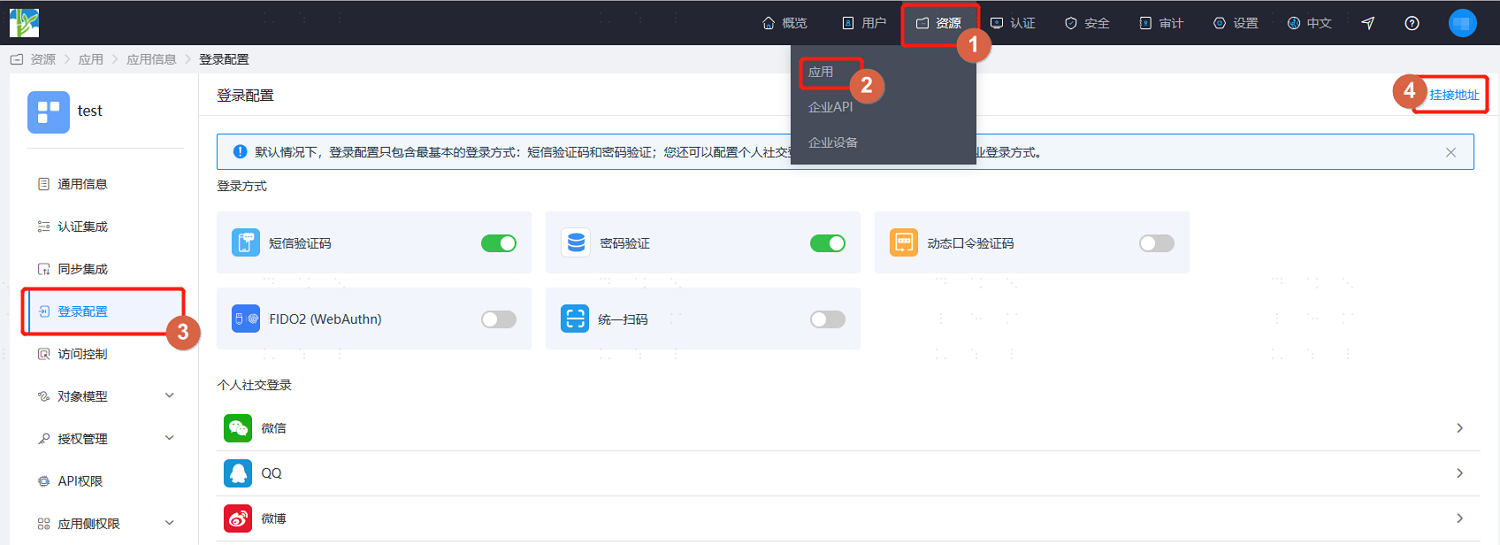
The administrator logs in to the IDaaS Enterprise Center, goes to the Resources > Apps page, enters the app's Login Configuration page, and clicks Access URL in the upper right corner (some authentication methods allow you to directly obtain their access address from the dropdown; refer to the screenshot in step 2).
Customize the app's access URL, keep the built-in access URL, and replace the
config_idvalue with the authentication source ID under the specified authentication method.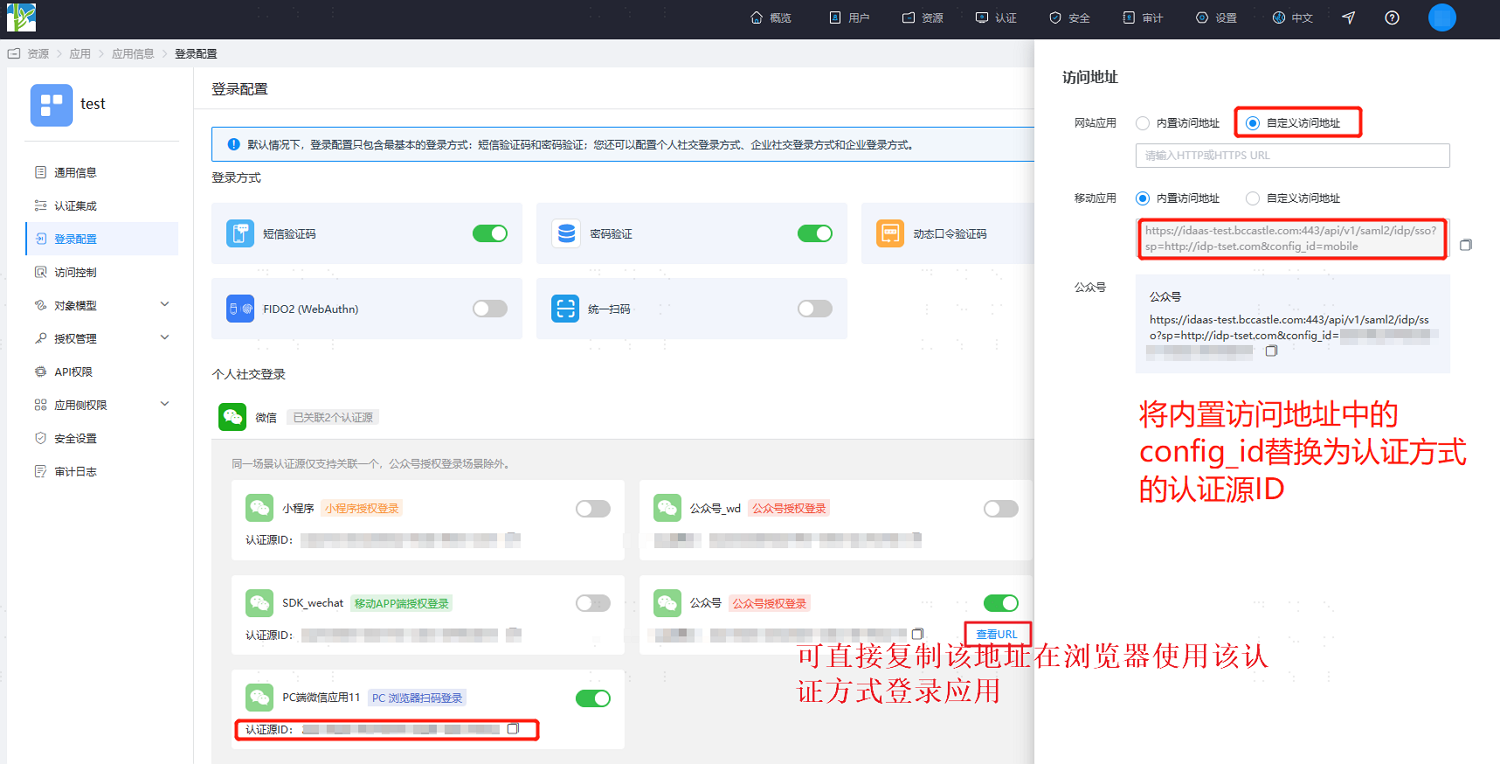
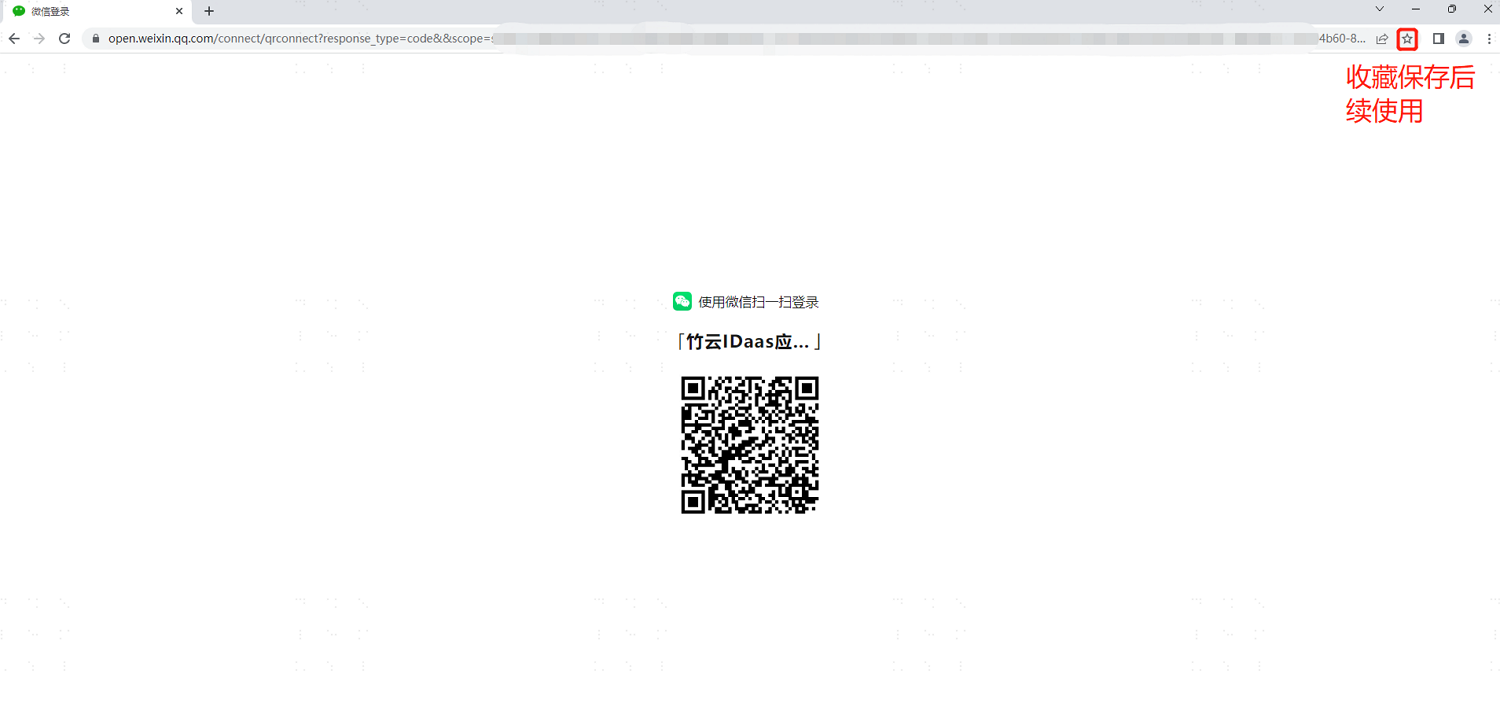
Copy the URL and open it in the browser to log in to the app directly using this authentication method. For convenient future use, employees can bookmark this login page in the browser for direct login next time.